Template details
Hugo Theme Prism
A modern and vibrant Hugo theme designed for personal blogs and portfolios.
About this template
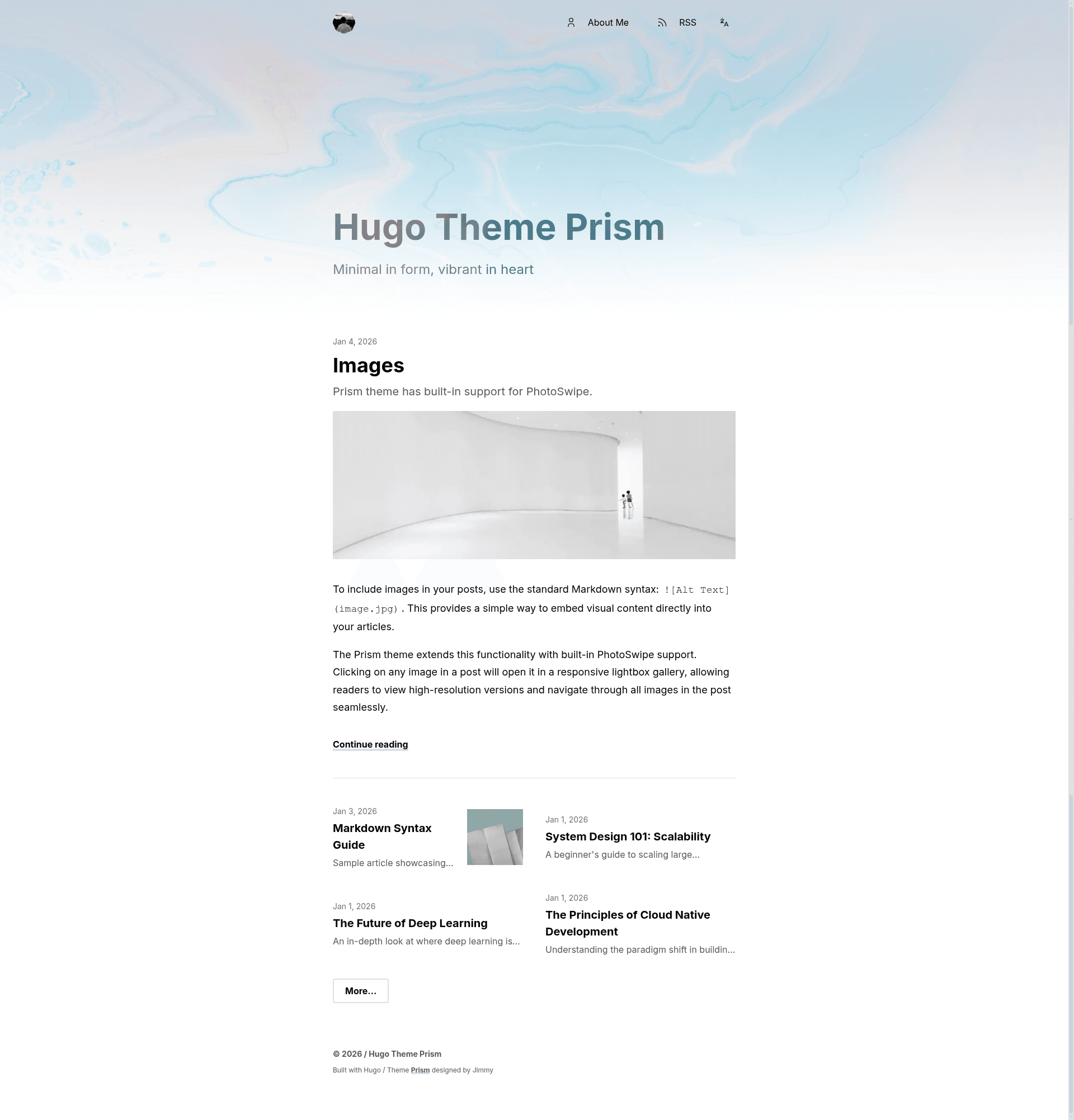
Hugo Theme Prism is a modern, vibrant Hugo theme for personal blogs and portfolios, offering configurable hero layouts, built-in search, and multilingual support.
What is Hugo Theme Prism?
Hugo Theme Prism is a free, open-source theme for the Hugo static site generator, created by Jimmy (CaiJimmy) and published on GitHub. It takes Markdown content and Hugo configuration as input and produces a fully static, responsive website. The theme includes dark mode, client-side search, internationalization, and two cover image display modes, all controlled via front matter and params.toml settings.
Key Features
- Hugo-based static generation — Built on the Hugo static site generator; content is written in Markdown and compiled into static HTML that can be hosted anywhere.
- Dark Mode Support — Automatically follows the visitor's system color scheme for comfortable reading at any time of day.
- Built-in Search — Fast, client-side search functionality that runs entirely in the browser without a backend.
- Internationalization (i18n) — Native support for multiple languages, enabling multilingual sites out of the box.
- Collapsible Table of Contents — An elegant, collapsible ToC for long-form articles, keeping the reading area clean.
- Archive Layout — A dedicated page that lists posts grouped by year for easy navigation.
- Flexible Homepage — The home layout can feature the latest article, display a single page such as an About page, or show independent posts, toggled via the featureFirstArticle and singlePage settings in _index.md front matter.
- Cover Image Effects — Two hero layouts are available: a blurry cover that blends with the navbar and background, or a plain image; the hero can also extract vibrant color from the cover image to theme elements, set with hero.blurry and hero.vibrant.
Who is it for?
- Personal bloggers who want a visually polished Hugo theme with minimal configuration and built-in search and dark mode.
- Portfolio owners who need a clean single-page layout to present work, with flexible hero and cover image treatments.
- Developers and static-site enthusiasts who prefer Hugo's component model and want a theme that supports multilingual content and can be deployed to any static host.
- Multilingual content creators who need native i18n support without writing custom internationalization code.
What can you do with Hugo Theme Prism?
- Personal bloggers: Publish long-form posts with a collapsible table of contents, dark mode, and client-side search for readers.
- Portfolio owners: Configure the homepage as a single page to present an About section or selected work, using blurry or vibrant hero effects.
- Multilingual authors: Serve content in multiple languages using the built-in i18n system without extra plugins.
- Self-hosters: Generate a zero-backend static site that can be deployed anywhere, from GitHub Pages to Netlify.
How does Hugo Theme Prism work?
The theme can be installed in two ways: as a Hugo module, by running hugo mod init and hugo mod get github.com/CaiJimmy/hugo-theme-prism, then adding the module to your config; or as a git submodule, by adding the repository to themes/prism and setting theme = 'prism' in your configuration. After installation, site-specific parameters such as siteNamePostfix, mainSections, rssFullContent, and hero defaults are configured in params.toml or under the params section of hugo.toml.
FAQ
Is Hugo Theme Prism free?
Yes, Hugo Theme Prism is open source and released under the GNU General Public License v3.0. You may use it in personal and commercial projects free of charge, but you must retain the attribution text and link that says Theme Prism designed by Jimmy.
How do I install Hugo Theme Prism?
You have two options: use Hugo modules by running hugo mod init and hugo mod get github.com/CaiJimmy/hugo-theme-prism, then adding the module import to your configuration; or add it as a git submodule with git submodule add https://github.com/CaiJimmy/hugo-theme-prism.git themes/prism, and set theme = 'prism' in hugo.toml.
Does Hugo Theme Prism support dark mode?
Yes, dark mode is a built-in feature that automatically adapts to the system preference of each visitor. There is no manual toggle needed; the theme detects the color scheme and applies a dark variant.
Can I set the homepage to show a single page like an About page?
Yes, set singlePage = true in the front matter of the _index.md file in your content directory. The home layout will then display a single page instead of the latest article feed.