Template details
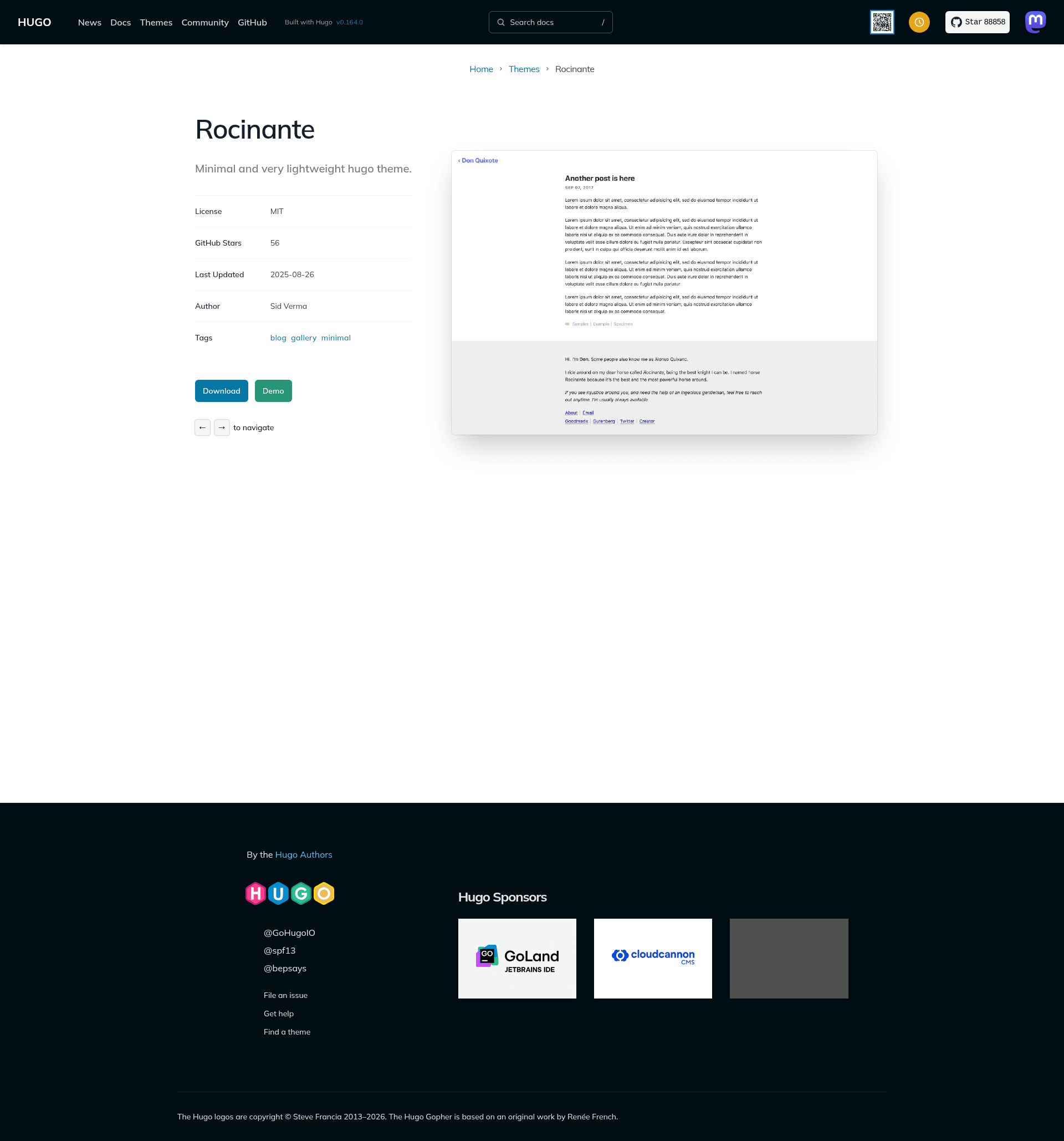
Rocinante
Minimal and lightweight Hugo theme for blogs and photoblogs.
About this template
Rocinante is a minimal Hugo theme for blogs and photoblogs, built to keep the page footprint under 5 kB while preserving good contrast for accessibility. The project is distributed as open-source software under the MIT license and is maintained by Sid Verma (GitHub: mavidser), with a live demo at https://sidverma.io/hugo-rocinante/.
What is Rocinante?
Rocinante is a static-site theme for the Hugo framework that renders standard blog posts and photo-blog content into a minimal website with pagination, tags, RSS feeds, and mobile layout. It takes Hugo content files plus a config.toml as input and outputs a static HTML site. The theme deliberately omits essential JavaScript: the only script is an optional enhancement that reveals an email address after one click before following a mailto: link, and content still works as a normal link if JavaScript is disabled.
Key Features
- Under 5 kB footprint — The theme aims for a very small asset size, which helps pages load quickly and keeps the site lightweight.
- No essential JavaScript — All blog and photo content renders without JavaScript; only the optional smart email link enhancement uses a small script.
- Pagination — Enabled out of the box and controlled by the
paginatesetting in config.toml; the example configuration uses 3 posts per page. - Tags support — Hugo taxonomy tags are displayed, and individual posts can be hidden from home or list pages by adding
hidden: trueto front matter. - Mobile support — The responsive layout adapts to small screens.
- RSS Feeds — RSS output is built in for readers who subscribe to the site.
- Custom CSS support — Pass an array of asset paths to the
customCSSparameter, such ascss/style.css, to load your own stylesheet overrides. - Configurable homepage sections — Set
mainSectionsto includeposts,photos, or both; only the content types you list appear on the homepage.
Who is Rocinante for?
Rocinante is for Hugo users who want a minimal, fast personal site without a JavaScript-heavy build. Bloggers can publish posts with tags, pagination, and RSS, while photographers can configure mainSections = ["photos"] to make a photoblog feed the homepage. Developers can use the theme as a small MIT-licensed starting point and customize its look through custom CSS, and accessibility-conscious site owners get a theme designed around high-contrast colors.
What can you do with Rocinante?
- Independent writers: publish a personal blog with Hugo posts, tags, pagination, and RSS, served as static HTML.
- Photographers: build a photoblog by adding a
photoscontent type and listing it inmainSections. - Performance-focused site owners: run a nearly dependency-free site whose theme assets stay under 5 kB and require no JavaScript for reading.
- Customizers: override the default colors and layout by adding custom CSS files and configuring grouped navigation links with new-tab or smart-email behavior.
How does Rocinante work?
To get started, add the theme as a git submodule with git submodule add https://github.com/mavidser/hugo-rocinante.git themes/rocinante. Then edit config.toml to set theme = "rocinante", configure params such as colorScheme, mainSections, email, favicon, about, and links, and run hugo server to preview the site at localhost:1313.
Pricing
Rocinante is free and open source under the MIT license, so you can use and modify it without a paid license.
FAQ
Is Rocinante free?
Yes. Rocinante is released under the MIT license, so it is free to use, modify, and redistribute. You can install it directly as a git submodule from the public GitHub repository and host the result anywhere Hugo can build.
Does Rocinante require JavaScript?
No. All essential content rendering, pagination, tags, and RSS work with JavaScript disabled. The only optional script is for smart email links, which show the email address after one click and then open a mailto: link; without JavaScript the link remains a normal hyperlink.
Can I use Rocinante for a photoblog?
Yes. Rocinante supports both standard blog posts and photoblogs. In config.toml, set mainSections to an array containing photos to list photo content on the homepage, or include both posts and photos if you want a mixed feed.
How do I install Rocinante?
Inside your Hugo site folder, run git submodule add https://github.com/mavidser/hugo-rocinante.git themes/rocinante, add theme = "rocinante" to your config.toml, and configure the available params. Then run hugo server and open http://localhost:1313 in your browser to preview the site.
How do I hide a post from the homepage?
Add hidden: true to the front matter of any post. That post will not appear on the homepage or in other list pages generated by the theme.