Template details
Hugo Theme: Shell
Terminal-like theme with selectable color schemes.
About this template
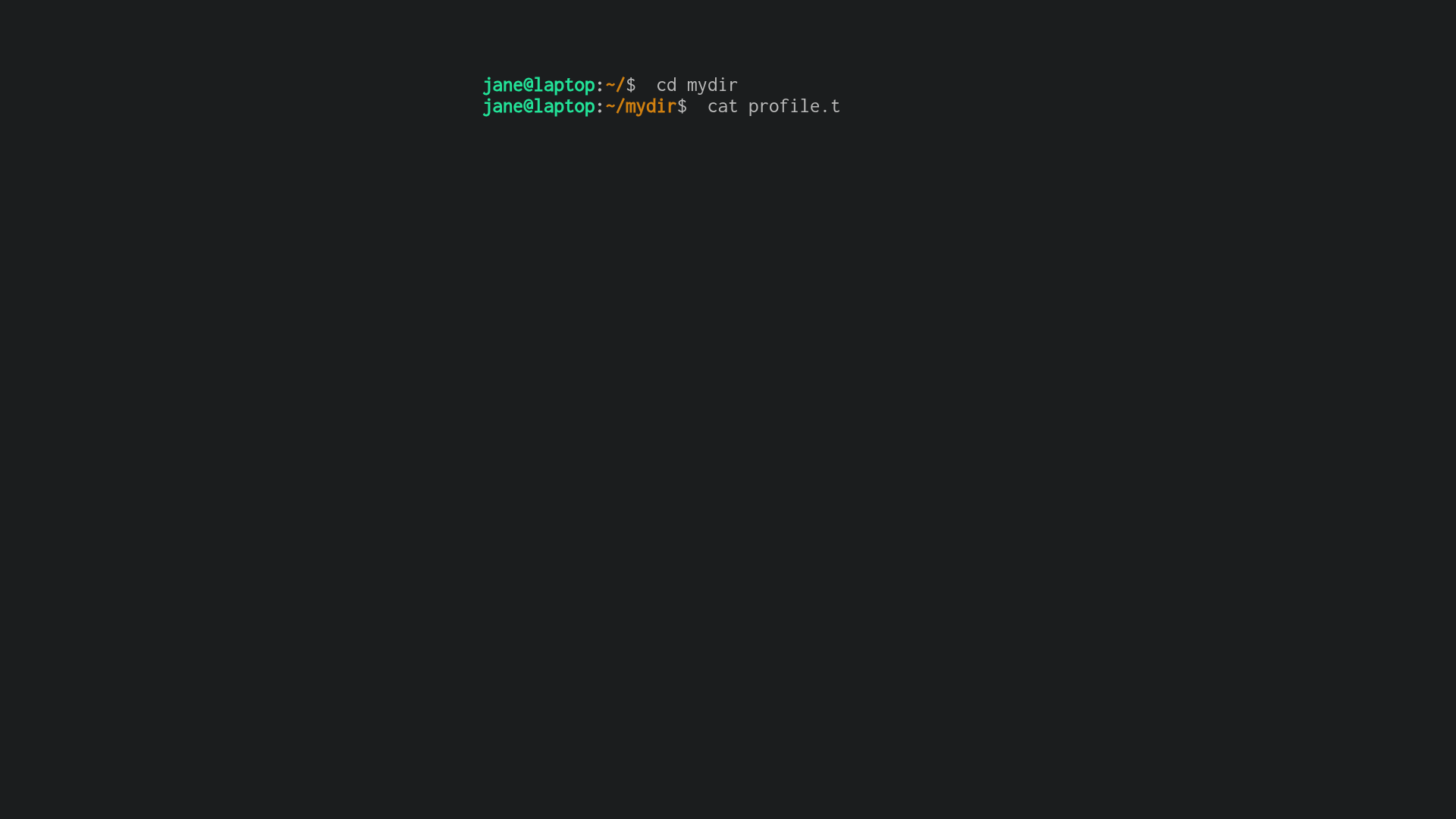
Hugo Theme Shell is a terminal-style portfolio theme for the Hugo static site generator that turns a site into an animated shell session with typing effects and selectable Gogh color schemes.
What is Hugo Theme Shell?
Hugo Theme Shell is an open-source theme for the Hugo static site generator, created by Yukuro and distributed on GitHub. It takes standard Hugo markdown content and a config.toml configuration as input, and outputs a responsive, minimal HTML site styled like a terminal emulator. The theme animates commands such as cd, cat, and tree on the landing page, and supports both Gogh color schemes and legacy shell-themed palettes.
Key Features
- Selectable color schemes — Choose from five Gogh themes (Molokai, Dracula, Gruvbox, Material, Tender) or the theme's own legacy schemes (shell-powershell, shell-ubuntu, shell-retro) by setting the scheme parameter under Params.Terminal.
- Typing animation — Control the display speed of the prompt, stdout, commands, and page content via ps1Delay, stdoutDelay, commandDelay, titleDelay, and contentDelay; set any value to 0 to disable that part of the animation.
- MathJax integration — Render math in markdown pages by setting delays to 0 and adding math: true to the front matter, giving access to beautiful math in all browsers.
- Terminal-like activity tree — The Params.Tree configuration produces a tree command output listing activity links, each with a label and a URL or path to a markdown file.
- Minimal responsive design — The layout adapts to different screen sizes while preserving the terminal aesthetic.
- Hugo Module installation — Install directly as a Hugo module from github.com/yukuro/hugo-theme-shell, requiring Hugo 0.85.0 or higher (extended version).
- Netlify quick deploy — Deploy the example repository to Netlify with a one-click button, then customize config.toml for your own portfolio.
Who is it for?
- Developers and technical professionals who want a portfolio that reflects a command-line aesthetic and showcases projects through the tree activity menu.
- Hugo users who need a theme with minimal design and responsive output, but want something more distinctive than a standard blog layout.
- Students and researchers who publish math-heavy content and need built-in MathJax support in a portfolio site.
- Designers exploring terminal-inspired interfaces who want to create a unique personal brand.
What can you do with Hugo Theme Shell?
- Portfolio showcase: Present your projects, skills, and contact details as a simulated shell session, with a typed introduction and an interactive activity tree.
- Activity log: Use the Params.Tree files list to link to blog posts, external profiles, or project pages, each rendered as a file in a tree command.
- Math blog: Write markdown posts with math notation and render them with MathJax by disabling typing animation and adding math: true to the front matter.
- Quick site launch: Deploy a fully configured example site to Netlify with a single click, then replace the sample content with your own.
How does Hugo Theme Shell work?
After installing the theme as a Hugo module, you set terminal parameters in config.toml — including a color scheme name, username, computer name, working directory, profile file, and activity tree entries — and write markdown content. The theme then animates commands like cd, cat, and tree on the landing page, typing out the description and activity links at speeds you control. All page content is rendered from standard Hugo markdown front matter and shortcodes.
Pros and cons
Pros: Rich color scheme customization with Goth themes; typing animations create a distinctive unix-like feel; built-in MathJax integration; minimal and responsive; active maintenance with a dedicated example repository. Cons: Requires Hugo 0.85.0+ and the extended edition, which may be a barrier for older environments; the typing animation must be disabled to use MathJax, reducing the signature effect; legacy pre-v0.1.6 color schemes were deprecated in favor of Gogh themes.
FAQ
Does Hugo Theme Shell require the Hugo extended version?
Yes. The theme needs Hugo version 0.85.0 or higher, and the extended edition is required. If the build fails, the first thing to check is whether you are running the extended binary of an up-to-date Hugo.
How do I change the color scheme?
Edit the config.toml file and set the scheme parameter under Params.Terminal to the name of a Gogh theme (like Molokai, Dracula, Gruvbox, Material, or Tender) or a legacy scheme such as shell-retro. A list of Gogh themes is available at gogh-co.github.io/Gogh.
Why do my posts return a 404 after deployment?
The theme will only render posts that are not marked as drafts. If you run hugo without the -D (--buildDrafts) flag, draft posts remain unpublished. Check both the build command and the draft: true setting in the front matter.
Can I use MathJax with the typing animation enabled?
No. To use MathJax, you must set ps1Delay, stdoutDelay, and the content delays to 0 to disable typing animation, and set math: true in the front matter of the markdown file. This is a documented limitation of the theme.
Is Hugo Theme Shell free?
Yes, the theme is publicly available on GitHub under the Yukuro repository, and its example site can be deployed to Netlify with a one-click button. The repository has 334 stars at the time of writing.