Template details
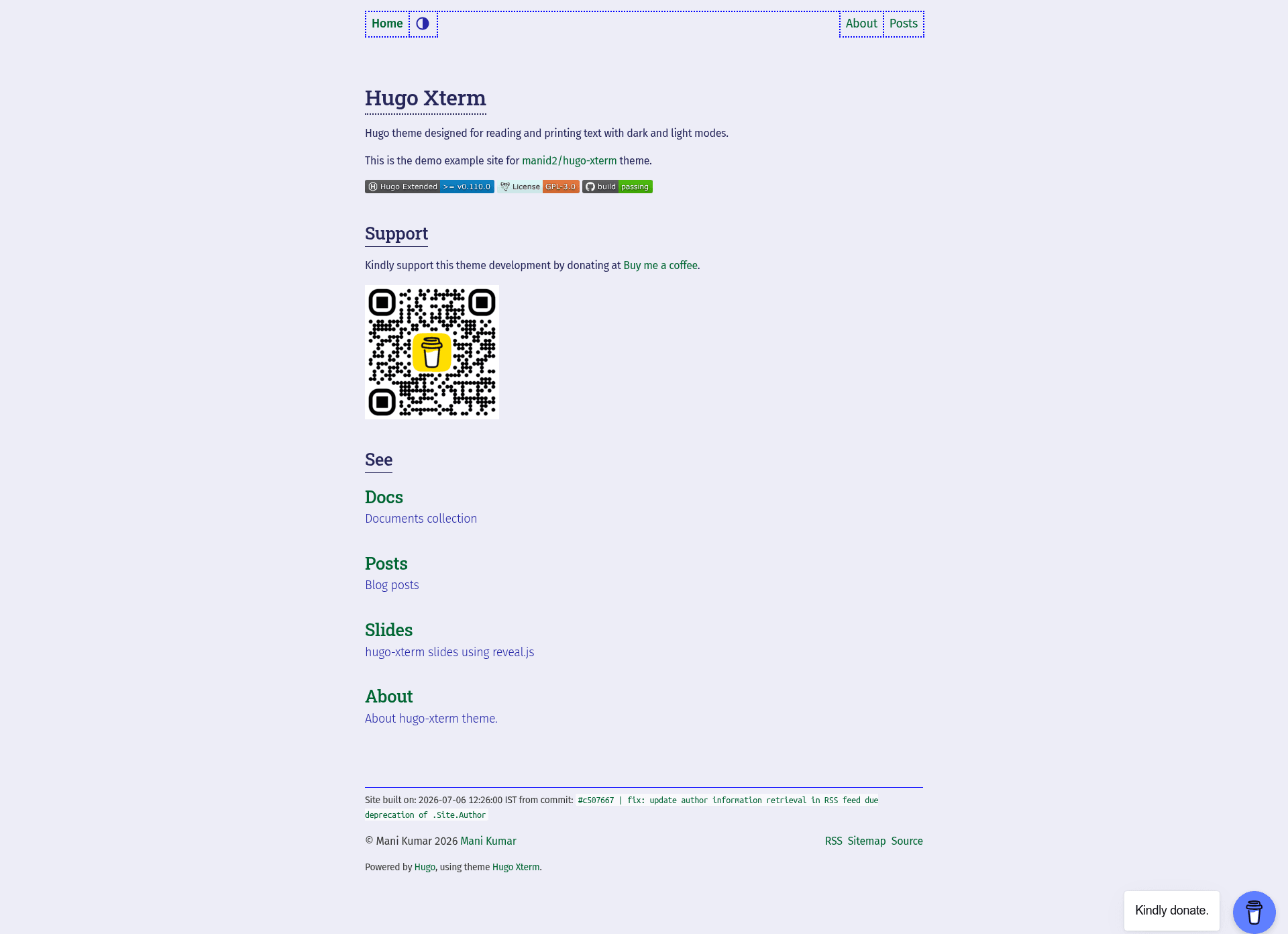
Hugo Xterm
Hugo theme designed for reading and printing text with dark and light modes.
About this template
Hugo Xterm is a free, open-source Hugo theme designed for reading and printing text-heavy web pages, with switchable dark and light modes.
What is Hugo Xterm?
Hugo Xterm is a Hugo theme that takes Markdown content and generates a static website focused on readability and print output. It was created by Mani Kumar and is built on the panr/terminal theme base, re-written from scratch to optimize reading and printing. The theme requires Hugo Extended version 0.110.0 or later to compile SCSS and build asset bundles with pipelines. A live demo is available at manid2.github.io/hugo-xterm.
Key Features
- Print-friendly light mode — Any page can be printed in light theme mode for readability, regardless of the active dark/light setting.
- GitInfo integration — Shows the latest git commit short hash and subject message on each page when Hugo GitInfo is enabled in the site config.
- Dark and light themes — Switchable manually or automatically selected based on the operating system theme, with colors derived from a single primary blue using the HSL color model.
- Font stack — Roboto Slab (serif) for headings, Fira Sans (sans-serif) for body text, and Ubuntu Mono (monospace) for code blocks.
- Code highlighting — Uses Hugo's built-in Chroma engine, with a copy-code button, code language label, and optional file name.
- SEO support — Includes OpenGraph and Twitter card metadata, taxonomies, and posts RSS feeds.
- Responsive design — Tested on desktop and smartphones, with responsive menus for desktop and mobile screens, and accessibility tested using the WAVE Web Accessibility Evaluation Tool.
- Multiple install methods — Supports installation via Hugo module, downloading the release archive, git clone, or git submodule.
Who is it for?
Hugo Xterm is for bloggers, technical writers, and personal website owners who want a minimal, content-focused site that is comfortable to read on screen and to print on paper. It is also suited to developers who want a Hugo theme with tight integration with Hugo Extended pipelines and a small list of external dependencies.
Use cases
- Bloggers — Publish long-form articles with clean typography, a responsive layout, and a light print mode for archiving posts.
- Technical documenters — Create documentation sites that rely on code blocks, where Chroma highlighting and copy-code buttons add value.
- Portfolio owners — Present a personal website with a minimal profile and project listings, using the separate list and pagination views.
How does Hugo Xterm work?
Hugo Xterm works as a standard Hugo theme: you add it to your site's theme directory or import it as a Hugo module, then configure it in your site's config.toml. The theme uses Hugo's built-in SCSS compiler and asset pipelines, so no external build tools are required beyond Hugo Extended v0.110.0. For a working example, the theme includes an exampleSite directory.
License
Hugo Xterm is licensed under the GNU General Public License v3.0. Redistribution requires attribution to the author and a link to the hugo-xterm repository.