Template details
White Paper
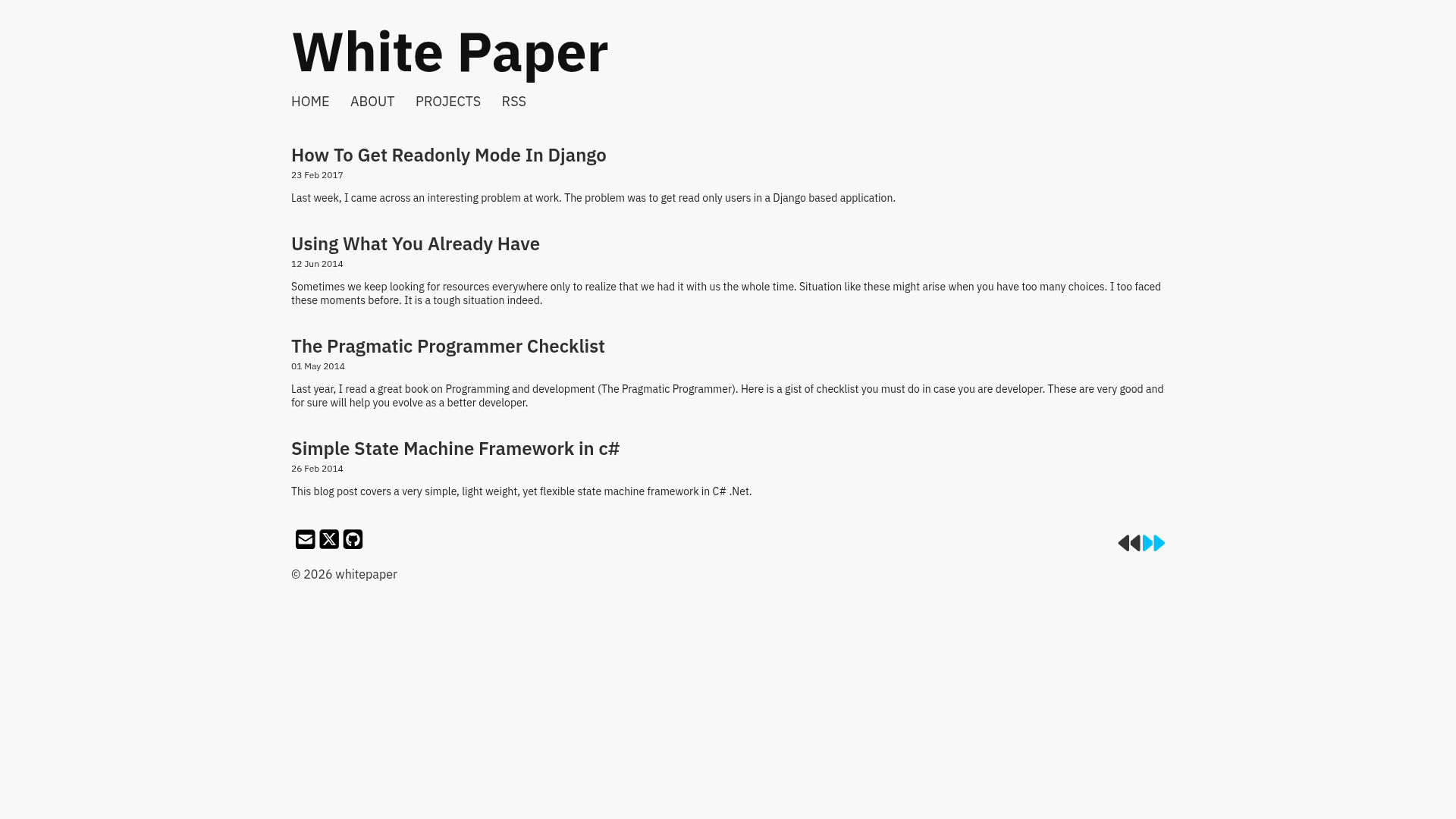
A minimal Jekyll theme for writers and developers who want to share code with their essays.
About this template
White Paper is a Jekyll theme for writers and developers who want a clean, content-focused blog with integrated code sharing.
What is White Paper?
White Paper is a Jekyll theme that produces a static blog from Markdown posts, with a blog listing page, a detail page, and an about page. It takes posts created via the jekyll-compose gem and outputs a full static site that can be served on GitHub Pages. The theme is authored by Vinit Kumar and is hosted on GitHub under the white-paper repository.
Key Features
- Content-first layout — A minimal design that puts essays and code at the center, aimed at writers and developers.
- jekyll-compose integration — Create new posts with the command
bundle exec jekyll post "Title", which generates a timestamped Markdown file in_posts. - Right-to-left (RTL) support — Set
rtl: truein_config.ymlto generate a separate right-to-left stylesheet for Arabic or other RTL posts. - Vite-powered CSS build — Uses Vite to bundle and minify styles, producing
dist/css/main.min.cssplus amain.min.rtl.cssvariant viartlcss. - Six syntax highlighting themes — Choose from emacs, github, monokai, native, vim, or the default syntax theme by editing
css/main.scssand runningyarn build. - GitHub Pages ready — Fork the repository, rename it to
username.github.io, and update_config.ymland the CSS link inhead.htmltoabsolute_urlto publish.
Who is it for?
- Writers seeking a minimal, typography-focused blog without extra clutter.
- Developers who want to publish essays with code snippets and rely on built-in syntax highlighting.
- Bloggers working in Arabic or other right-to-left languages who need a theme that switches layout direction.
- Jekyll users comfortable with the command line to manage posts via
bundle exec jekyll post.
What can you do with White Paper?
- Personal blogging: Build a single-author blog with a home page, post detail pages, and an about page.
- Technical writing: Publish posts with code examples and choose from six syntax highlighting styles.
- RTL publishing: Set
rtl: trueand get a right-to-left stylesheet for Arabic-language posts. - Local development: Run the site at http://127.0.0.1:4000 with
bundle exec jekyll serveafter building CSS with Vite.
How does White Paper work?
- Fork the repository on GitHub and rename it to
username.github.io. - Update
_config.ymlwith yourmaster_repoflag,url, andrtlsetting; also change the stylesheet link inhead.htmlto useabsolute_url. - For local development, install Ruby, Jekyll, and Node, then run
yarn install,bundle install,yarn build, andbundle exec jekyll serve. - Create posts with
bundle exec jekyll post "Post Title".
Pricing
White Paper is free and open source. The repository includes a license file, and the project accepts contributions via Open Collective.
Alternatives
- Minimal Mistakes
- Chirpy
FAQ
Is White Paper free to use?
Yes, White Paper is an open-source Jekyll theme on GitHub with a license file. You can fork it and run your own blog without paying any license fees.
How do I create a new post?
With the bundled jekyll-compose gem run bundle exec jekyll post "Your Title" in your terminal. It creates a new Markdown file in _posts with a timestamped filename.
Does White Paper support Arabic or other RTL languages?
Yes, set rtl: true in _config.yml. The theme uses rtlcss to generate a right-to-left stylesheet, and the CSS build creates main.min.rtl.css.
What syntax highlighting themes are included?
Six themes: emacs, github, monokai, native, vim, and the default syntax.css. Change the one you want in css/main.scss and run yarn build.
How do I run the site locally?
Install Ruby, Jekyll, and Node, then execute yarn install, bundle install, yarn build, and bundle exec jekyll serve. The site will be available at http://127.0.0.1:4000.