Template details
Hux Blog
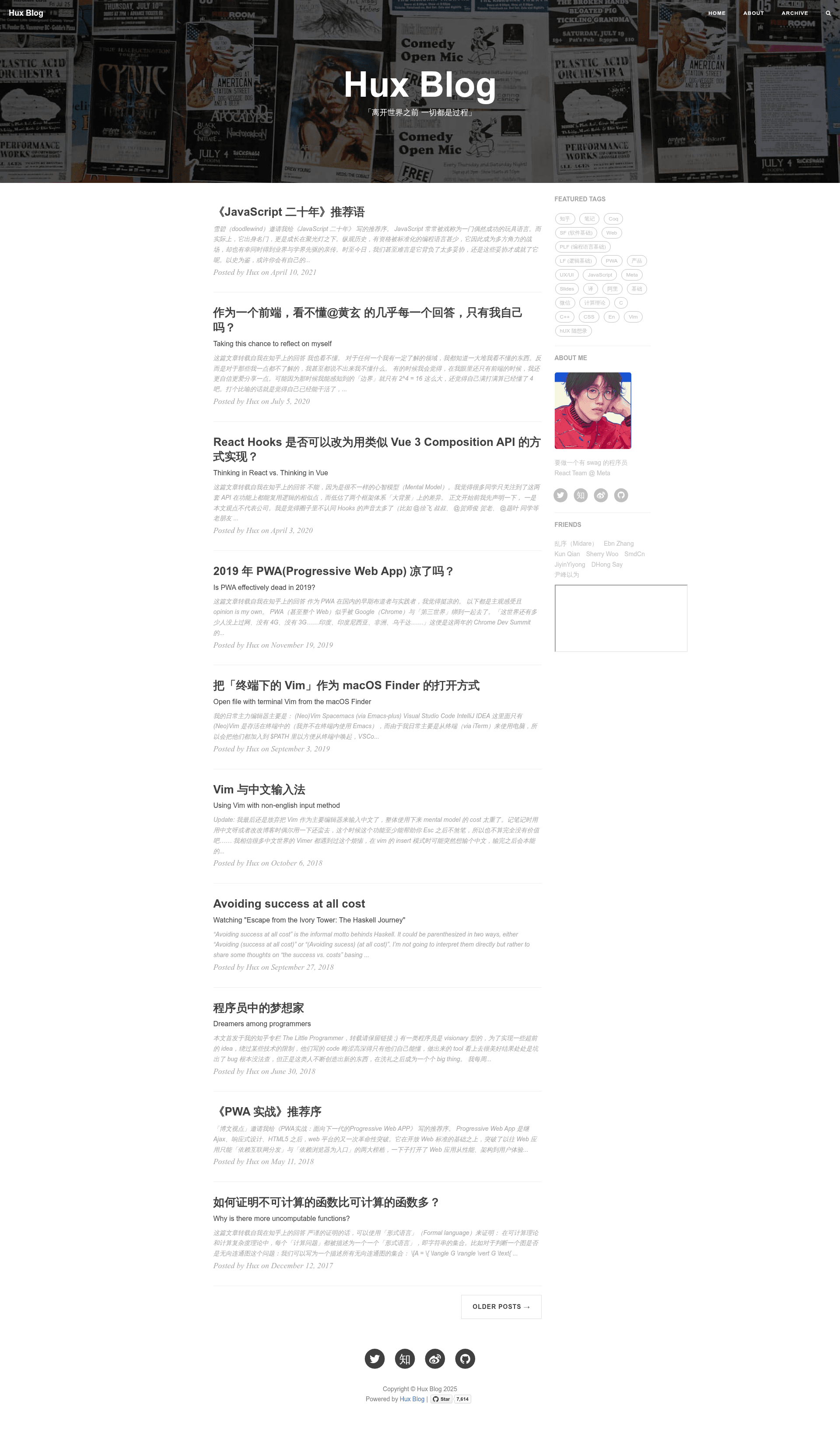
A free, open-source Jekyll blog theme with PWA support, built by Huxpro and derived from Clean Blog.
About this template
Hux Blog is a free, open-source Jekyll blog theme that turns a standard Jekyll site into a personal blog with PWA support, created by Huxpro and derived from the Clean Blog Jekyll Theme.
What is Hux Blog?
Hux Blog is a Jekyll theme designed for personal blogs and minimal portfolio sites. It takes Jekyll Markdown posts and Liquid layouts as input and produces a static website with syntax-highlighted code and a clean reading layout. The theme runs on Jekyll (Ruby) and is maintained by Huxpro under the Apache License 2.0. It also has community ports for Hexo and React-SSR.
Key Features
- Jekyll foundation — Built on Jekyll with Ruby and Bundler; serve locally with
bundle exec jekyll serveornpm start. - PWA support — The repository description includes PWA, meaning the site can offer offline support and a more app-like experience.
- Less-based styling — The styling is written in Less and compiled to CSS using Grunt; developers can edit
highlight.lessto swap in any Pygments-compatible code theme. - Rouge syntax highlighting — Uses Jekyll's default highlighter, Rouge, which is compatible with Pygments theme CSS.
- Liquid templating — Core page structure lives in
_include/and_layouts/as Liquid templates. - Grunt build tasks — The
Gruntfile.jsincludes tasks for minifying JavaScript, compiling Less, adding Apache 2.0 license banners, and watching files for changes. - Cross-platform ports — Official Hexo port by @kaijun and React-SSR port by @LucasIcarus.
Who is it for?
- Personal bloggers — Writers who want a Jekyll-based blog with a clean, image-forward hero section and minimal reading chrome.
- Developers — Jekyll users who want to customize a theme's source code using Less, Grunt, and Liquid rather than just tweaking config.
- Theme developers — Those studying how a real Jekyll theme structures its layouts, includes, and build pipeline.
What can you do with Hux Blog?
- Personal bloggers: author posts in Markdown and publish them to a static site with automatic code highlighting and a PWA-enhanced front end.
- Jekyll developers: modify Less variables and Grunt tasks to rebrand the theme, then serve it locally to preview changes instantly.
- Hexo or React users: get the same visual design by using the community port for Hexo or the React-SSR branch instead of the Jekyll version.
How does Hux Blog work?
First, install Ruby and Bundler, then run bundle install to get the dependencies in the Gemfile. After that, bundle exec jekyll serve starts a local server at localhost:4000. To modify the theme itself, install Grunt and use the tasks in the Gruntfile for minification, Less compilation, and watch mode.
Pros and cons
- Pros: free under Apache License 2.0; backed by the author's own blog; includes PWA; detailed user manual is included.
- Cons: the Grunt build tooling is "extremely old-fashioned" per the author, with no modularization or transpilation; the provided Hexo port and Chinese docs may be out of date, and the boilerplate starter also needs updates.
FAQ
Is Hux Blog free?
Yes, Hux Blog is open source and released under the Apache License 2.0, so you can use, modify, and distribute it freely with attribution.
How do I install Hux Blog?
Install Ruby and Bundler, run bundle install to install the Gemfile dependencies, then run bundle exec jekyll serve to serve the site locally at localhost:4000.
Does Hux Blog support syntax highlighting?
It uses Rouge, Jekyll's default highlighter, which is compatible with Pygments themes. You can replace the content of highlight.less with any Pygments theme CSS.
Can I use Hux Blog with Hexo?
There is a community Hexo port by @kaijun, but the repository notes it may not be fully on par with the main Jekyll version.
Can I customize the theme's build process?
Yes, the Gruntfile.js includes tasks for compiling Less, minifying JavaScript, adding license banners, and watching changes, though the author warns the tooling is old-fashioned.