Template details
Hylia
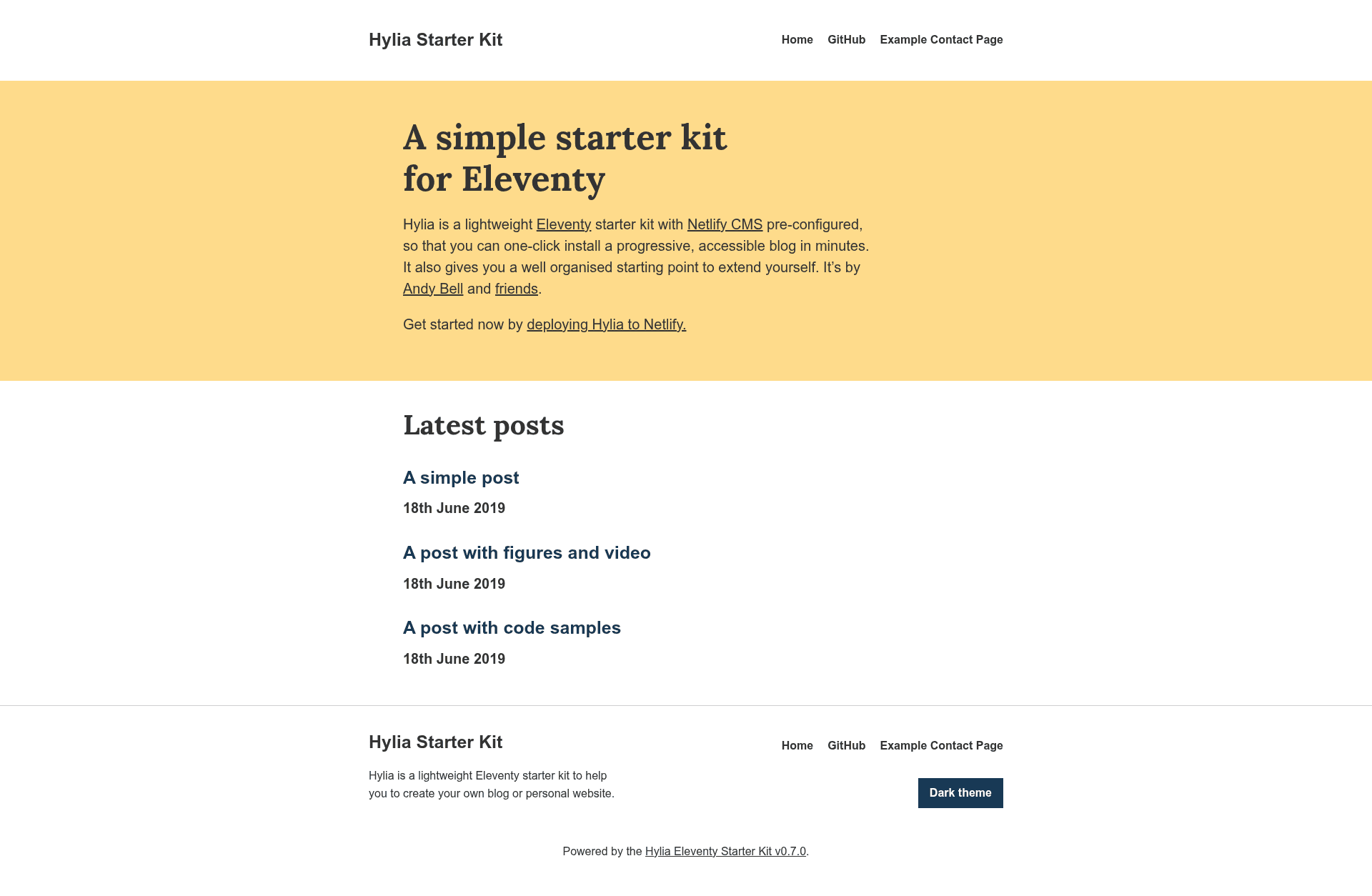
A lightweight Eleventy starter kit with Netlify CMS pre-configured for building accessible blogs and personal websites.
About this template
Hylia is an open-source Eleventy starter kit (boilerplate) with Netlify CMS pre-configured, built to let you one-click deploy an accessible blog or personal website in minutes. Created by Andy Bell (hankchizljaw), it is available as a GitHub repository and is currently at version 0.7.0.
What is Hylia?
Hylia is a starter kit for the Eleventy static site generator that ships with Netlify CMS already configured. You can deploy it to Netlify with a single click, then write and publish posts through the CMS admin interface at /admin. The kit outputs a static HTML site with an RSS feed, a service worker for offline reading, and a Sass-powered design system.
Key Features
- One-click Netlify deployment — Hylia includes a Deploy to Netlify button that sets up the site with Netlify Identity and Git Gateway so the CMS works immediately.
- Pre-configured Netlify CMS — You can edit the home page, create blog posts and generic pages, manage global site data, edit primary navigation, and change theme design tokens all from the CMS admin.
- Design tokens — Colors, size ratios, and fonts are controlled by a tokens.json file; changes can be made in the CMS under Globals > Theme Settings or by editing the JSON directly.
- Sass system based on Stalfos v2 — The front-end is powered by a Sass config file that generates utility classes responsively, with functions like get-color and mixins like media-query.
- Service worker for offline access — Pages are cached so visitors can read articles without a network connection.
- RSS feed — A built-in feed for posts is generated automatically.
- Netlify Forms contact form — A basic contact form is included and ready to use with Netlify's form handling.
- Accessibility and semantic HTML — The kit is progressively enhanced, semantic, and accessible.
Who should use Hylia?
Hylia is aimed at developers and content creators who want a minimal, fast blog without configuring a CMS from scratch. Developers can clone or fork the repo, run npm install and npm start, and extend the Sass architecture or add new collections. Bloggers can deploy to Netlify in one click, invite users via Netlify Identity, and start publishing through the /admin interface. It also suits designers who want to customize the theme through design tokens and the built-in styleguide.
What can you do with Hylia?
- Indie bloggers: write and publish posts in Markdown through the Netlify CMS without touching code.
- Front-end developers: customize the Sass utility generator, design tokens, and Eleventy data to build a unique site structure.
- Small teams: manage multiple authors by inviting users through Netlify Identity and tracking edits in the Git-backed CMS.
How does Hylia work?
Hylia runs on Eleventy and compiles content from Markdown and Nunjucks templates into static HTML. To start locally, clone the repository, run npm install then npm start, and the site is served at http://localhost:8080. For production, run npm run production. The CMS requires enabling Netlify Identity and Git Gateway in your site's Netlify dashboard before you can log in at /admin.
FAQ
Is Hylia free?
Hylia is an open-source starter kit released on GitHub under a permissive license, and you can deploy it to Netlify's free tier.
Does Hylia include a CMS?
Yes, Netlify CMS is pre-configured. After deploying to Netlify and enabling Identity and Git Gateway, you access the admin interface at /admin.
What content types are supported?
The default CMS configuration lets you edit the home page, create posts and generic pages, manage global site data, navigation, and theme settings.
Does Hylia support offline reading?
Yes, a service worker caches pages so visitors can read articles offline, and the roadmap includes an improved offline mode with links to cached pages.