Template details
Jekflix
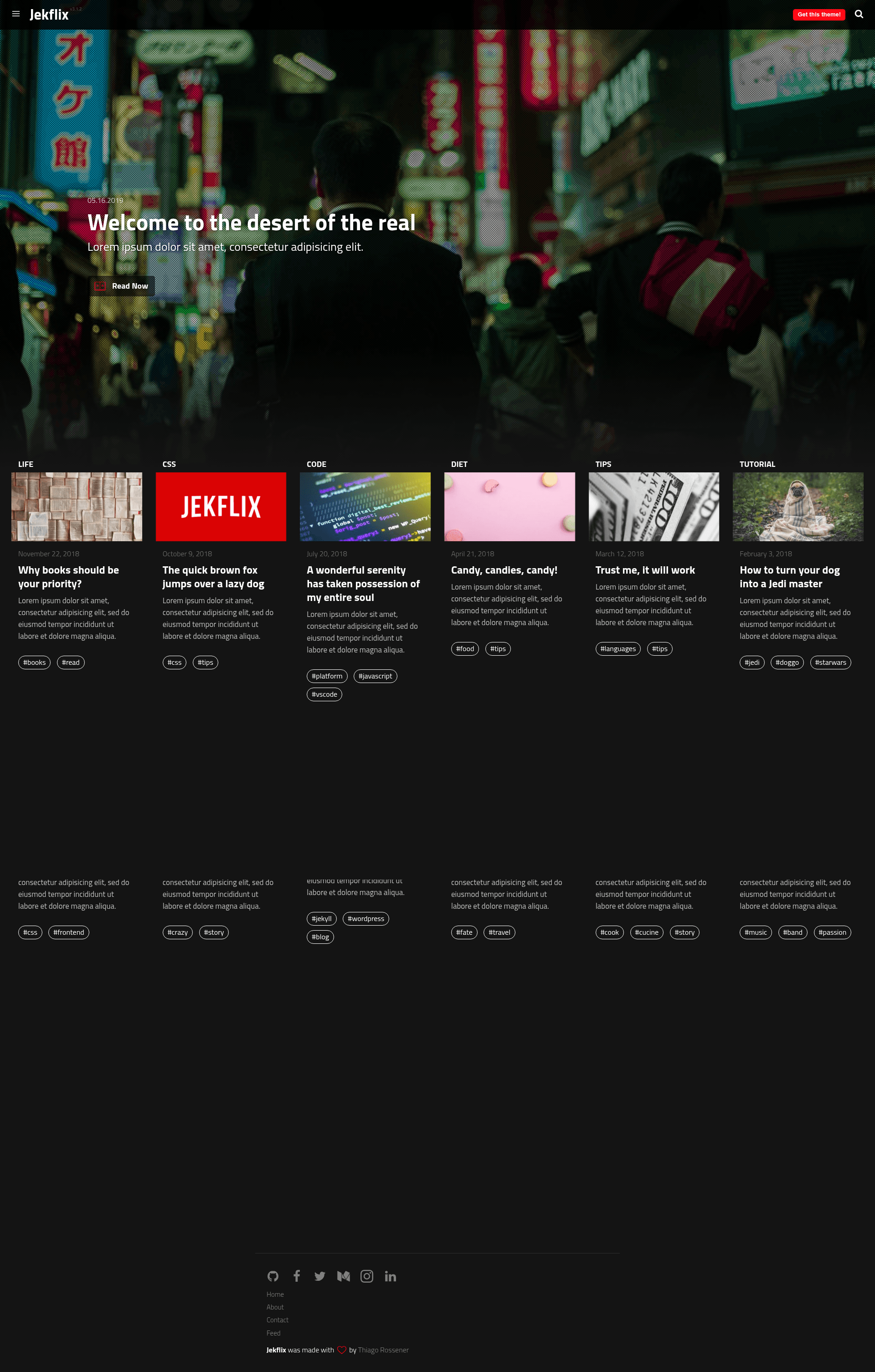
A Jekyll blog theme inspired by Netflix's UI, with live search, reading progress, and Netlify CMS support.
About this template
Jekflix is a Jekyll blog theme that recreates the Netflix interface for movie and series lovers, offering live search, reading progress, and Netlify CMS support.
What is Jekflix?
Jekflix is a theme for Jekyll, the static site generator, inspired by the Netflix UI. It takes Jekyll site content — posts written in Markdown with front matter — and produces a blog with a dark, Netflix-like interface. The theme is created by Thiago Rossener and distributed under the MIT license. It is no longer maintained, so users should be aware updates are not ongoing.
Key Features
- Live search — filter posts instantly without a page reload, using a client-side search index.
- Reading progress bar — optional visual progress indicator that fills as the reader scrolls a post.
- Netlify CMS ready — includes configuration so non-technical users can edit posts through the Netlify CMS admin interface.
- Disqus comments — optional integration to add discussion threads to posts.
- Theme colors via SASS — customize the look by editing variables like the primary red and dark background in a
styles.scssfile orsrc/yml/theme.ymland runninggulp build. - Post recommendations — suggests related posts to readers at the end of an article.
- Multiple page templates — includes About, Contact, Tags, 404, and RSS feed pages out of the box.
- SEO support — ships with Google Analytics, meta tags, JSON-LD structured data, sitemap.xml, and social media meta tags.
Who is it for?
- Movie and series bloggers who want a Netflix-style dark interface for their reviews and commentary.
- Jekyll users who want a ready-made theme with minimal setup — install via gem or clone the repo.
- Static site developers who need a blog with Netlify CMS support for client editing.
- Self-hosters who want a lightweight blog with Disqus and Google Analytics integrated.
What can you do with Jekflix?
- Bloggers: publish posts with Front Matter properties to control layout, and use the optional shell script to generate new post files automatically.
- Site owners: enable the "Before you go" modal and post recommendation to increase engagement and keep visitors on the site.
- Developers: customize colors by editing SASS variables or the
theme.ymlfile and runninggulp build, then deploy via Netlify or GitHub Pages (though Gulp must be run locally before pushing to GitHub Pages).
How does Jekflix work?
- Install the theme by adding
gem "jekflix"to your Gemfile andtheme: jekflixto_config.yml, then runbundle. - Configure site settings, social media usernames, post options, and plugins in
_config.yml. - Create posts with front matter and run
bundle exec jekyll serveto preview locally athttp://127.0.0.1:4000/.
FAQ
Is Jekflix free?
Yes, Jekflix is open source and available under the MIT license, so you can use and modify it freely, including for commercial projects.
Does Jekflix work with Netlify CMS?
Yes, the theme is Netlify CMS ready, meaning you can connect your repository to Netlify and use the Netlify CMS admin panel to create and edit posts without touching code.
Can I deploy Jekflix to GitHub Pages?
You can, but there is a known issue: the Gulp build step (used to regenerate theme colors) cannot run on GitHub Pages, so you must run gulp build locally and commit the generated assets before pushing.
Is Jekflix still maintained?
No, the project is no longer being maintained according to the repository notice, so expect no future updates or official bug fixes.