Template details
Notion Blog Next.js
Next.js blog template that renders posts from a Notion database using the Notion Public API.
About this template
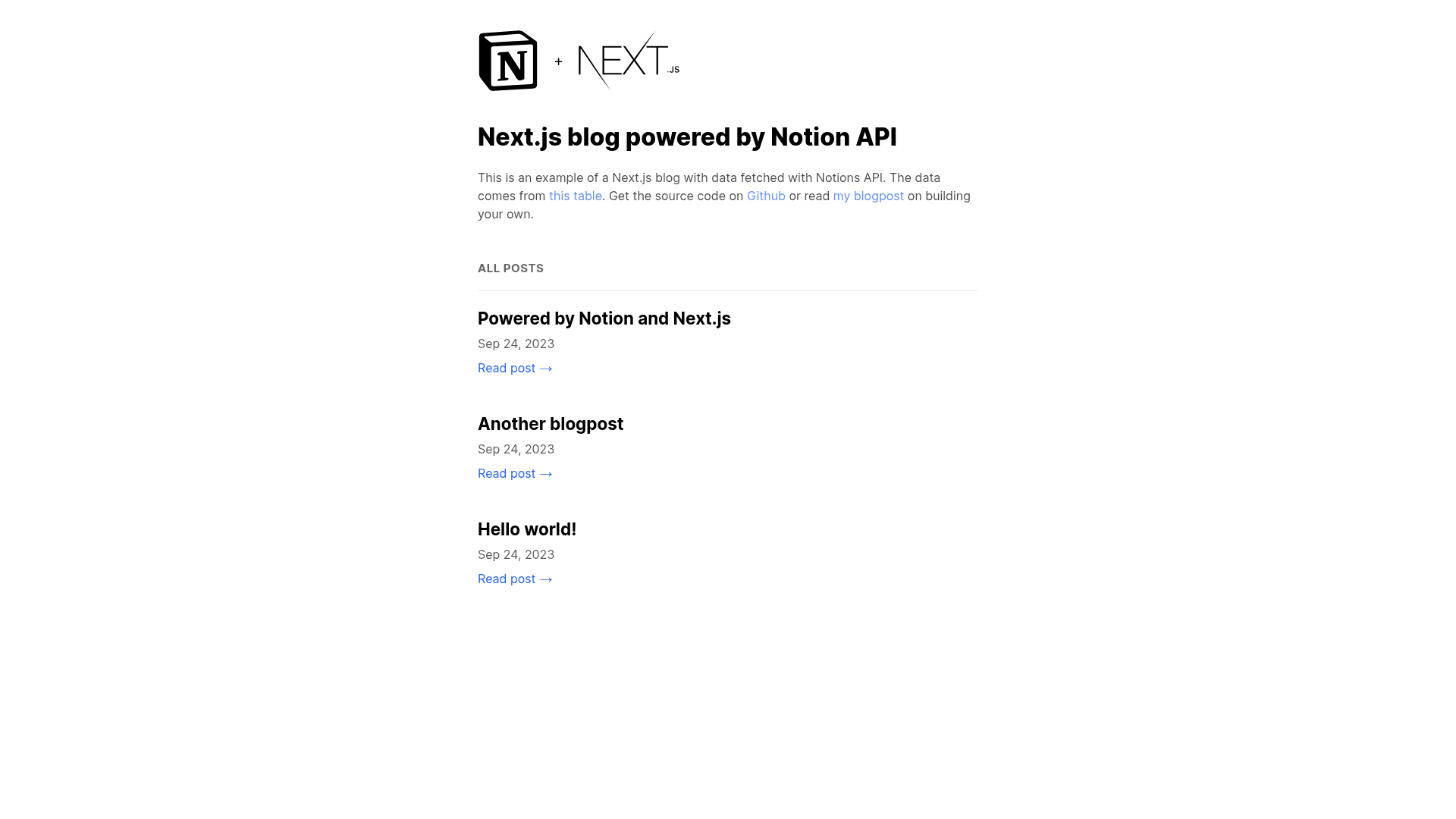
notion-blog-nextjs is a Next.js blog template that renders posts from a Notion database through the Notion Public API, letting writers publish from Notion and developers deploy in minutes.
What is notion-blog-nextjs?
This is an open-source example blog built with Next.js and powered by Notion's official Public API. Instead of a traditional CMS, it reads a Notion database specified by a NOTION_DATABASE_ID and uses a NOTION_TOKEN to authenticate. The template outputs a static Next.js site that lists and displays posts, and it includes a live demo at notion-blog-nextjs-coral.vercel.app. The author, Samuel Kraft, also published a detailed how-to article at samuelkraft.com/blog/building-a-notion-blog-with-public-api explaining how it works.
Key Features
- Notion as the content backend — Content lives in a Notion table; the template's API calls fetch pages from that table and render them as blog posts.
- Next.js framework — Runs on the latest Next.js (React), enabling server-side rendering, static generation, and fast navigation.
- Simple environment configuration — Add NOTION_TOKEN and NOTION_DATABASE_ID to a .env.local file; no other setup is required.
- One-click Vercel deployment — A deploy button scaffolds a Vercel project with the same environment variables pre-configured.
- GitHub Actions deployment workflows — Contains prewritten CI/CD pipelines for both Vercel and GitHub Pages; just rename the workflow files and add the action secrets.
- Starter Notion database table — The README links to the exact Notion table structure used by the author, so you can copy the schema.
- Yarn and npm support — Install and run with either npm install/yarn or npm run dev/yarn dev.
Who should use notion-blog-nextjs?
- Developers who want a CMS-free blog — Deploy a full blog using only a Notion table and an integration token, with no database setup.
- Writers already using Notion — Turn an existing Notion database into a public blog by adding the required columns and deploying the template.
- Next.js beginners — Study a compact, working example that consumes a third-party API, handles environment variables, and supports multiple deployment targets.
What can you do with notion-blog-nextjs?
- Launch a personal blog — Set up a Notion database with post titles, content, and metadata, then deploy to Vercel for a live site in minutes.
- Build a documentation hub — Use the same Notion-as-CMS pattern to render structured documentation or wiki-style pages.
- Prototype a content site — Quickly spin up a blog to test design ideas before committing to a full CMS.
How does notion-blog-nextjs work?
Follow Notion's getting-started guide to obtain a NOTION_TOKEN and find your NOTION_DATABASE_ID, then add them to a .env.local file. After running npm install and npm run dev, the Next.js server fetches post data from Notion and serves the blog on http://localhost:3000. Deploying to Vercel uses the same environment variables and can be done through the provided one-click deploy button.
FAQ
Is notion-blog-nextjs free?
Yes — the template's source code is publicly available on GitHub, and it has no embedded costs. You'll need your own Notion account and, if you choose a paid hosting provider, a hosting plan.
What do I need to run it locally?
You need Node.js installed, a Notion account with an integration token, and a Notion database ID. The README links to Notion's getting-started guide and shows the exact table schema to replicate.
Can I deploy it to GitHub Pages?
Yes. The repository includes GitHub Actions workflows for both Vercel and GitHub Pages. To activate them, remove the .txt extension from the workflow files and add ORG_ID, PROJECT_ID, VERCEL_TOKEN, and GH_TOKEN as repository secrets.