Template details
Jekyll Hilmi
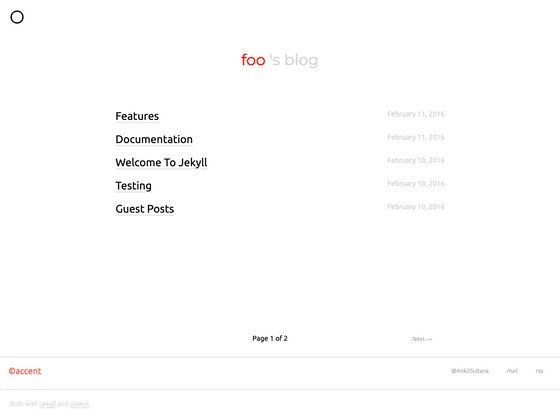
Jekyll Hilmi is a minimalist Jekyll theme for personal blogs, with a clean white layout that focuses on writing.
About this template
Jekyll Hilmi is a white, clean, minimalist Jekyll theme built for personal blogs and writing-focused sites, offering a plain starting point for anyone running a Jekyll static site.
What is Jekyll Hilmi?
Jekyll Hilmi is a Jekyll-based blog theme that turns Markdown or HTML posts into static pages with a white-background, text-first design. It runs through the standard Jekyll toolchain: install dependencies with bundle install and serve locally with jekyll server or bundle exec jekyll server. The theme is distributed as a GitHub repository with a live demo at nix1947.github.io/jekyll-hilmi, and it is released under the MIT license.
What makes Jekyll Hilmi stand out?
- Minimalist writing layout — A white background and clean typography push the focus onto the article text rather than sidebars or widgets.
- Standard Jekyll setup — No unusual build steps; the README describes forking, cloning, running
bundle install, and starting the local server. - GitHub Pages ready — Because it is a normal Jekyll theme, the same workflow that powers the demo works for hosting a personal blog on GitHub Pages.
- MIT licensed — The theme is free to use, modify, and redistribute; the README also states that pull requests are welcome.
- Repository-based workflow — Content and configuration live in a regular Git repository, so posts are managed through files rather than a database.
Who should use Jekyll Hilmi?
- Personal bloggers — The theme is explicitly described as suitable for personal blogs and its layout prioritizes long-form writing.
- Developers already using Jekyll — Anyone comfortable with a Git-based workflow can fork the repository and start publishing static pages.
- Writers who want a plain site — The white minimalist design works for users who do not want a complex theme with many options or widgets.
What can you do with Jekyll Hilmi?
- Publish a personal blog — Write posts in Markdown or HTML and let Jekyll generate a clean static site from them.
- Learn how a minimal Jekyll theme is built — Because the theme is simple and open source, it can be studied as an example of a bare-bones Jekyll installation.
- Customize a base theme — Fork the repository, change the styles or layout, and maintain your own version under the MIT license.
How does Jekyll Hilmi work?
The README gives a four-step install: fork the repository to your GitHub account, clone it to your local machine, move into the site directory, and run bundle install. After that, jekyll server or bundle exec jekyll server serves the site locally for writing and previewing posts.
FAQ
Is Jekyll Hilmi free?
Yes. The theme is released under the MIT license, so you can use it for personal or commercial projects, modify it, and redistribute it. The README also invites pull requests to contribute changes back.
How do I install Jekyll Hilmi?
Fork the repository to your own GitHub account and clone it locally. Then run bundle install inside the site directory followed by jekyll server or bundle exec jekyll server to start the local development server.
Can I host Jekyll Hilmi on GitHub Pages?
Yes. The theme’s live demo is hosted at nix1947.github.io/jekyll-hilmi, which demonstrates the standard GitHub Pages workflow. Since the theme is a standard Jekyll site, you can push it to a repository and enable GitHub Pages to serve it.
Does Jekyll Hilmi require a database?
No. Jekyll is a static site generator, so the theme processes files and outputs plain HTML. There is no database, and the content is managed in files inside the Git repository.