Template details
Jekyll and Tailwind + Daisy UI
Starter template combining Jekyll, Tailwind CSS, and Daisy UI for static sites.
About this template
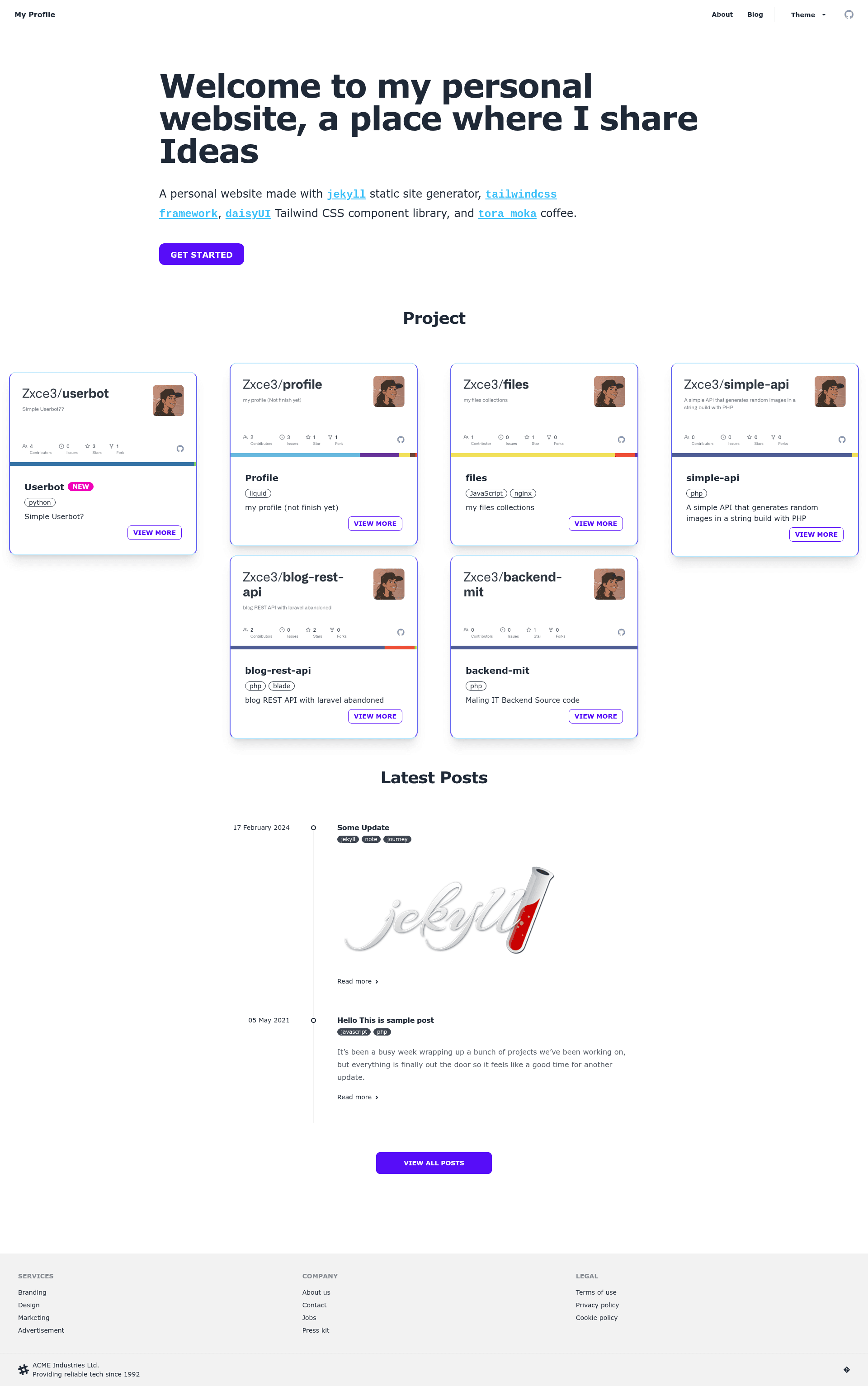
Jekyll and Tailwind + Daisy UI is a static site starter template that combines the Jekyll static site generator with the Tailwind CSS framework and the Daisy UI component library, providing a preconfigured build pipeline for content-driven websites.
What is Jekyll and Tailwind + Daisy UI?
This starter template integrates Jekyll, a Ruby-based static site generator, with Tailwind CSS for utility-first styling and Daisy UI for ready-to-use Tailwind components. It takes Markdown content and Liquid templates as input and outputs a static HTML site via Jekyll's build process. The project is distributed as a public GitHub repository licensed under the GNU General Public License v2.0.
Key Features
- Jekyll integration — Uses Jekyll to convert Markdown and Liquid templates into a static HTML site, suitable for blogs and documentation.
- Tailwind CSS — Includes the Tailwind CSS framework for utility-first styling, with a build pipeline configured through the repository's CSS setup.
- Daisy UI components — Adds Daisy UI, a component library that supplies prebuilt Tailwind-based components such as buttons, cards, and form controls.
- Makefile commands — Provides
make install,make s, andmake buildto install dependencies, launch a development server, and produce a production build. - npm/yarn support — The setup instructions explicitly support both
npm installandyarn installfor JavaScript dependencies. - Open-source license — Released under GPL v2.0, permitting free use and modification with proper attribution.
Who is it for?
- Bloggers — who want a Jekyll-based blog with modern styling and prebuilt UI components without starting from scratch.
- Jekyll developers — who need a working Tailwind CSS integration and can benefit from the included Makefile automation.
- Front-end designers — who want to use Daisy UI's component classes within a static site project and customize them through Tailwind's configuration.
What can you do with Jekyll and Tailwind + Daisy UI?
- Launch a blog quickly: Clone the repository, run the installation commands, and start writing Markdown posts with a styled UI out of the box.
- Customize the theme: Adjust Daisy UI's theme variables and Tailwind's utility classes to change the site's look without writing custom CSS.
- Build a documentation site: Use Jekyll's Markdown support and the preconfigured layout to publish structured content.
How does Jekyll and Tailwind + Daisy UI work?
The workflow is command-driven: clone the repo, run make install, then npm install or yarn install. Use make s to start a local development server and make build to generate the final static site.
FAQ
Is Jekyll and Tailwind + Daisy UI free?
Yes, the project is licensed under the GNU General Public License v2.0, which allows free use, modification, and redistribution for personal and commercial projects subject to GPL terms.
What does the Makefile do?
The Makefile simplifies setup and build tasks: make install installs Ruby dependencies, make s starts the development server, and make build creates a production-ready static site.
Can I use npm or yarn?
Yes, the installation instructions list both npm install and yarn install as valid ways to install JavaScript dependencies, giving you the choice of package manager.
What output does the template produce?
Running make build generates a static HTML site using Jekyll's build system, with Tailwind CSS and Daisy UI styles compiled and included in the output.