Template details
Mac OS Monterey Web
Open-source Preact-based project that replicates the macOS Monterey desktop experience in the browser using HTML, CSS, and JavaScript.
About this template
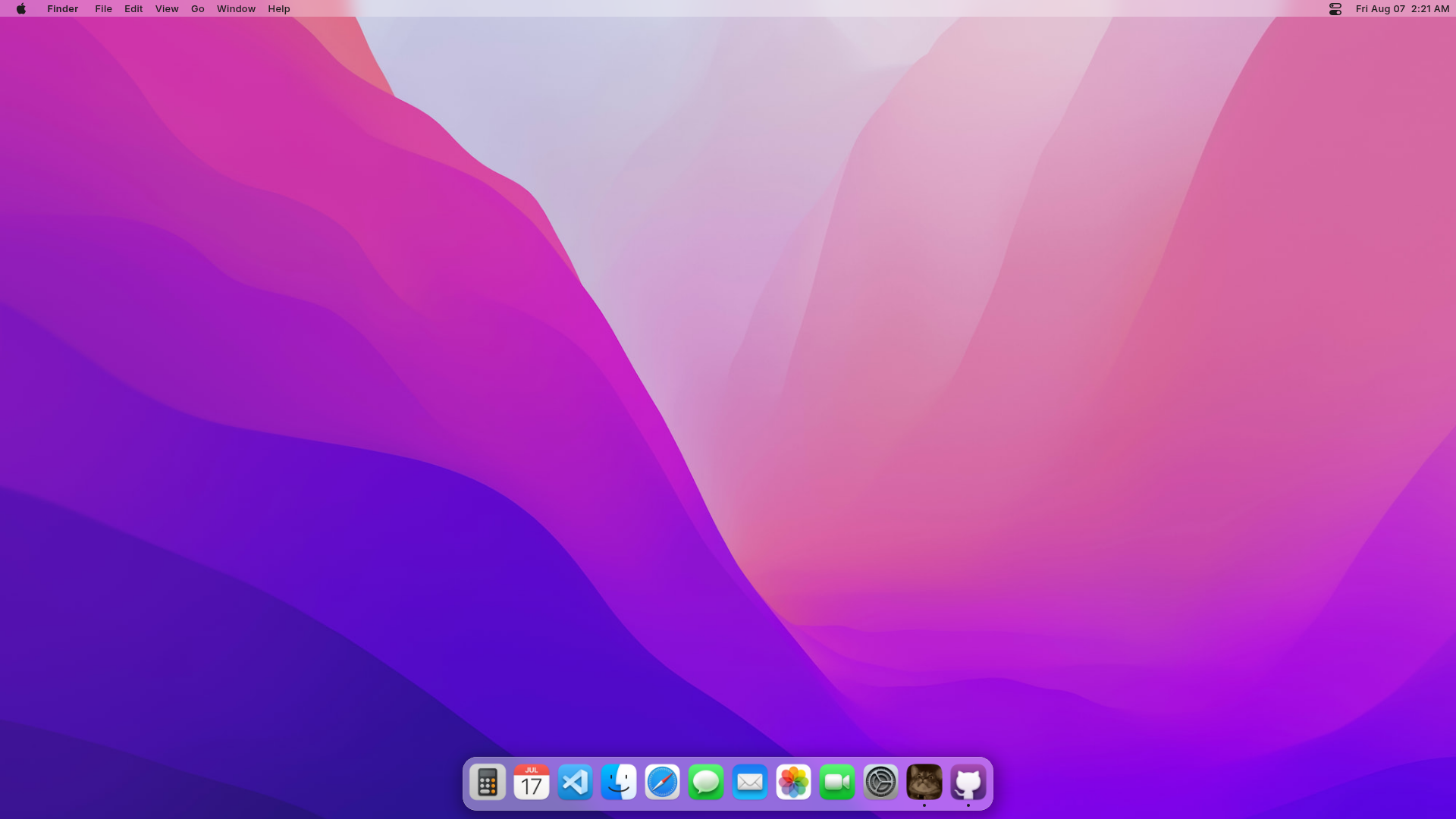
Mac OS Monterey Web is an open-source Preact-based template that replicates the macOS Monterey desktop experience in the browser using standard web technologies like HTML, CSS, and JavaScript.
What is Mac OS Monterey Web?
Mac OS Monterey Web is an open-source project that recreates the macOS Monterey desktop interface as a web application. It renders a dock, menu bar, windows, and icons in the browser, built entirely with HTML, CSS, and JavaScript. The project is authored by PuruVJ and lives on GitHub at the macos-web repository. A live demo is hosted at macos.now.sh. This page documents the legacy version; the project has since been rewritten in Svelte and relocated to PuruVJ/macos-web.
What makes Mac OS Monterey Web stand out?
- Preact framework with performance focus — The project originally used React and was swapped to Preact for runtime performance gains, as stated in the readme.
- Vite bundler — Development and builds are powered by Vite, described as "super fast development" in the project's own words.
- Custom styling pipeline — Uses SCSS and CSS Modules for styling, with no component library, meaning every visual element is hand-coded.
- TypeScript typing — The GitHub topics list TypeScript, so the codebase is type-safe.
- Fully open source — The source code is available for inspection, and the project invites users to open issues and submit pull requests.
- Web-based accessibility — Since it runs on HTML/CSS/JS, the desktop can be accessed from any modern browser without installing software.
Who should use Mac OS Monterey Web?
- Front-end developers who want to examine a complex, real-world implementation of a desktop UI using Preact and CSS Modules, and who might contribute bug fixes or improvements.
- UI/UX designers who want an interactive, browser-based mockup of the macOS Monterey interface for demos or usability testing.
- macOS enthusiasts who don't own a Mac but want to experience a faithful recreation of the Monterey desktop in their browser.
What can you do with Mac OS Monterey Web?
- Customize a desktop shell: Developers can adapt the code to build their own web-based desktop with custom apps, using the existing dock and window manager as a foundation.
- Prototype macOS interactions: Designers can use the interactive UI to test how users react to macOS-like navigation patterns before building a native app.
- Learn modern front-end architecture: Students and developers can study how a large application is organized with Preact components, SCSS, and CSS Modules, with the roadmap and source code available as learning material.
Alternatives
- WinXP (winxp.now.sh) — A similar web-based desktop recreation for Windows XP that inspired this project, according to the readme.
- PuruVJ/macos-web (Svelte version) — The current rewrite of this project in Svelte, which supersedes the legacy Preact version and can be found at the same GitHub account.
FAQ
Is Mac OS Monterey Web free?
Yes, the project is open source, meaning the code is freely available to view, modify, and use. The readme shows that users can open issues and pull requests, confirming it is released as an open-source project.
Can I contribute to Mac OS Monterey Web?
Yes, the readme explicitly welcomes contributions: you can open an issue, point out errors, or open a pull request with fixes. This makes it a collaborative project on GitHub.
What technology does Mac OS Monterey Web use?
The legacy version uses Preact as the framework, Vite as the bundler, and SCSS with CSS Modules for styling. It has no component library, and TypeScript is listed among its GitHub topics.
What happened to the legacy version?
The legacy Preact version is what this page documents. The project has moved to a new Svelte-based implementation available at PuruVJ/macos-web, and the legacy version is no longer the active development focus.