Template details
Wax
Jekyll based framework for minimal exhibitions with IIIF
About this template
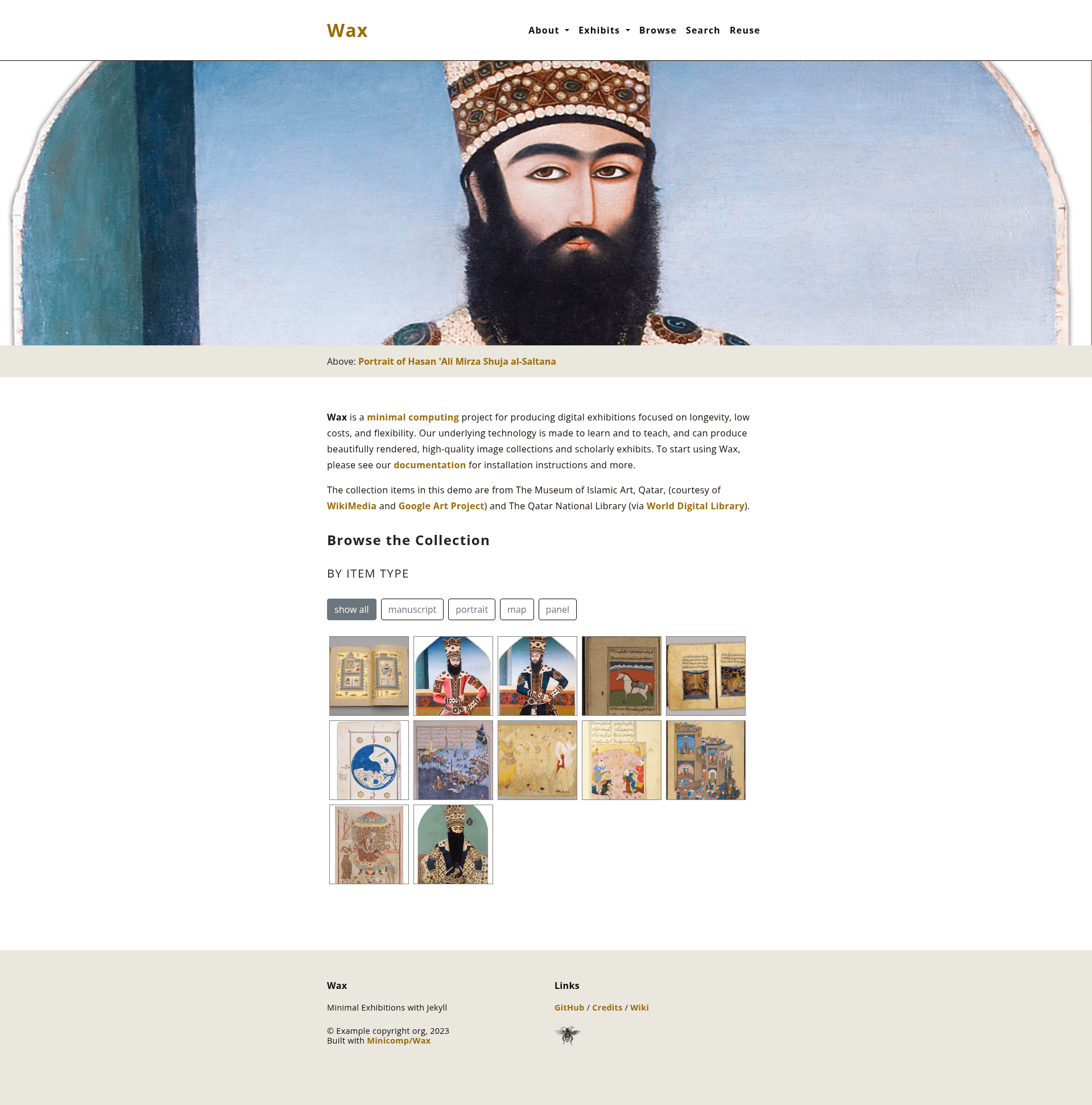
Wax is an open-source Jekyll-based framework for building scholarly digital exhibitions with IIIF support, developed by the Minicomp project. It turns a folder of images and a metadata file into a static Jekyll website with a IIIF viewer, full-text search, and exhibition pages.
What is Wax?
Wax is an extensible workflow for producing scholarly exhibitions using minimal computing principles. It is composed of several Ruby gems (wax_tasks for processing images and metadata, wax_iiif for IIIF generation) and a Jekyll theme called wax_theme. The project provides a GitHub template that users copy to start a new site; the template includes a demo exhibition, layouts, and preconfigured tasks.
Key Features
- IIIF integration — Wax's wax_iiif gem generates IIIF manifests and image tiles, enabling deep zoom and standards-compliant presentation for image collections.
- Full-text search — The theme uses ElasticLunr for client-side search across collection metadata and page content, with no separate search service needed.
- Static site output — The Jekyll build produces a static HTML site that can be deployed on GitHub Pages or any static web host.
- Image processing via ImageMagick and Ghostscript — The wax_tasks gem requires these tools to generate derivative sizes and tiles; Vips support is planned as a replacement.
- Ruby and Bundler based — The project requires Ruby 3.2 or newer and Bundler; dependencies are installed with
bundle install. - Docker environment — A Dockerfile is included, allowing users to run Wax in a container with a single build command (
docker build -t minicomp/wax .) and serve the site withbundle exec jekyll serve --host 0.0.0.0. - Demo template workflow — Users copy the repository via GitHub's "Use this template" button, clone it locally, and run
bundle installandbundle exec jekyll serveto preview a full example site.
Who is it for?
Wax is aimed at digital humanists, librarians, archivists, and scholars who want to publish image-based collections online without a heavy server infrastructure. Developers comfortable with the command line can extend the Jekyll theme and gems, while users new to Jekyll can follow the demo steps to create a simple exhibition.
Use cases
- Digital exhibitions — Curate an online gallery of works with thumbnails, deep zoom, and metadata display.
- Collection portals — Provide searchable access to archival or museum collections using IIIF manifests.
- Minimal computing teaching — Use Wax in a classroom to demonstrate static web publishing and IIIF standards.
How does Wax work?
The quickstart involves copying the demo template from the Wax GitHub repository, cloning it locally, and running bundle install. After adding your own images and metadata, you run the included Rake tasks to process them and then bundle exec jekyll serve to build and preview the site. For users who prefer containers, the repository includes a Docker setup that lets you run all commands inside an interactive container.
FAQ
Is Wax a Jekyll theme or a separate framework?
Wax is a Jekyll theme called wax_theme, paired with Ruby gems (wax_tasks and wax_iiif) that handle image processing and IIIF generation. Together they form a framework for building digital exhibitions on top of Jekyll.
Do I need to install ImageMagick and Ghostscript?
Yes, these are required prerequisites for processing images with Wax. You can check for them with convert -version and gs -version. Alternatively, you can use the provided Docker environment where these tools are preinstalled.
Can I host the generated site for free?
Because Wax outputs a static site, it can be hosted on GitHub Pages at no cost. The template is designed with that workflow in mind, though any static host works.
What is the license of Wax?
The repository shows an open-source license badge on GitHub; the project is free to use and contributions are welcome. Please check the repository license file for exact terms.