Template details
Jekyll-Avalon
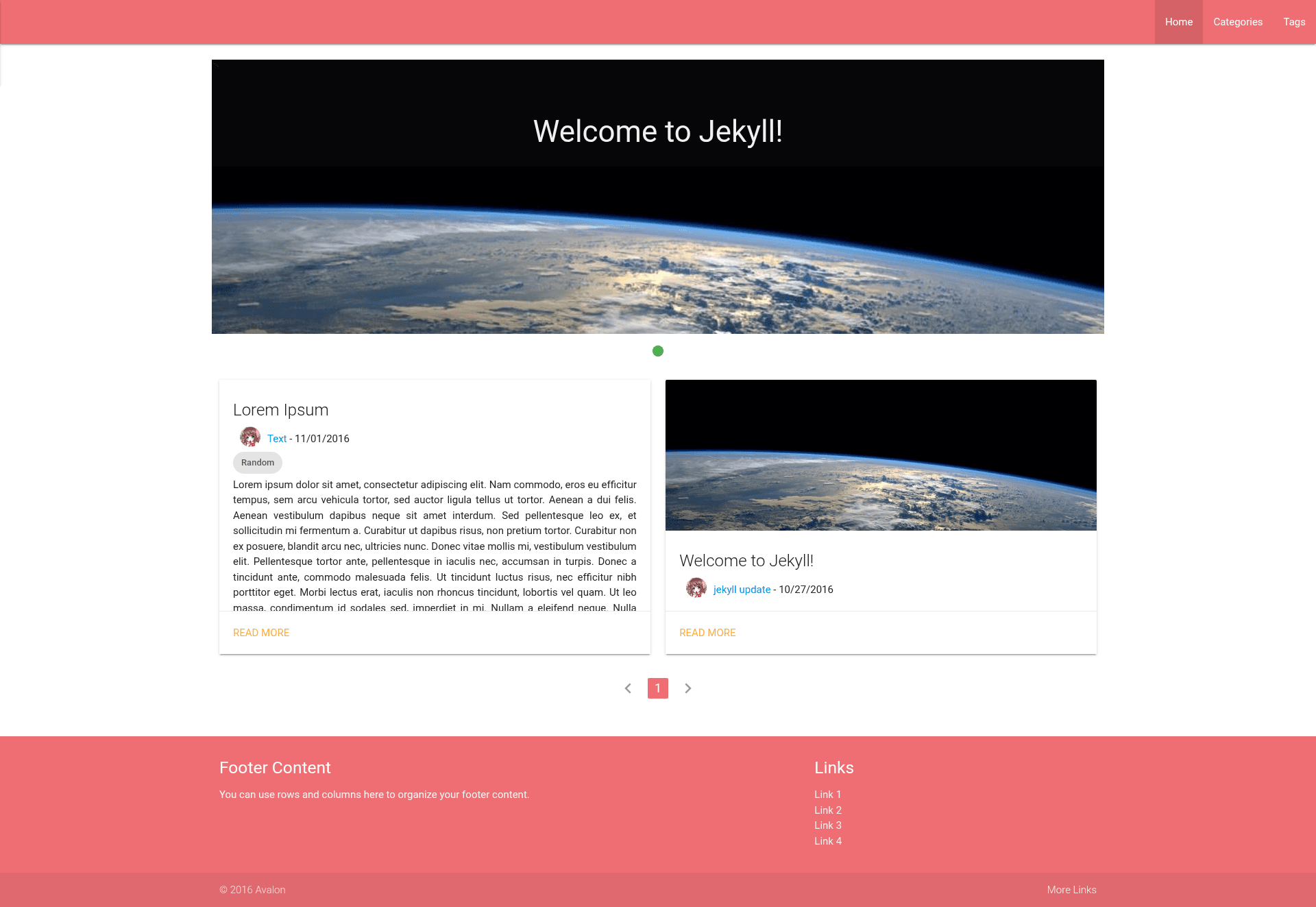
Materialize-based Jekyll theme with Material Design, responsive layout, tag/category browsing, and lazy loading images.
About this template
Jekyll-Avalon is a Materialize-based Jekyll theme for building blogs and personal websites with a Material Design look, maintained by the GitHub user joshuaavalon and published on GitHub.
What is Jekyll-Avalon?
Jekyll-Avalon is a static site theme built on the Jekyll Ruby framework and the Materialize CSS library. It takes Jekyll content — posts written in Markdown, the _config.yml configuration file, and HTML layout templates — and renders it into a static website that you host anywhere. The theme includes a demo site at joshuaavalon.github.io/Jekyll-Avalon, and it is authored by the GitHub user joshuaavalon. A key limitation is that it cannot be built automatically by GitHub Pages; you must build the site yourself and upload the generated _site folder to GitHub or another host.
Key Features
- Material Design — The theme is built on Materialize, a CSS framework based on Google's Material Design guidelines, giving cards, buttons, and navigation a clean, flat aesthetic.
- Responsive Web Design — Pages adapt to desktop, tablet, and mobile viewports out of the box.
- Tags and categories browsing — Posts can be filed under tags and categories, with dedicated browsing pages for each.
- Lazy loading images — Images in posts load lazily as the reader scrolls, which reduces initial page load time.
- Customizable colors — To change the palette, you download the SASS version of Materialize, modify it, and replace the stylesheet link in
_includes/head.html. - Comment support — Disqus can be dropped into
_layouts/post.htmlfor reader comments. - Google Analytics integration — The analytics snippet goes into
_includes/script.html. - Configurable footer — Site-wide footer text is edited in
_includes/footer.html, while other site metadata lives in_config.yml.
Who is Jekyll-Avalon for?
Jekyll-Avalon suits bloggers and developers who want a Material Design blog but are comfortable doing a manual static-site build. It is also for Jekyll users who are willing to maintain a local Ruby toolchain (Jekyll and Bundler) or host on GitLab with auto-deploy enabled. Developers who enjoy tweaking SASS variables to personalize a theme will find the color workflow straightforward.
What can you do with Jekyll-Avalon?
- Personal bloggers: publish Markdown posts with front matter, organize them into tags and categories, and serve them as a fast static site.
- Content sites: run a responsive, Material-styled website with minimal JavaScript dependencies.
- Hobbyist developers: practice customizing a Jekyll theme by editing includes, layouts, and SASS while adding Disqus or Google Analytics.
How does Jekyll-Avalon work?
You must build the site yourself because GitHub Pages will not build this theme. The recommended workflow is: install Ruby (using Ruby Installer on Windows), install Jekyll and Bundler with gem install jekyll bundler, then run bundle exec jekyll serve in the repository. Finally, upload the contents of the generated _site folder to GitHub or your web host. If you prefer GitLab, you can upload the repository there and enable GitLab Runner for auto-deployment.
Pros and cons
- Pros: Material Design styling out of the box; lazy loading improves performance; tags and categories are built in; the theme is publicly available on GitHub and includes a demo.
- Cons: It cannot be built by GitHub Pages, so you must maintain a local Ruby environment or use an alternative host; the theme requires manual setup to add comments, analytics, and custom colors.
FAQ
Can I use Jekyll-Avalon with GitHub Pages?
No. The theme explicitly states that it cannot be built by GitHub. You need to build the site locally with Jekyll and then upload the _site folder to GitHub Pages or another static host.
How do I change the theme color?
Download the SASS version of Materialize from the Materialize repository, edit the variables, then replace the stylesheet link in _includes/head.html with your compiled CSS.
How do I add Disqus comments?
Copy the Disqus embed code into _layouts/post.html in the theme. The repository instructions suggest this approach without requiring a plugin.
How do I install the theme on Windows?
Install Ruby via Ruby Installer (http://rubyinstaller.org/), then run gem install jekyll bundler and bundle exec jekyll serve from the repository directory.
What configuration files do I need to edit?
Site-wide settings live in _config.yml. The footer is edited in _includes/footer.html, the head stylesheet in _includes/head.html, and scripts in _includes/script.html.