Template details
Jekyll-Garden
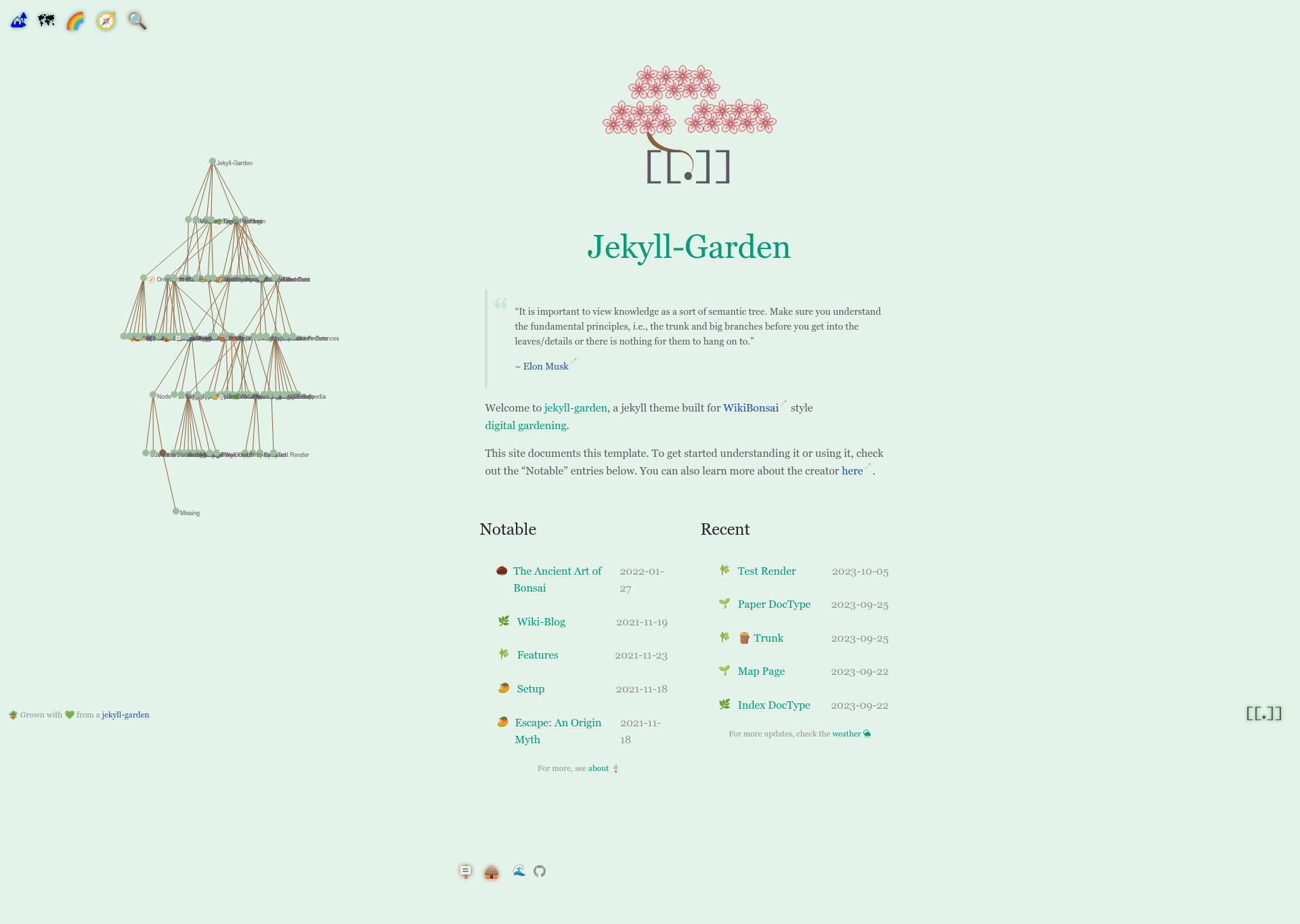
A Jekyll theme for semantically inclined digital gardeners, with WikiBonsai wikirefs, semantic trees, and graphs.
About this template
Jekyll-Garden is a Jekyll template with WikiBonsai support that turns markdown notes into a static digital garden with wikirefs, semantic trees, and graphs. It is distributed as a Ruby gem and targets writers and developers who want a Jekyll-based personal knowledge management site.
What is Jekyll-Garden?
Jekyll-Garden is a Jekyll template that adds WikiBonsai's wikirefs, semantic tree, and graph features to static site generation. It takes markdown notes formatted with [[[wikirefs]]] and outputs an HTML site with bidirectional links, a hierarchical tree view, and an interactive graph of note connections. The template runs on Jekyll, a Ruby-based static site generator, and is published on RubyGems as the jekyll-garden gem.
Key Features
- Wikirefs support — Use
[[[wikirefs]]]syntax in markdown to create bidirectional internal links; the jekyll-wikirefs plugin renders them on the generated pages. - Semantic tree — Organize notes into a navigable tree structure using the jekyll-semtree plugin, with a dedicated tree page.
- Graph view — Visualize connections between notes with an interactive graph powered by the jekyll-graph plugin.
- Plugin stack — Depends on jekyll-wikirefs, jekyll-semtree, jekyll-graph, plus jekyll-feed, jekyll-seo-tag, jekyll-sitemap, jekyll-data, and jekyll-id for standard site features.
- Structured documentation — Separate setup guides for writing notes, tinkering with the template, and reusing the code in your own projects.
- Live demo — See the template in action at jekyll-garden.netlify.app.
- Gem packaging — Install or update via RubyGems with semantic versioning shown on the gem badge.
Who is it for?
- Digital gardeners — People maintaining a second brain or PKM site who want bidirectional links and visual organization without building custom Jekyll plugins.
- Jekyll developers — Developers who need a reference implementation for wikirefs, semtree, and graph plugins in a static site.
- Semantic web experimenters — Those exploring tree-based note hierarchies and graph visualizations who want a ready-made Jekyll starting point.
What can you do with Jekyll-Garden?
- Publish a digital garden — Write markdown notes with wikirefs, run Jekyll build, and deploy a static site with linked entries.
- Explore knowledge graphs — Use the graph page to see how your notes connect and spot clusters of related topics.
- Learn WikiBonsai internals — Study the template's code to understand how the wikirefs, semantic tree, and graph plugins integrate with Jekyll.
FAQ
What is Jekyll-Garden?
Jekyll-Garden is a Jekyll template that integrates WikiBonsai's wikirefs, semantic tree, and graph plugins. It converts markdown notes with wikilinks into a static digital garden with bidirectional links and visual navigation.
Does Jekyll-Garden support wikirefs?
Yes. It includes the jekyll-wikirefs plugin, so you can use [[[wikirefs]]] syntax for bidirectional internal links in your notes.
What plugins does Jekyll-Garden depend on?
It depends on jekyll-wikirefs, jekyll-semtree, jekyll-graph, jekyll-feed, jekyll-seo-tag, jekyll-sitemap, jekyll-data, and jekyll-id.
Is there a live demo?
Yes, you can view a working example at jekyll-garden.netlify.app.
How do I install Jekyll-Garden?
Install it as a Ruby gem named jekyll-garden via RubyGems, following the setup documentation linked from the repository. The source is available on GitHub.