Template details
Surgeon Tux
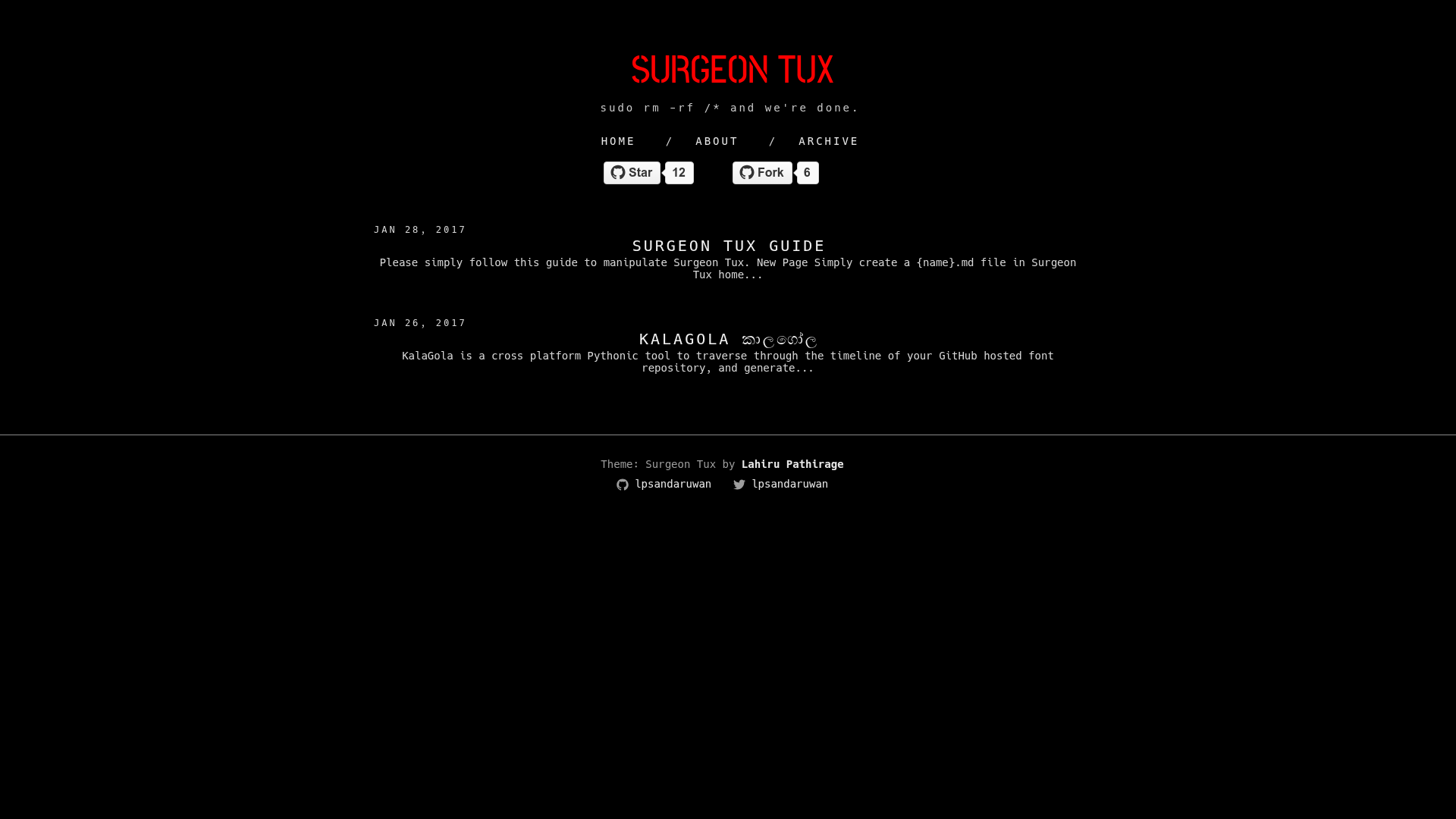
A Jekyll theme for terminal lovers, created by Lahiru Pathirage and licensed under GPL v3.
About this template
Surgeon Tux is a free Jekyll theme for terminal lovers, created by Lahiru Pathirage and released under the GPL v3 license.
What is Surgeon Tux?
Surgeon Tux is a Jekyll theme designed for people who love working in the terminal. It is a static site theme that requires Jekyll and the jekyll-paginate gem to run, and it was written by Lahiru Pathirage in 2017. The theme is distributed as free software under the GNU General Public License version 3, meaning you can use, modify, and redistribute it as long as you keep it under the same license. Because it is a Jekyll theme, it takes content files such as Markdown and renders them into plain HTML static pages.
Key Features
- Jekyll-based static site generation — Surgeon Tux is built on Jekyll, so you write content in Markdown and Jekyll generates a static HTML site.
- jekyll-paginate integration — The theme requires the jekyll-paginate gem, which enables pagination for blog index pages.
- Local development workflow — To preview the theme, run
jekyll serveand open http://localhost:4000 or http://127.0.0.1:4000 in your browser. - Terminal-focused aesthetic — The theme is explicitly marketed for "terminal lovers," indicating a command-line-inspired visual design.
- Free and open source — Licensed under GPL v3, allowing free use and modification; the source is available for anyone to improve.
- Simple installation — Only two gems need to be installed (jekyll and jekyll-paginate) before running the server.
Who is it for?
- Terminal and command-line enthusiasts who want a blog or personal site that matches their Unix aesthetic.
- Jekyll developers looking for a free, minimal blogging theme that includes pagination out of the box.
What can you do with Surgeon Tux?
- Bloggers — Set up a terminal-themed blog with Jekyll, using jekyll-paginate to split posts across pages.
- Personal sites — Showcase your projects or resume with a distinctive, terminal-inspired look.
- Open-source contributors — Use it as a starting point for a project documentation site, since Jekyll works well for static documentation.
How does Surgeon Tux work?
- Install Jekyll and jekyll-paginate using
gem install jekyllandgem install jekyll-paginate. - Run
jekyll servein the theme's directory to build the site and start a local server. - Open your browser to http://localhost:4000 or http://127.0.0.1:4000 to view the generated pages.
FAQ
Is Surgeon Tux free?
Yes. Surgeon Tux is released under the GNU General Public License version 3, so it is free to use, modify, and distribute under the same license.
What does Surgeon Tux require to run?
Surgeon Tux requires the Jekyll static site generator and the jekyll-paginate plugin. You install both with the commands gem install jekyll and gem install jekyll-paginate.
Who created Surgeon Tux?
Surgeon Tux was created by Lahiru Pathirage, as noted in the theme's metadata, which is dated (c) 2017.
How do I preview Surgeon Tux on my computer?
After installing the required gems, run jekyll serve and open http://localhost:4000 or http://127.0.0.1:4000 in your web browser.