Template details
Jekyll-IndieWeb
A Jekyll quick start to getting up and going with the IndieWeb
About this template
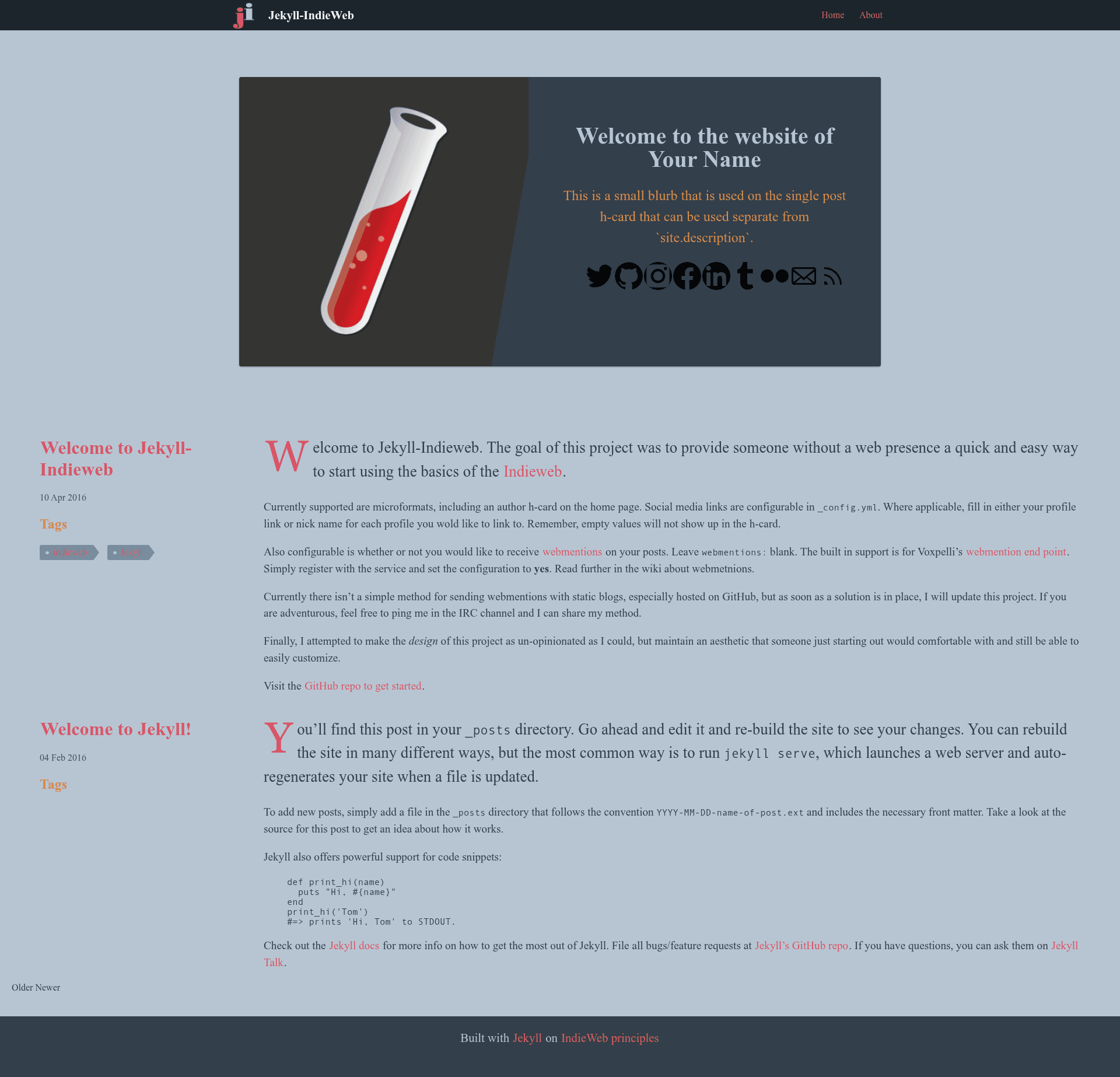
Jekyll-IndieWeb is a Jekyll theme that gives people without a web presence a quick start to publishing on the IndieWeb, including support for Micropub posts. It is a formal Jekyll theme (distributed as a gem) with a companion starter repository called Steal This Repo, and it runs on the Ruby-based Jekyll static site generator with Gulp as its build tool.
What is Jekyll-IndieWeb?
Jekyll-IndieWeb is a Jekyll theme designed to get a new site owner up and running with the basics of the IndieWeb. It takes a standard Jekyll site structure and outputs a static website that supports IndieWeb protocols and conventions. The project is maintained by miklb and evolved from an earlier quick-start repository into a theme with a companion demo site for testing and customization.
Key Features
- Micropub support — Initial support for Micropub posts was added in version 0.2, letting you publish to your site from IndieWeb clients.
- PostCSS compilation — All CSS lives as plain CSS in
assets/css/_incand is compiled via PostCSS for browser compatibility; you never edit the generatedassets/css/main.cssdirectly. - Gulp build tasks — The Gulpfile provides
buildandwatchtasks:buildgenerates the_sitedirectory, andwatchrebuilds on CSS or Jekyll file changes, replacing the need to runbundle exec jekyll serve. - Theme gem distribution — Version 2.0.0 beta is released as a theme gem, so you can install it as a dependency and override files in your own site.
- Companion starter repo — The Steal This Repo repository gives you a forkable starting point that benefits from theme improvements.
- Modern CSS approach — CSS targets 2019 browsers, with PostCSS backfilling compatibility, keeping the styling dependency-light.
Who is it for?
- People new to the IndieWeb — They can get a personal site with IndieWeb basics quickly without deep technical knowledge.
- Jekyll users — Developers who want an IndieWeb-ready theme can install the gem and customize it.
- Event organizers — The theme was designed to allow overriding
main.cssin individual response sites for event-specific customizations.
What can you do with Jekyll-IndieWeb?
- Start a personal IndieWeb site — Set up a blog or homepage that follows IndieWeb conventions without building everything yourself.
- Publish via Micropub — Use IndieWeb clients to post content to your Jekyll site (initial support in 0.2).
- Customize the look — Override the compiled CSS by editing files in
_incor by providing your ownmain.cssin your site.
How does it work?
Install the theme by cloning the repository or using it as a gem, then run bundle install and npm i to install Jekyll and Gulp dependencies. Use gulp watch during development; it watches assets/css/_inc and Jekyll files and rebuilds automatically. For production, run gulp build to generate the _site directory.
Pricing
Jekyll-IndieWeb is open-source and free to use. The license file points to the Jekyll license, which is MIT.
FAQ
Is Jekyll-IndieWeb a standalone site?
No, it is a Jekyll theme, not a standalone site. You need a Jekyll site to apply it to, or you can fork the companion Steal This Repo starter repository.
Do I need to edit compiled CSS?
No. All source CSS lives in the assets/css/_inc directory and is compiled by PostCSS into assets/css/main.css. Make your changes in _inc and commit all files when submitting a pull request.
What does the Gulp watch task do?
It watches both the assets/css/_inc directory for CSS changes and Jekyll file changes, then rebuilds the appropriate files. It replaces the need to run bundle exec jekyll serve.