Template details
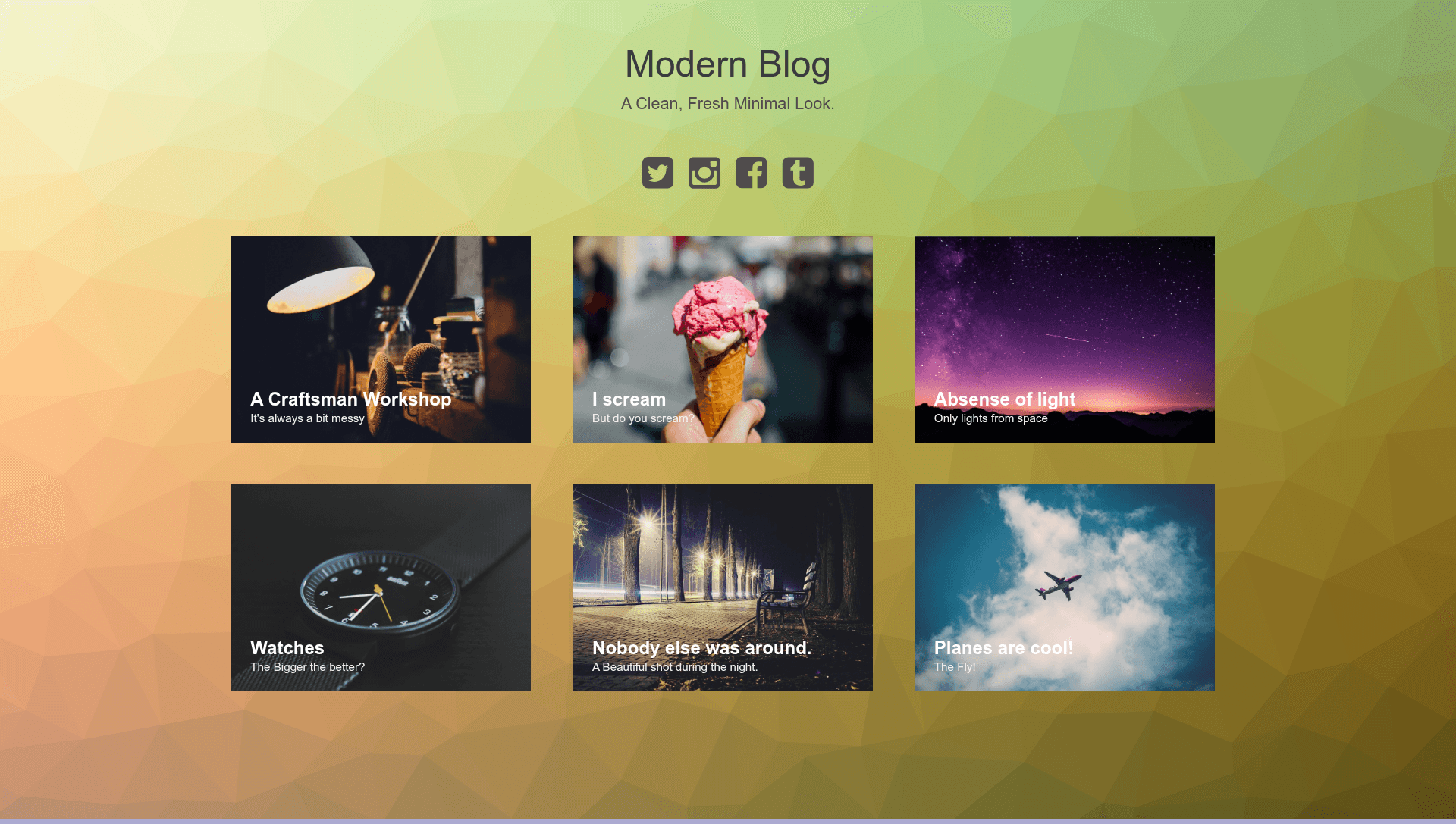
Jekyll Modern Blog
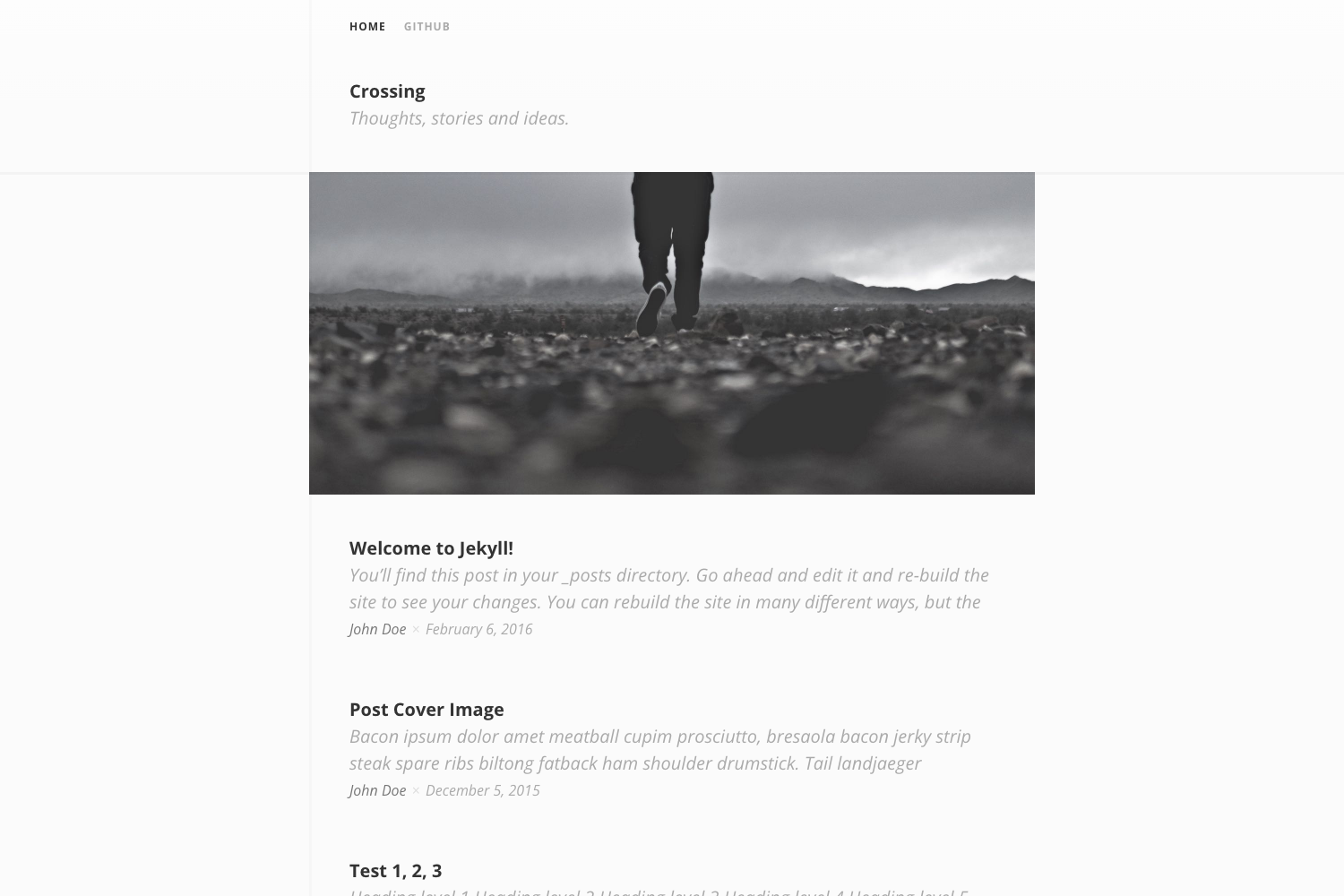
A simple, clean, and responsive modern Jekyll blog template based on a Codrops article, free and open source under the GNU GPL v3.
About this template
Jekyll Modern Blog is a free, open-source Jekyll theme that converts a Codrops article design into a simple, clean, responsive blog layout ready to run on GitHub Pages.
What is Jekyll Modern Blog?
Jekyll Modern Blog is a Jekyll-based blog template derived from a Codrops article by Claudio Calautti. It takes Markdown posts as input and produces a static, responsive blog site as output. The template runs on Jekyll, the Ruby static site generator, and can be hosted on GitHub Pages, as demonstrated by the included live demo. The original design is released under the GNU GPL v3 license, and this adaptation smushes the CSS into a single file for easier deployment.
Key Features
- Responsive layout — adapts to mobile, tablet, and desktop screens without extra configuration.
- Clean, modern design — based on a Codrops article, giving a polished, minimal blog aesthetic.
- Jekyll-ready — structured as a Jekyll theme, so you can add posts as Markdown files and build the site with a single command.
- Open source (GNU GPL v3) — free to use, modify, and distribute under the GNU GPL v3 license, with credit to the original creator.
- Live demo — the project includes a hosted demo at GitHub Pages showing the exact rendering of the theme.
- Sample images from Fancy Crave — bundled sample images from Fancy Crave for testing the design.
Who is it for?
- Jekyll beginners — get a ready-made blog layout without designing a theme from scratch; just clone the repository and add posts.
- Personal bloggers — publish clean, responsive articles on GitHub Pages at no hosting cost.
- Developers — use the theme as a starting point for a custom static site, thanks to the GPL license and simplified CSS.
What can you do with Jekyll Modern Blog?
- Personal bloggers: set up a minimal personal blog on GitHub Pages by placing Markdown posts in the
_postsdirectory and pushing to a repository. - Portfolio site builders: adapt the clean layout to showcase projects, since the responsive design works across devices.
- Jekyll learners: study a compact, working Jekyll theme with combined CSS to understand how static pages are assembled.
How does Jekyll Modern Blog work?
Jekyll Modern Blog works like any standard Jekyll site. You clone the repository, write posts in Markdown inside the _posts folder, and run jekyll serve locally or push to GitHub to build automatically. The template's CSS is smushed into one file, so there's no separate stylesheet management.
Pricing
Jekyll Modern Blog is free to use under the GNU GPL v3 license. No paid tiers are mentioned.
FAQ
Is Jekyll Modern Blog free?
Yes, Jekyll Modern Blog is free and open source, released under the GNU GPL v3 license. You can use, modify, and share it as long as you preserve the license terms.
What do I need to run Jekyll Modern Blog?
You need Ruby and Jekyll installed on your computer, or you can use GitHub Pages which supports Jekyll natively. The repository includes a live demo for preview.
How do I add a new post?
Create a new Markdown file in the _posts folder with the filename format YYYY-MM-DD-title.md, following standard Jekyll conventions. Then rebuild the site with Jekyll.
Can I customize the design?
Yes, because the template is open source and built on Jekyll. The CSS is smushed into a single file, making it straightforward to edit colors, fonts, and layout.
Does it come with sample images?
Yes, the repository uses sample images from Fancy Crave, a free image source, so the demo displays with real imagery.