Template details
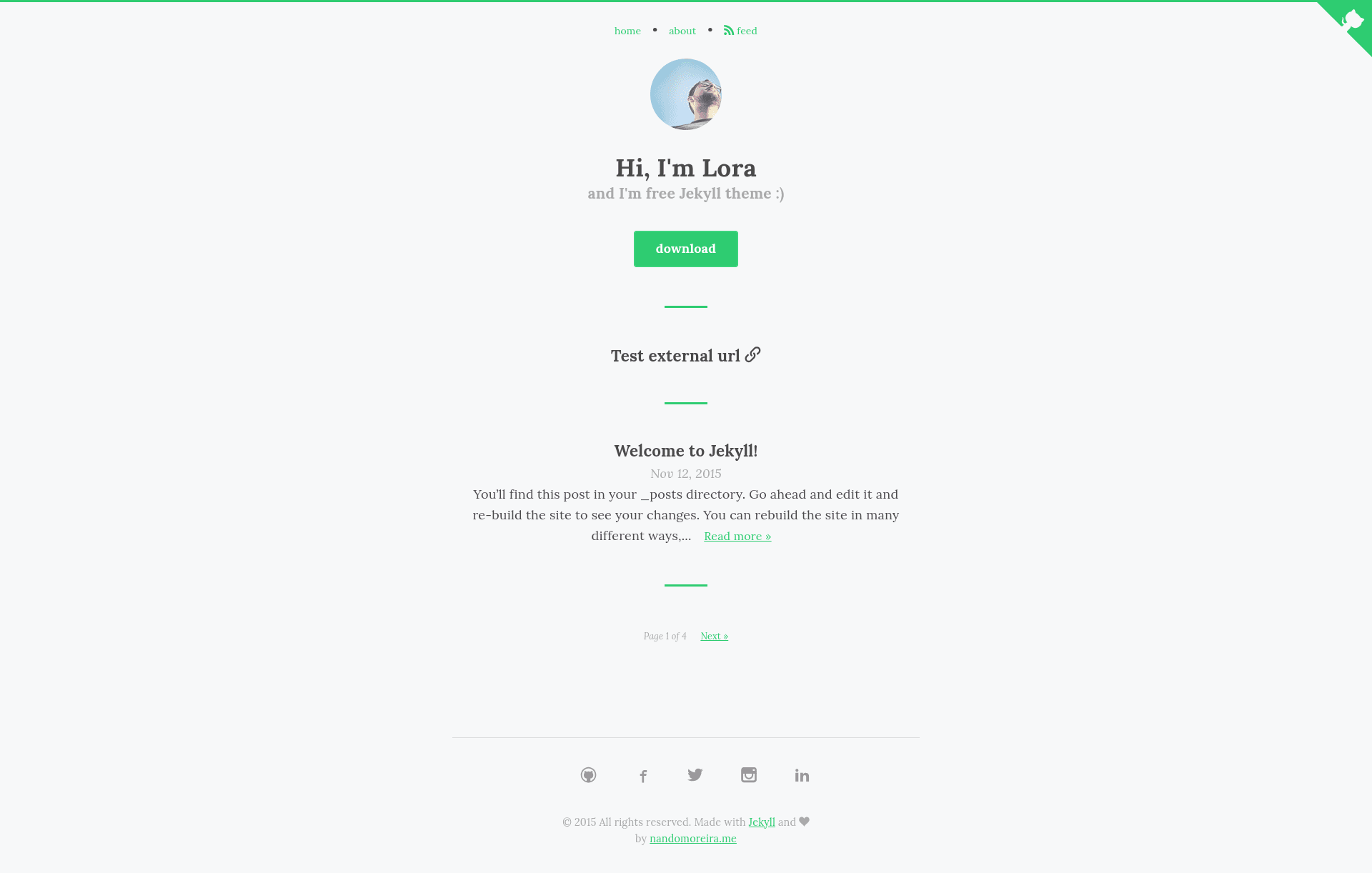
Lora
Free, MIT-licensed Jekyll blog theme with Rake automation for pages, posts, and GitHub Pages deployment.
About this template
Lora is a free, MIT-licensed Jekyll theme for personal blogs that uses Ruby, Rubygems, and Rake to automate page creation, post publishing, and GitHub Pages deployment.
What is Lora?
Lora is a static blog theme built on Jekyll, the Ruby-based static site generator. It takes Markdown posts and pages as input and generates a deployable static website, with a built-in Rake workflow for creating content and pushing it to GitHub Pages. The theme is developed by GitHub user nandomoreirame and distributed through a public repository. It requires Ruby and Rubygems installed on your system to run the Jekyll server locally.
Key Features
- Free and open source — Lora is released under the MIT license, so you can use, modify, and redistribute it freely, including in commercial projects.
- Rake-powered automation — Predefined Rake tasks let you create a new page with
rake page name="contact.md"and a new post withrake post title="TITLE OF THE POST"from the command line. - GitHub Pages deployment — A Rakefile with
GITHUB_REPONAMEandGITHUB_REPO_BRANCHvariables supports two-step publishing: edit the variables, then runrakeorrake publish. - Quick local setup — Start a local server in four steps: clone the repo, enter the folder, run
bundle install, then runjekyll serveto view the site at localhost:4000. - Simple command-line workflow — All content management operations happen through a terminal, making it suitable for developers who prefer git-based workflows.
- Demo and downloadable zip — A live demo is available at https://nandomoreirame.github.io/lora/ and the theme can be downloaded as a ZIP archive from the GitHub repository.
- Customization note — For production use, the theme's
_layouts/default.htmlcontains noindex meta tags that should be removed to allow search engine indexing.
Who is it for?
- Developers who use Jekyll — They can clone Lora and immediately run a personal blog with local preview via
jekyll serve. - Command-line oriented writers — Bloggers who want to create posts without a web admin panel can use the provided Rake tasks to scaffold Markdown files.
- Hobbyists deploying on GitHub Pages — Anyone with a GitHub account can publish a static blog by editing two variables in the Rakefile and running
rake. - Open source enthusiasts — Since Lora is MIT-licensed, users can study and adapt the theme's Rake automation or layout structure for their own projects.
What can you do with Lora?
- Personal bloggers: Set up a blog on GitHub Pages using the documented clone, bundle, and rake deployment steps.
- Project maintainers: Create static documentation or a changelog page using
rake page name="docs.md"and publish it to the same repository. - Rake-learners: Study the Rakefile to see how Jekyll site building and git pushing can be combined into a single command.
How does Lora work?
The README describes a two-part workflow. First, local development requires Ruby and Rubygems: clone the repository, run bundle install to install dependencies, then jekyll serve to launch the site at localhost:4000. For publishing, edit GITHUB_REPONAME and GITHUB_REPO_BRANCH in the Rakefile and execute rake or rake publish, which builds the site and pushes it to the configured GitHub Pages branch. Content generation is handled through the Rake tasks rake page and rake post.
Pricing
Lora is free to use. The theme is released under the MIT license, and the source code is publicly available on GitHub, so there are no paid tiers or subscription requirements.
FAQ
Is Lora free?
Yes, Lora is free and open source under the MIT license. You can download, modify, and use it for personal or commercial projects without paying a fee.
Does Lora require Ruby?
Yes, the theme requires Ruby and Rubygems to be installed on your machine for local development and to run Jekyll commands such as bundle install and jekyll serve.
How do I deploy Lora to GitHub Pages?
Edit the GITHUB_REPONAME and GITHUB_REPO_BRANCH variables in the Rakefile to match your repository and branch, then run rake or rake publish. The Rake task will build the static site and push it to GitHub Pages.
Can I create a new post with Lora?
Yes, use the Rake task rake post title="TITLE OF THE POST" from the theme's root folder. This scaffolds a new Markdown post with the specified title.
Why does my Lora site have noindex meta tags?
The default layout _layouts/default.html includes a noindex meta tag. Remove this line before deploying to a live site so search engines can index your content.