Template details
polk-x
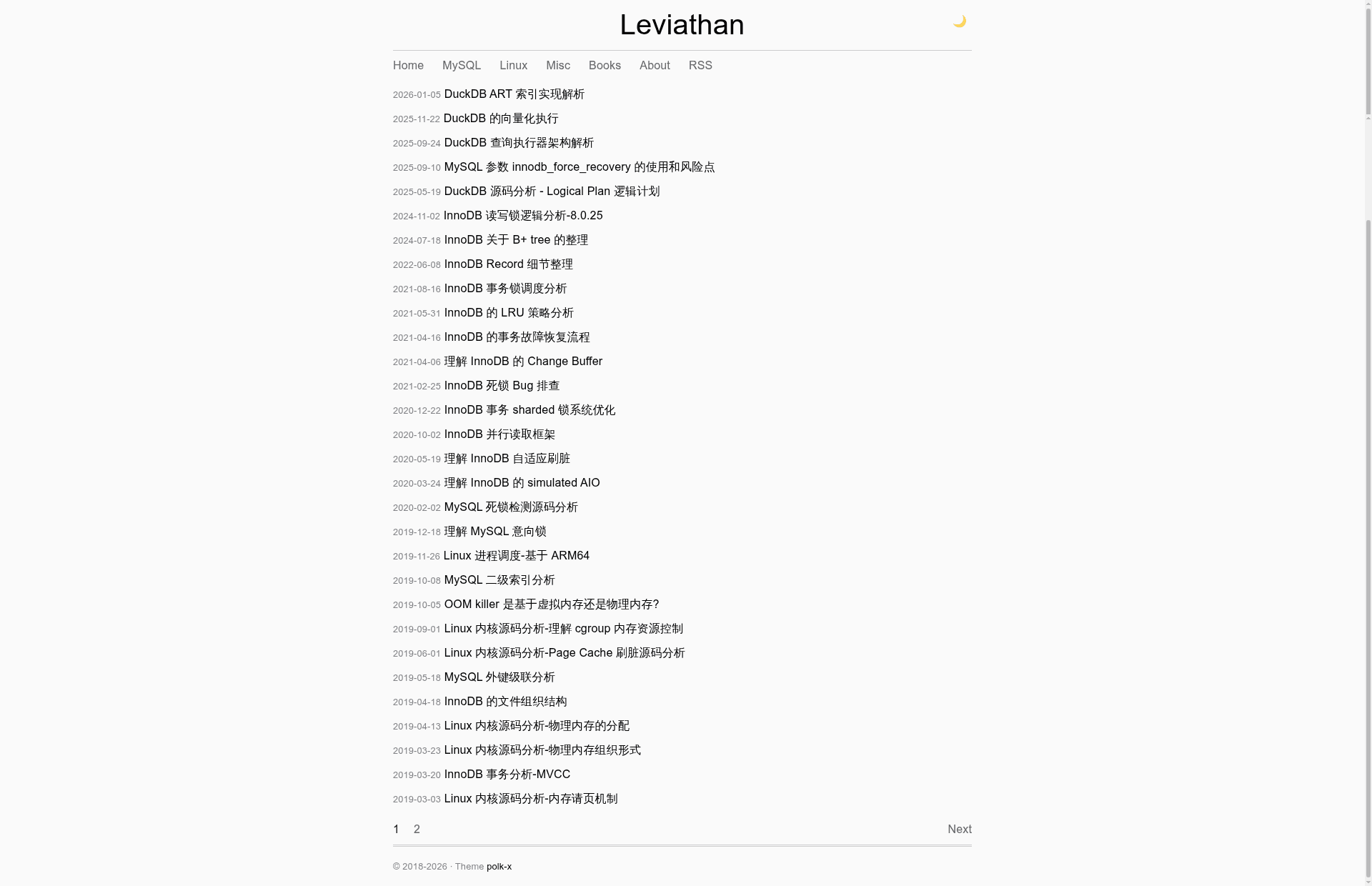
A minimalist Hugo blog theme with Atom feed, pagination, TOC, and easy customization.
About this template
polk-x is a minimalist Hugo blog theme that turns Markdown content into a static blog with a built-in Atom feed, pagination, and an optional table of contents.
What is polk-x?
polk-x is a Hugo theme created by leviathan0992, adapted from the Hexo theme Polk. It takes Hugo site content written in Markdown and generates static HTML pages into the public/ directory on build. The theme supplies layouts for the homepage, post listing, single posts, standalone pages, and tag term pages, plus an Atom feed template. It uses plain CSS and JavaScript in static/css/style.css and static/js/main.js, with no external framework dependencies.
What makes polk-x stand out?
polk-x keeps the feature set minimal, so the template files stay small and readable. The theme directory separates base.html, list.html, single.html, terms.html, and partials for head, header, footer, paginator, and table of contents, making each part easy to locate and modify.
- Built-in Atom feed — The index.atom.xml template creates an Atom feed at /atom.xml when you add the ATOM output format and media type shown in the README to your hugo.yaml.
- Pagination — A dedicated paginator.html partial controls listing pages; the README example sets pagerSize to 20 posts per page.
- Table of contents — The optional toc.html partial can render a table of contents on single post pages; include or remove it from the layout as needed.
- Configurable navigation — The main menu is declared in hugo.yaml; the README shows Home, Tags, About, and RSS entries with weights for ordering.
- Style and script override — You can replace static/css/style.css and static/js/main.js by placing same-named files in your site's static directory.
- Comment-ready layouts — No comment system ships with the theme, but the README directs you to add Disqus or Giscus code to layouts/posts/single.html.
- Broad browser support — The README lists Chrome, Firefox, Safari, and Edge as supported browsers.
Who should use polk-x?
polk-x is aimed at bloggers and developers who want a plain, readable Hugo theme without a JavaScript framework. It suits personal blogs, tech blogs, and anyone who wants a straightforward starting point for a static site.
- Personal bloggers — Publish Markdown posts and generate a static site with Hugo's minify build command.
- Developers new to Hugo — Use the theme's small layout set to learn how Hugo templates, partials, and output formats fit together.
- RSS/Atom subscribers — Benefit from the built-in Atom feed without installing a separate plugin.
Use cases
- Personal blogging — Create posts with hugo new posts/my-first-post.md and publish them to any static host that serves the public/ directory.
- Tag-based content discovery — Use the terms.html template to generate a tag cloud page under /tags/.
- Standalone pages — Create an About page with hugo new about.md and link it from the main menu.
How does polk-x work?
Install the theme by cloning the repository into themes/polk-x or adding it as a git submodule, set theme: polk-x in hugo.yaml, then run hugo server for local preview. The README's quick-start walks through five steps: clone, configure, create content, preview, and build with hugo --minify.
FAQ
Is polk-x free to use?
Yes, the theme is released under the MIT license, so you can use, modify, and distribute it freely.
Which browsers does polk-x support?
The README lists Chrome, Firefox, Safari, and Edge as tested browsers.
Does polk-x include a comment system?
No, the theme does not ship with comments. The README shows where to add third-party services like Disqus or Giscus in layouts/posts/single.html.
How do I enable the Atom feed?
Add the ATOM output format and media type configuration shown in the README to your hugo.yaml, then the feed appears at /atom.xml.
What is the difference between polk-x and the original Polk theme?
polk-x is a Hugo port of the Hexo theme Polk, so it runs on Hugo's Go templating engine instead of Hexo's Node.js-based system.