Template details
jekyll-theme-scribbles
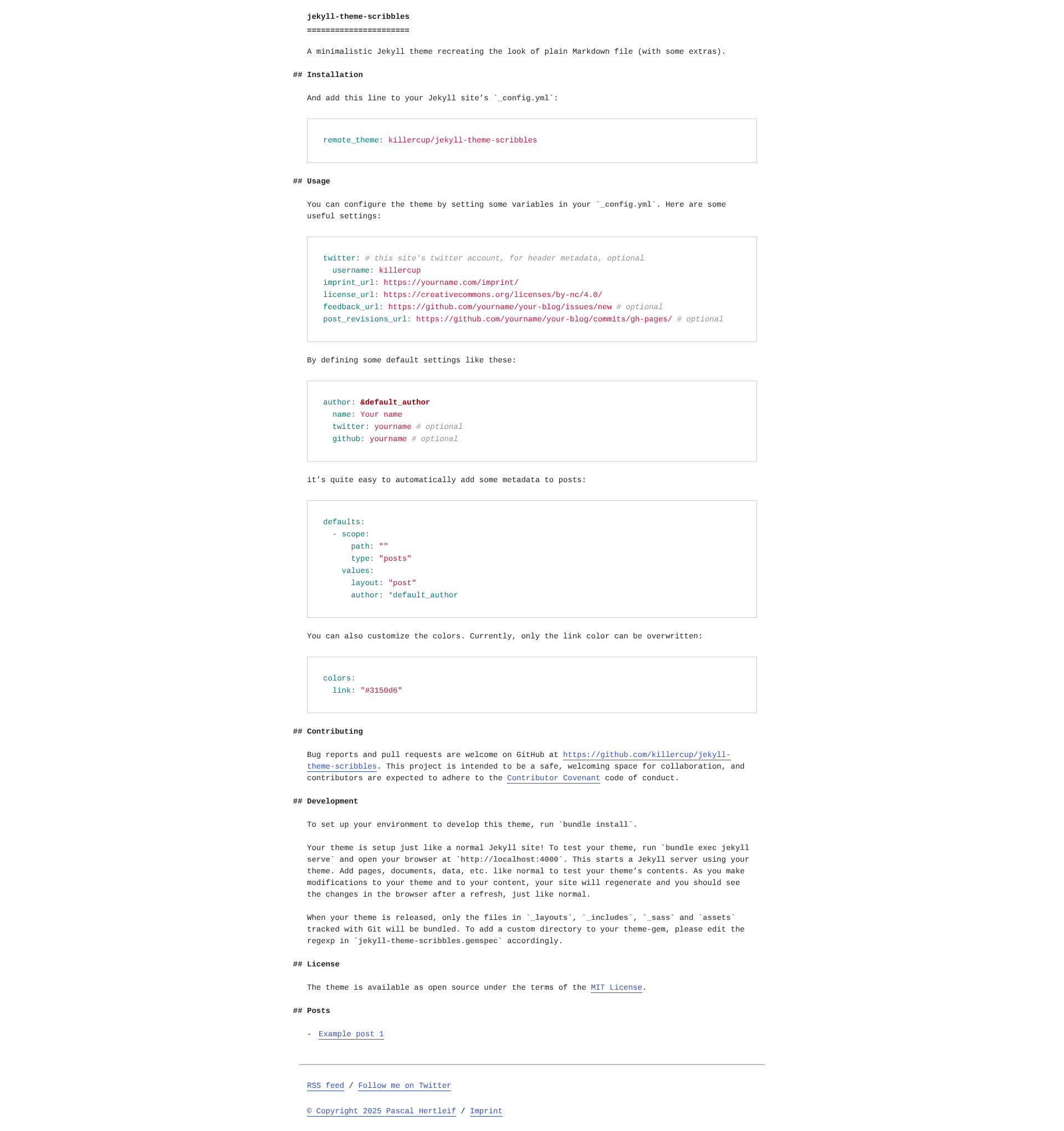
A minimalistic Jekyll theme recreating the look of plain Markdown file (with some extras).
About this template
jekyll-theme-scribbles
What is jekyll-theme-scribbles?
jekyll-theme-scribbles is a minimalistic Jekyll theme that recreates the look of a plain Markdown file, with a few extra conveniences for bloggers. It takes your Markdown posts and pages and renders them as a clean, text-first webpage with preserved whitespace and simple typography. The theme runs on any standard Jekyll site (Ruby-based), and it is developed by killercup on GitHub under the MIT License.
Key Features
The theme offers a minimal, text-first reading experience with several configuration hooks for site metadata. The main features are:
- Plain Markdown aesthetic — The layout mimics a raw Markdown document, so your content appears as a readable, text-forward page without heavy styling.
- Remote theme installation — Add
remote_theme: killercup/jekyll-theme-scribblesto your_config.ymlto use the theme without manually copying files. - Header metadata options — Set Twitter username, imprint URL, license URL, feedback URL, and post revisions URL in
_config.ymlto add site-wide links and metadata. - Author defaults — Define author name, Twitter handle, and GitHub handle once, then apply them to all posts via Jekyll's
defaultsconfiguration. - Customizable link color — Override the theme's link color using
colors.linkin_config.yml; this is the only style variable exposed. - Standard Jekyll structure — Includes
_layouts,_includes,_sass, andassetsdirectories, making it easy to extend or fork. - MIT licensed — Free to use and modify in personal and commercial projects.
Who is it for?
This theme suits anyone who wants a simple Jekyll site that shows content the way it looks in a Markdown editor. It is a good fit for:
- Jekyll bloggers who want a distraction-free, text-focused reading experience that looks like plain Markdown.
- Developers who prefer a minimal starting point and want to customize layout files and styles without removing heavy design patterns.
- Writers who author in Markdown and want a live site that preserves the raw text feel.
What can you do with it?
You can build a straightforward text-first website with minimal setup. Common uses include:
- Personal blog: Set up a blog with automatic author metadata on posts, then add imprint and license links to the header/footer.
- Documentation site: Use the simple layout for project documentation where a plain, readable format is sufficient.
- Minimal portfolio: Build a text-only portfolio page and customize the link color to match your brand.
How does it work?
Installation is straightforward: add the remote_theme line to _config.yml, configure optional variables like author defaults, and write Markdown posts. Run bundle exec jekyll serve to preview locally; the theme's files (layout, includes, Sass, assets) are bundled when the theme is released.
FAQ
Here are answers to common questions about using this theme.
Is jekyll-theme-scribbles free?
Yes, it is licensed under the MIT License, which allows free use, modification, and distribution, including in commercial projects.
How do I install this theme?
Add remote_theme: killercup/jekyll-theme-scribbles to your Jekyll site's _config.yml and run bundle install. No manual file copies needed.
Can I customize the colors?
Currently only the link color can be overwritten, by setting colors.link in _config.yml. Other style changes require editing the Sass files.
Does it support blog posts?
Yes, it includes a post layout and supports author metadata through Jekyll's defaults. You can define author info in _config.yml and apply it automatically to posts.