Template details
Jekyll Timeline
Timeline / Résumé Theme with Jekyll
About this template
Jekyll Timeline is an open-source Jekyll theme that visualizes time-structured data as a vertical timeline, most commonly used as a résumé page. It turns simple markdown files into a clean, date-ordered timeline and is designed to run on GitHub Pages with no server-side dependencies.
What is Jekyll Timeline?
Jekyll Timeline is a Jekyll theme that accepts markdown files with frontmatter fields (title, date, optional enddate) and outputs a static web page displaying those entries as a chronological timeline. The project is authored by Lukas H. and released under the MIT license. It uses Liquid templates and the Jekyll collection feature to organize content, and the generated site can be hosted on GitHub Pages or any Jekyll-compatible static host.
Key Features
- Markdown-driven content — Each timeline entry lives as a markdown file in the
_stepscollection; onlytitleanddateare mandatory, whileenddateenables range entries. - GitHub Pages deployment — Forking the repository and enabling GitHub Pages from settings produces a live site at
https://USERNAME.github.io/REPO. - Customizable configuration — The
_config.ymlfile exposes the site title, background color, URL, and baseurl so you can match your brand. - Minimal date display — Timeline dates render as year and month only, keeping the layout uncluttered.
- Open source license — MIT licensing permits free commercial and personal use, modification, and redistribution.
- Lightweight static output — No database, scripts, or build steps beyond Jekyll itself; the theme is a good fit for low-friction personal sites.
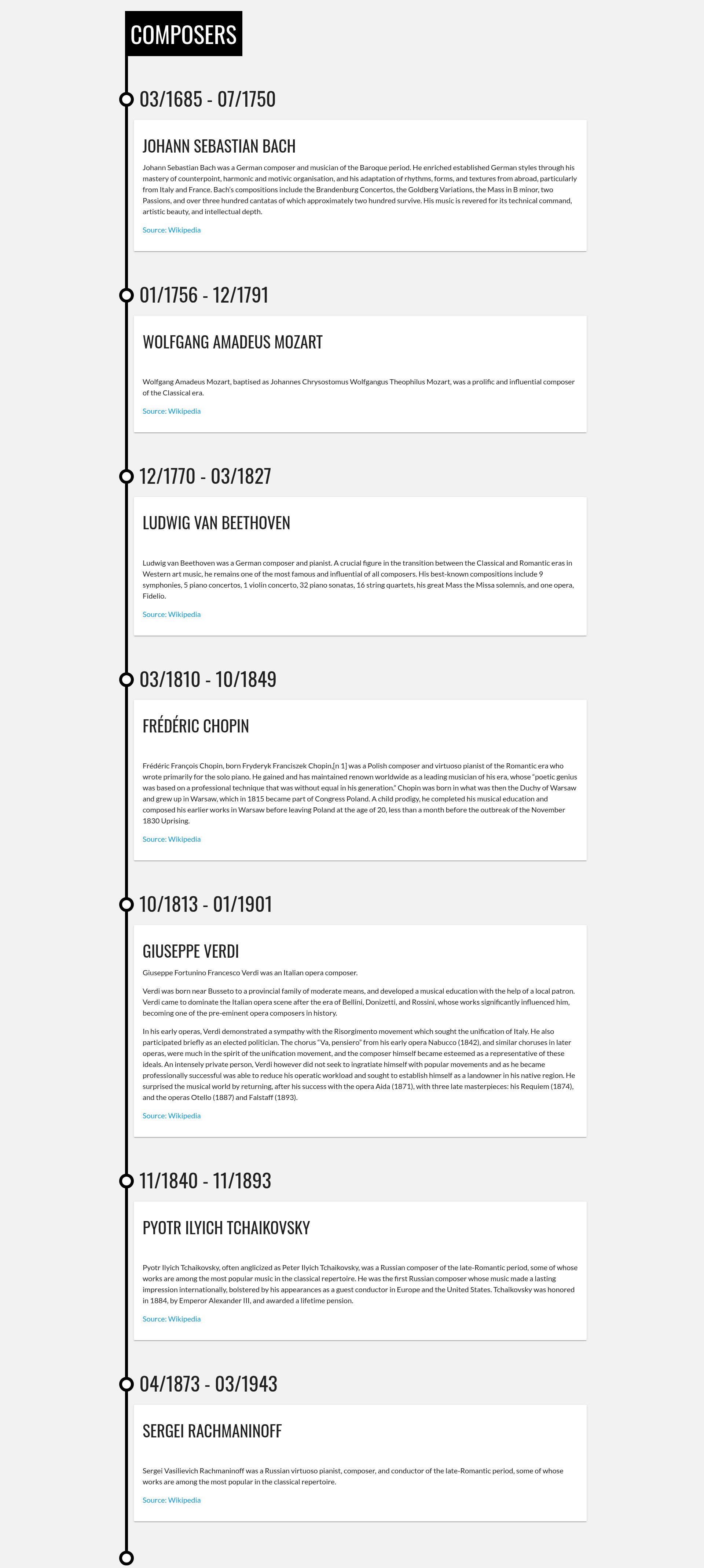
- Live demo — A published example at https://lukas-h.github.io/jekyll-timeline/ shows a résumé timeline; a second screenshot in the repository displays composers.
Who is Jekyll Timeline for?
Jekyll Timeline is aimed at developers, job seekers, researchers, and hobbyists who want to present chronological information without building a custom layout. Job seekers can turn their work history into a visual résumé; researchers can list publications and milestones; developers can document project evolution; and history buffs can create timelines of people or events. Because the input is plain markdown, anyone comfortable editing text files can use it.
How does Jekyll Timeline work?
Setup is a four-step process: fork the repository, enable GitHub Pages in the repository settings, edit the markdown files inside the _steps folder, and then update _config.yml with your title, color, URL, and baseurl. Required frontmatter for each file is title and a date in the format 2016-09-31 00:00:00 -0700, though only year and month are displayed. An optional enddate adds a range line.
Use cases
- Résumé — List job titles, employers, and employment periods in reverse chronological order.
- Project milestones — Track key phases of a project with start and end dates.
- Historical timelines — Document the lives of composers or other historical figures, as illustrated in the repository's screenshots.
- Product roadmaps — Show past releases and upcoming features on a single time axis.
Pricing
Jekyll Timeline is free and open source under the MIT License. There are no fees, subscriptions, or premium tiers; you only pay for GitHub Pages hosting if your repository exceeds free-tier limits.
FAQ
Is Jekyll Timeline free?
Yes, the theme is released under the MIT license, so it is free to use, modify, and distribute for personal or commercial projects.
How do I deploy my timeline to GitHub Pages?
Fork the repository, go to Settings → Pages, select the branch you want to build from, and then edit the _steps files and _config.yml. Once the config baseurl matches your repository name, the site appears at https://USERNAME.github.io/REPO.
What fields are required in each timeline entry?
Each markdown file in _steps must contain title and date in its frontmatter. The date must include timezone offset, but only year and month are displayed. An optional enddate can be added for entries that span a period.
Can I change the background color?
Yes, edit the color variable in _config.yml. The theme uses that value as the site's background color.
Does it work with other static hosting?
It is built with standard Jekyll, so it should build on any Jekyll-compatible host, not just GitHub Pages. You may need to adjust baseurl for your deployment path.