Template details
Eleventree
A static link-in-bio template built with Eleventy and TailwindCSS as a customizable alternative to Linktree for developers.
About this template
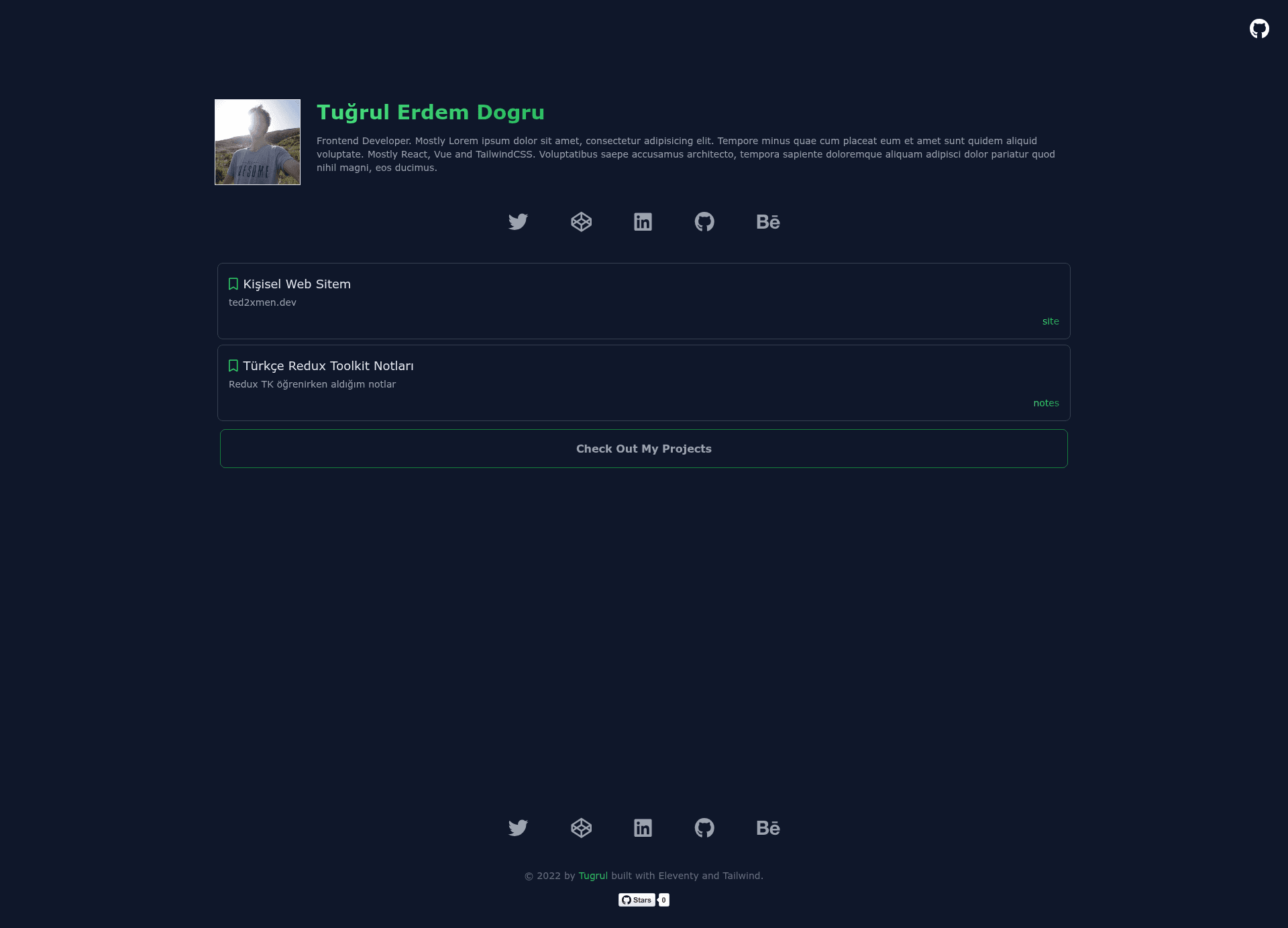
Eleventree is an open-source link-in-bio template built with the Eleventy static site generator and styled with TailwindCSS, designed as an alternative to Linktree for developers to showcase projects and social links.
What is Eleventree?
Eleventree is a static site template that produces a single-page link gallery — a "bookmark list" — for sharing social media links, project URLs, and bookmarks. It runs on Eleventy (11ty), a JavaScript-based static site builder, and uses TailwindCSS for styling. The template is authored by ted2xmen and published on GitHub, and it is structured so that all content lives in the _data directory, making it simple to edit. Its output is a plain HTML page that can be hosted on any static host, including Netlify.
Key Features
- Eleventy static generation — the template uses 11ty to compile markdown and data into a fast, static HTML page with no backend.
- TailwindCSS styling — the entire UI is built with Tailwind utility classes, allowing custom theming via the Tailwind config.
- Data-driven content — all links and personal details are stored in the
_datafolder, so updates are made by editing text files rather than touching layout code. - One-click Netlify deployment — a Deploy to Netlify button is included for direct repository integration, plus a Netlify status badge.
- Quick start workflow — three npm commands take you from clone to local preview:
npm installthennpm start, with documentation pointing at the_datadirectory for customization. - Self-hosted Linktree alternative — unlike hosted services, this template keeps your data and design fully under your own control.
- Open source on GitHub — the repository by ted2xmen is public and has 8 stars at the time of writing, indicating a small but active user base.
Who is Eleventree for?
Developers who want their own link-in-bio page to promote GitHub projects, social profiles, and bookmarks will find it direct and configurable. It also suits designers who want a minimal TailwindCSS starting point for a personal page. Anyone looking to avoid closed link-in-bio platforms can host Eleventree on free static hosting.
What can you do with Eleventree?
- Developers — create a personal landing page listing your open-source repositories, social media accounts, and bookmark collection in a single, self-hosted page.
- Freelancers and creators — use the same structure as a portfolio link page to direct clients to your portfolio, contact, and service pages.
- Technical tinkerers — fork the repository, modify the Tailwind design, and redeploy to Netlify to learn how Eleveny sites are built and deployed.
How does Eleventree work?
Start by cloning the repository from GitHub. Then run npm install to install dependencies and npm start to launch the local development server. After that, customize the contents of the _data directory with your own links, profile text, and site details, then deploy via Netlify or any static host.
Alternatives
Linktree is the hosted link-in-bio service that this template positions itself against; it requires no coding but offers less design control and keeps your audience data on a third-party platform.
FAQ
Is Eleventree free?
Yes, the template is open source and available free from its GitHub repository. You can deploy it to Netlify's free tier or any static hosting service, so the only costs would be a custom domain if you choose to use one.
How do I customize Eleventree?
Edit the files inside the _data directory. This is where your links, profile information, and site content are stored. Rebuild the site by running the local server and your changes appear in the generated HTML.
Does Eleventree need a backend or database?
No. Eleventy builds a fully static site, so there is no server-side code, database, or API required. All content is processed at build time.
Can I deploy Eleventree to Netlify?
Yes. The repository includes a dedicated Deploy to Netlify button that connects your GitHub repo to Netlify and automatically builds the site.
What tech stack does Eleventree use?
It uses Eleventy (11ty) as the static site generator and TailwindCSS for styling. There is no JavaScript framework like React or Vue involved; the output is plain HTML and CSS.