Template details
Journal
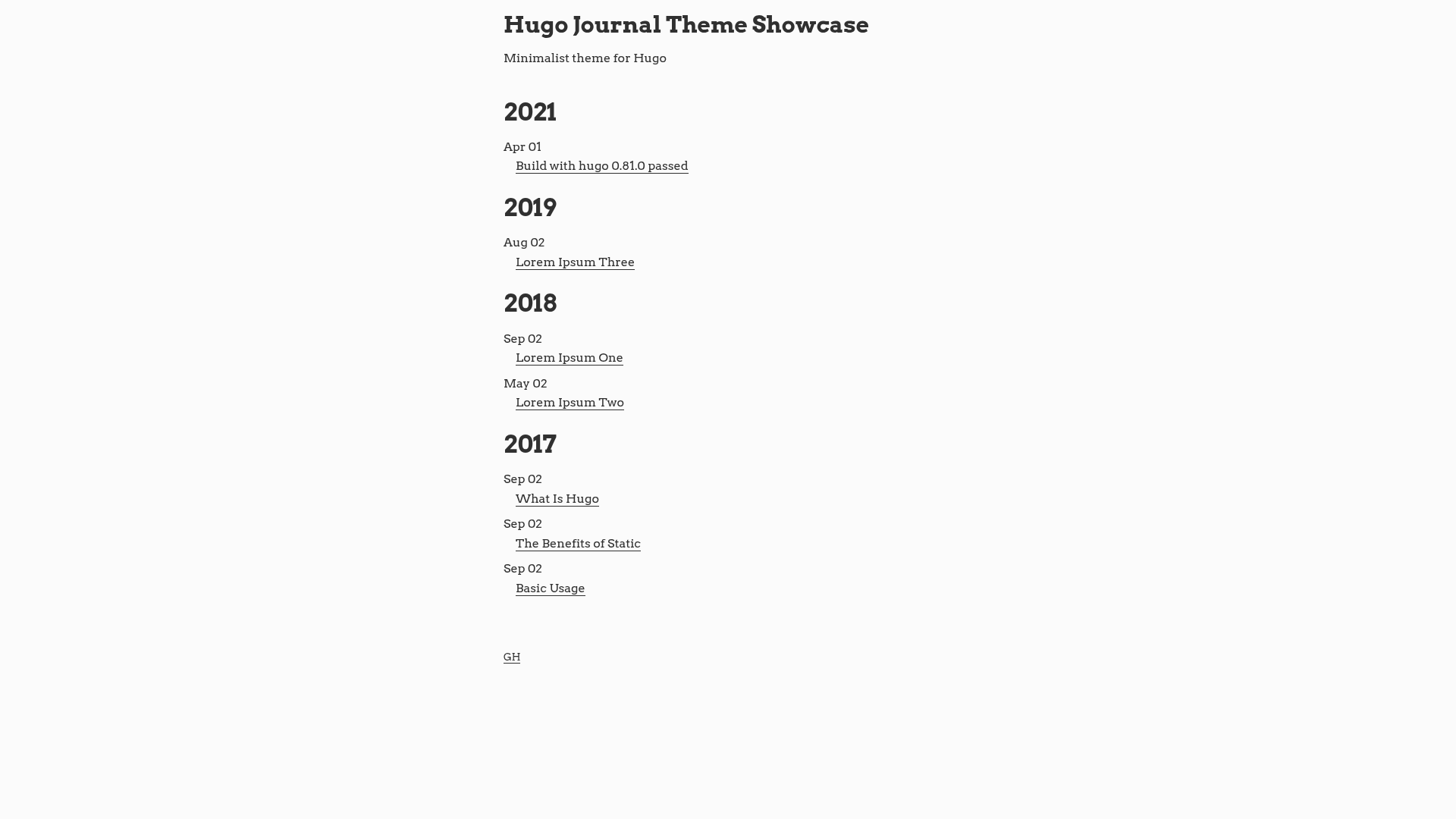
A minimalist Hugo theme for distraction-free reading with high-contrast colors and no fancy effects.
About this template
Journal is a minimalist Hugo theme built for distraction-free reading, delivering high-contrast typography and no decorative effects. It is designed for personal blogs and content-focused sites that prioritize readability over visual flourishes.
What is Journal?
Journal is a Hugo theme that turns a simple blog's content into a static site with a clean, high-contrast reading layout. It takes Hugo's standard content files (Markdown, etc.) as input and generates static HTML output via the Hugo static site generator. The theme is available as a Hugo theme and can be installed following Hugo's theme installation documentation. The demo hosted at dashdashzako.github.io shows the theme in action, though the page does not identify a specific company or maintainer.
Key Features
- High-contrast reading design — The layout uses high-contrast colors and intentionally avoids fancy effects to keep readers focused on the content.
- Highlight.js syntax highlighting — Code snippets are highlighted with Highlight.js; both the library and theme can be overridden by placing your own build in
static/jsand ahighlight.cssfile instatic/css. - GitHub and Twitter profile links — Set
githubUsernameandtwitterUsernamein the site config to display links to your social profiles. - Work information display — A
params.workblock withjobTitle,company, andcompanyUrlcan show your current occupation and employer. - GPG key section — Configure
params.gpgwithkey,fingerprint, andlinkto display a public GPG key for secure communication. - Tagline under the index title — The
taglineparameter adds a short description line beneath the blog title on the homepage.
Who is it for?
- Personal bloggers — People who publish long-form writing and want a no-frills layout that emphasizes the text itself.
- Developers — Those who share code snippets and want reliable syntax highlighting with the option to customize the Highlight.js theme.
- Privacy-conscious writers — Individuals who want to display a GPG key alongside their posts so readers can send encrypted messages.
- Minimalist portfolio owners — Anyone who needs a simple, fast-loading site with social links and basic contact info.
What can you do with Journal?
- Broadcast your writing: Publish Markdown-based posts and get a clean, high-contrast page for readers to focus on the content.
- Customize the code highlighting: Drop your own Highlight.js build and
highlight.cssto match your blog's preferred code colors. - Show your professional details: Add work information and social handles so visitors can learn about you without an elaborate about page.
- Offer encrypted contact: Display your GPG key and fingerprint for readers who prefer secure methods of reaching you.
How does Journal work?
Journal is configured through the site's config.toml (or equivalent) file. You set parameters such as description, githubUsername, twitterUsername, tagline, and optional work and gpg blocks. The theme then renders these values into the appropriate page sections. For syntax highlighting, you can override the default behavior by placing a custom Highlight.js build in static/js and a theme file named highlight.css in static/css.
FAQ
How do I install Journal?
Follow Hugo's official theme installation documentation to add the theme to your site. Typically, you clone the theme repository into your site's themes directory and set the theme name in your site configuration.
Can I change the syntax highlighting colors?
Yes. Place your own Highlight.js build in static/js and a CSS file named highlight.css in static/css. The theme picks up those files and uses them instead of the defaults.
What configuration parameters does Journal support?
The documented parameters include description, githubUsername, twitterUsername, tagline, and optional blocks for work (jobTitle, company, companyUrl) and gpg (key, fingerprint, link).
Does Journal support social links?
Yes, it supports GitHub and Twitter handles via the githubUsername and twitterUsername parameters. Other platforms are not mentioned in the theme documentation.
Is Journal good for a non-blog website?
The theme is designed for blogs and content-focused sites. It does not include templates for landing pages, portfolios, or ecommerce, so it is best suited for personal blogs and text-heavy sites.