Template details
Light Bootstrap Dashboard Angular
Free Angular admin dashboard template built on Bootstrap 3 with responsive layout, sidebar colors, charts, and pre-built pages.
About this template
Light Bootstrap Dashboard Angular is a free, responsive admin dashboard template from Creative Tim, built on Bootstrap 3 and Angular, that gives developers a ready-to-run dashboard layout with sidebar, navbar, and pre-built pages.
What is Light Bootstrap Dashboard Angular?
It is an Angular admin dashboard template designed for building admin panels, project management systems, web application backends, CMS, or CRM interfaces. The template takes a standard Angular CLI project and provides a full layout structure, including an admin-layout component, a sidebar, a navbar, and a footer. Its output is a runnable Angular application that can be served locally or deployed to hosting platforms. It is developed by Creative Tim and available as a free download on GitHub, with a paid PRO version.
Key Features
- Bootstrap 3 and Angular — Built with Angular CLI and Bootstrap 3, with SCSS source files under
src/assets/sassfor styling. - Responsive layout — Fully responsive design that adapts to desktop, tablet, and mobile screens.
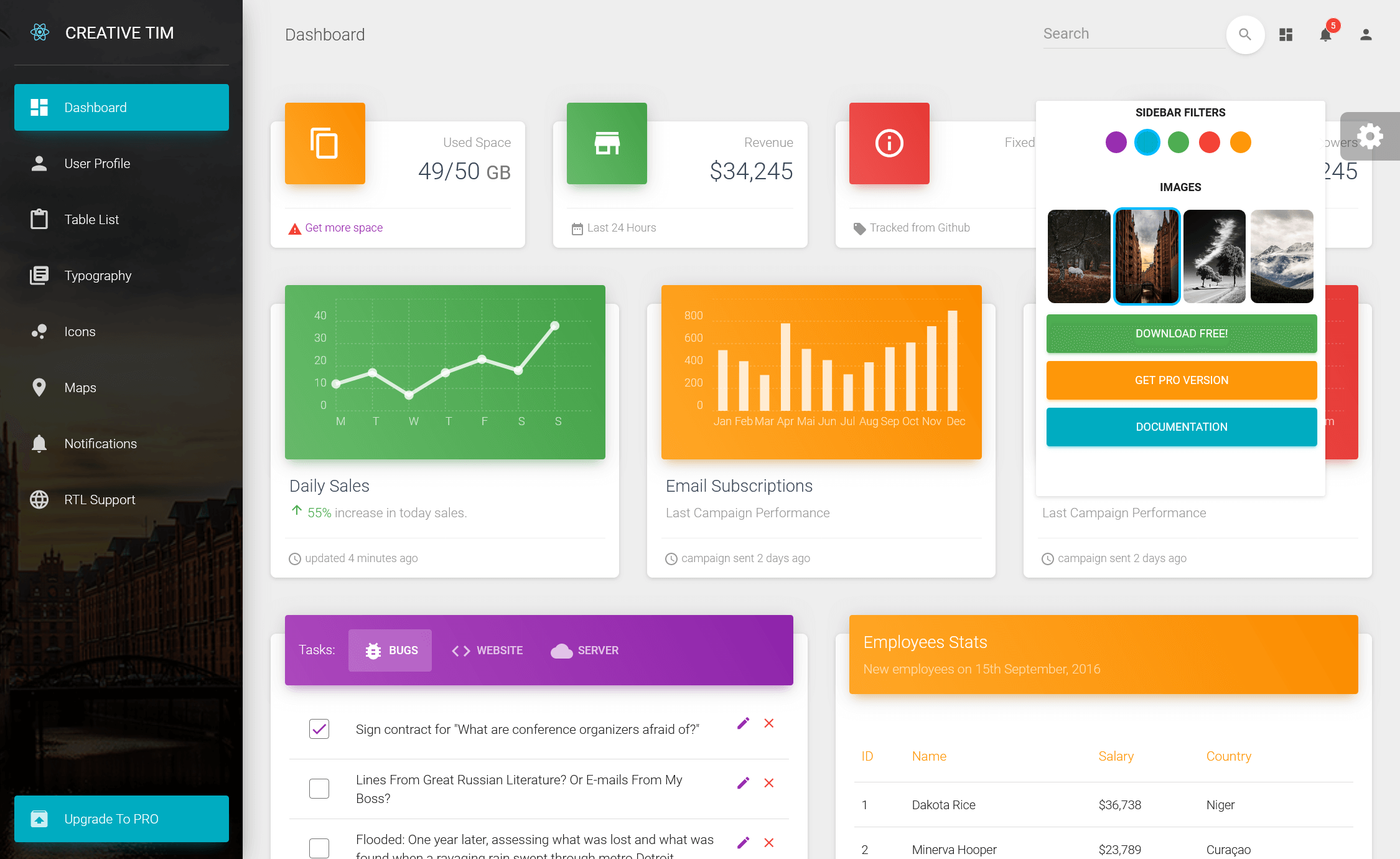
- Six sidebar filter colors — Includes black, azure, green, orange, red, and purple themes, plus an option to add a background image.
- Pre-built pages — Includes dashboard, icons, maps, notifications, tables, typography, and user profile pages, each with its own component and module.
- Charts with Chartist — The dashboard page integrates Chartist for charts, wrapped in a custom
lbd-chartcomponent. - Notification system — Uses a notification plugin by Robert McIntosh for toast-style alerts.
- One-click deploy to Genezio — The GitHub readme includes a deploy button that deploys this repository to Genezio.
- Free and MIT licensed — The free version is released under the MIT license; the PRO version requires payment.
Who is it for?
- Frontend developers who need a quick, well-structured Angular dashboard skeleton with common components already wired up.
- Startup teams building internal tools, admin panels, or customer-facing dashboards and wanting to skip the initial layout setup.
- Designers who want to customize a dashboard's look by editing SCSS variables and switching sidebar colors without starting from scratch.
What can you do with Light Bootstrap Dashboard Angular?
- Web developers: Create an admin panel for a web application backend using the provided dashboard, tables, and user profile pages.
- Product teams: Build a project management system interface using the typography, icons, and notification components as building blocks.
- Agencies: Deliver CMS or CRM admin interfaces to clients by extending the pre-built pages and modules.
How does Light Bootstrap Dashboard Angular work?
Install Node.js, then run npm install -g @angular/cli, npm install, and ng serve in the project directory. Navigate to http://localhost:4200/ to view the dashboard. The template follows Angular's standard folder structure, so you can edit components, add routes, and customize styles using Angular CLI.
Pricing
The free version of Light Bootstrap Dashboard Angular is downloadable from GitHub or the Creative Tim website. The PRO Angular version is available for $49 from Creative Tim.
FAQ
Is Light Bootstrap Dashboard Angular free?
Yes, the free version is available from GitHub and Creative Tim under the MIT license. There is also a paid PRO Angular version with additional features, priced at $49.
What do I need to run it?
You need Node.js and Angular CLI installed. After cloning the repository, run npm install and ng serve, then open http://localhost:4200/ in your browser.
Can I use a background image on the sidebar?
Yes, the sidebar supports a background image in addition to six color filters: black, azure, green, orange, red, and purple.
What pages are included?
The free version includes dashboard, icons, maps, notifications, tables, typography, upgrade, and user profile pages, each with its own component and module.
Does it work with Angular 2?
The template is built with Angular 2+ and uses Angular CLI for development, so it works with current Angular versions and the standard Angular toolchain.