Template details
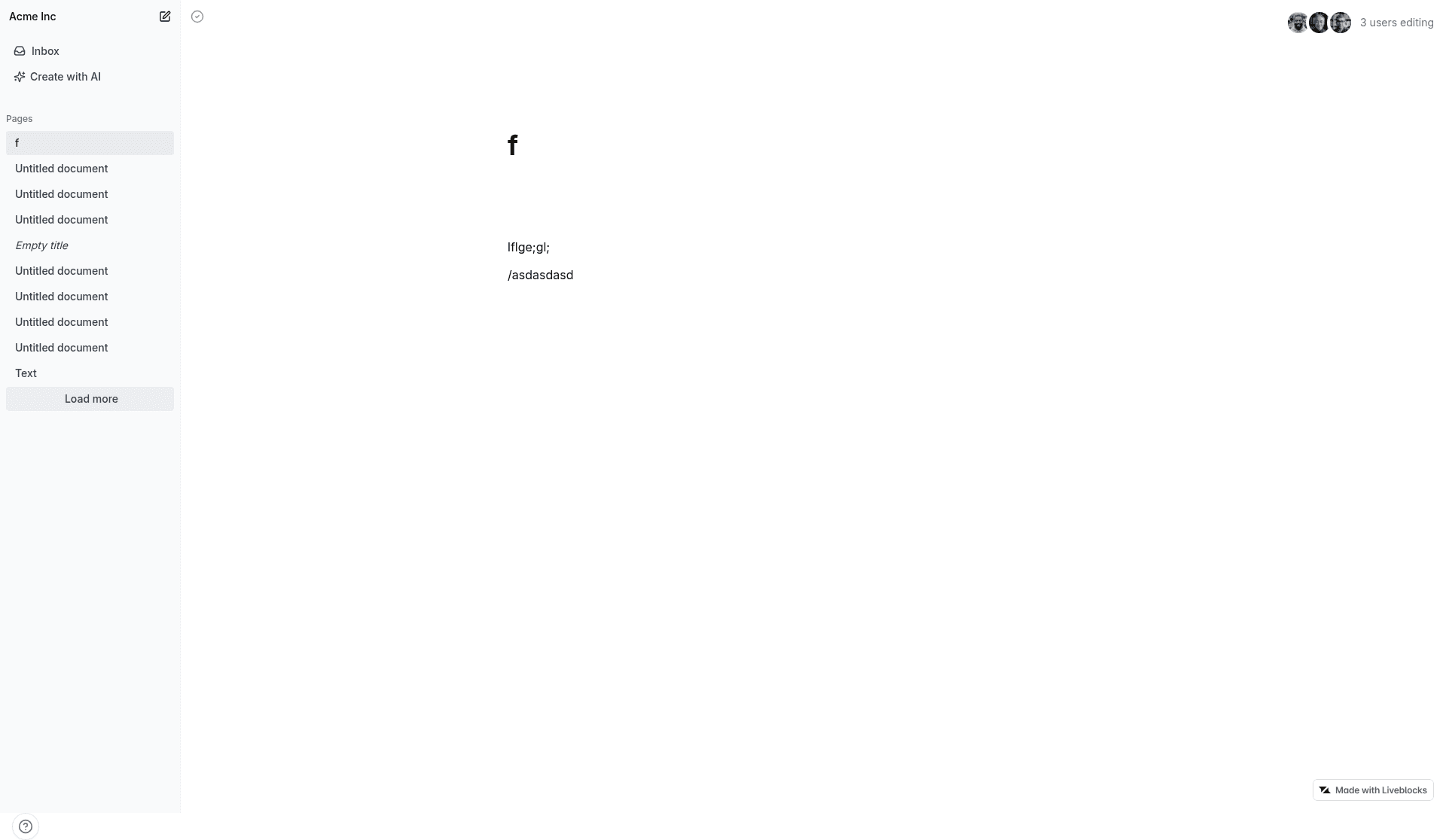
Liveblocks Notion-like AI Editor
A Notion-like collaborative text editor with AI features built with Liveblocks, Lexical, Vercel AI SDK, and Next.js.
About this template
The Notion-like AI Editor (Lexical) is a Next.js boilerplate from Liveblocks that combines a collaborative rich-text editor, live cursors, and an AI assistant toolbar into a single real-time document editing experience.
What is the Notion-like AI Editor (Lexical)?
The Notion-like AI Editor (Lexical) is a working example, not a package, that combines a collaborative text editor, live cursor presence, and an AI assistant toolbar in a Next.js app. It accepts typed input and AI toolbar queries, and outputs a real-time synchronized document with visible cursors and AI-generated text. The template was created by Liveblocks, a realtime infrastructure platform, to demonstrate how its SDK works alongside the Lexical editor and the Vercel AI SDK.
Key Features
These features are visible in the README and require no extra configuration beyond adding a Liveblocks API key.
- Real-time synchronization: Edits are automatically persisted and synced across clients using Liveblocks, so multiple users see updates as they happen.
- Live cursors: The template shows each user's cursor position in the document, providing presence awareness.
- AI toolbar: A toolbar lets users query the Vercel AI SDK to generate improvements or new content directly in the editor.
- Lexical-based editor: The text editor is built on Lexical, a framework from Meta for building reliable rich-text editors.
- Next.js architecture: The project is structured as a Next.js application, compatible with Vercel deployment.
- One-command setup: Use
npx create-liveblocks-app@latest --example nextjs-notion-like-ai-editor --api-keyto download the example and automatically obtain an API key from liveblocks.io. - Multiple deployment paths: The same command with
--verceldeploys to Vercel, and a CodeSandbox fork supports browser-based development.
Who is it for?
Everyone from frontend developers to startup teams can use this template to speed up building collaborative or AI-enabled text editors.
- Frontend developers: Build a prototype for a Notion-like editor without starting from scratch, reusing the Lexical and Liveblocks integration.
- AI product developers: Integrate an AI assistant into a document interface using the Vercel AI SDK connector the template already wires up.
- Startup teams: Quickly validate a multiplayer editing feature with real-time cursors and AI copy generation before investing in a custom backend.
What can you do with the template?
This example supports at least three concrete workflows that show its real-time and AI capabilities.
- Product teams: Demonstrate a collaborative editing experience to stakeholders with multiple users editing and seeing each other's cursors live.
- Developers learning realtime: Study how Liveblocks hooks into Lexical to manage document state and presence, then adapt the pattern to other content types.
- AI feature prototyping: Connect different AI prompts to the toolbar and test content generation workflows inside a realistic document editor.
How does the template work?
Getting this example running involves installing the project and providing a Liveblocks secret key; deployment to Vercel is handled by the same CLI command. The quickest path is npx create-liveblocks-app@latest --example nextjs-notion-like-ai-editor --api-key, which downloads the project and prompts to open your browser so you can automatically get the key. Alternatively, install dependencies with npm install, create an account on liveblocks.io, copy your secret key from the dashboard, add it as LIVEBLOCKS_SECRET_KEY in a local .env.local file, then run npm run dev. For deployment, the --vercel flag handles both local setup and Vercel deployment, and CodeSandbox users can fork the example and set the same environment variable as a secret.
FAQ
What stack does this template use?
The template uses Next.js as the React framework, Lexical as the text editor engine, the Vercel AI SDK to power AI responses, and Liveblocks for real-time presence and document synchronization. The repository describes itself as realtime infrastructure for multiplayer apps and agents.
How do I get a Liveblocks API key?
Run the quick-start command with the --api-key flag and the CLI will ask permission to open your browser, letting you get an API key from your liveblocks.io account automatically. For manual setup, create an account on liveblocks.io, go to the dashboard, copy your secret key, and add it as the LIVEBLOCKS_SECRET_KEY variable in .env.local.
Can I deploy this to Vercel?
Yes, the template is designed for Vercel deployment. Use npx create-liveblocks-app@latest --example nextjs-notion-like-ai-editor --vercel to download and deploy it, and it also runs locally. A hosted live preview is linked in the README for immediate testing.