Template details
Login & Register Template
Modern login and register template with HTML & CSS.
About this template
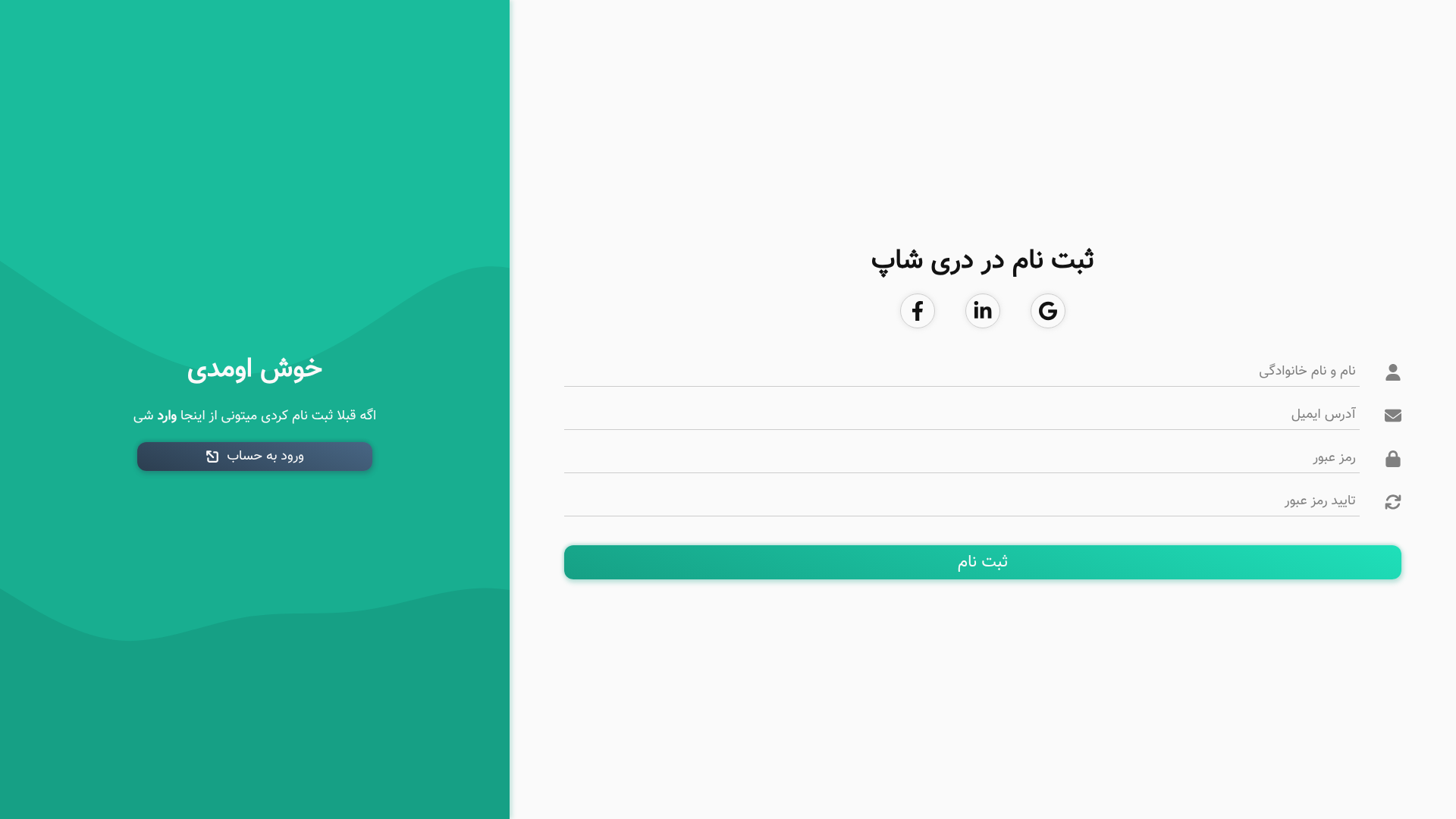
Login & Register Template is a free, static HTML and CSS template that provides two separate authentication pages — login.html and register.html — created by GitHub user dori-dev and hosted on GitHub Pages. The template requires no build tools or dependencies; you simply open either file in a browser to see a styled login or registration form.
What is the Login & Register Template?
The template is a pair of static web pages built entirely with HTML and CSS. It takes no input and produces two independent pages: login.html for signing in and register.html for creating an account. The pages are designed to be used as a starting point for web developers who need a ready-made user authentication interface without using a JavaScript framework.
Key Features
- Two separate pages — login.html and register.html are standalone files, allowing you to use one or both without altering shared code.
- Pure HTML and CSS — the styling is handled entirely by CSS; there is no JavaScript, so the pages are lightweight and easy to understand.
- No external dependencies — the template does not load any libraries or fonts, so it works offline and has no version conflicts.
- Instant preview — both files can be opened directly from your computer's file system in any modern browser.
- Public demo on GitHub Pages — the creator hosts a live version at dori-dev.github.io/login-register/login.html and .../register.html.
- Downloadable source code — the full source is available as a ZIP archive from the GitHub repository.
Who is it for?
- Front-end developers — can reuse the login and register pages as the UI base for projects that need authentication forms.
- Students and learners — studying the HTML and CSS in these two files can help understand how to structure and style input fields, buttons, and forms.
- Hobbyist makers — building a simple prototype or personal project can drop these pages in and customize the text and colors.
What can you do with the Login & Register Template?
- Prototype an authentication flow: Set up a quick mock for user sign-in and sign-up without writing any JavaScript.
- Learn web form construction: Examine the semantic HTML and CSS classes to see a minimal approach to building forms.
- Kickstart a larger project: Copy the files into your own repository and extend them with your own backend or validation.
How does the template work?
Using the template is straightforward: download the ZIP archive, extract the contents, and open login.html or register.html with any browser. There is no server, compiler, or package manager involved. The pages render as static documents, so they are also ready to be deployed to any static host.
Pros
- Lightweight — only two HTML files and their styling, so it loads instantly.
- No dependencies — works offline and avoids conflicting libraries.
- Free to use — the source is publicly available and downloadable from GitHub.
FAQ
Do I need a server to use this template?
No. The pages are completely static and can be opened directly from your local filesystem. If you want to share them, any static hosting service such as GitHub Pages or Netlify can serve them.
Does the template include functional login or registration?
No. The template contains only the HTML and CSS for the forms. It does not include JavaScript, so submitted data is not processed or stored; you need to add your own backend or client-side logic.
Is this template free to download?
Yes. The code is freely accessible from the public GitHub repository, and live previews are available on GitHub Pages.
What browsers are supported?
Because the template uses standard HTML and CSS, it works in any modern browser that supports HTML5 and CSS3. That includes Chrome, Firefox, Safari, and Edge.
Where are the live demo pages?
The login page is at https://dori-dev.github.io/login-register/login.html and the register page is at https://dori-dev.github.io/login-register/register.html.