Template details
Lonetrail
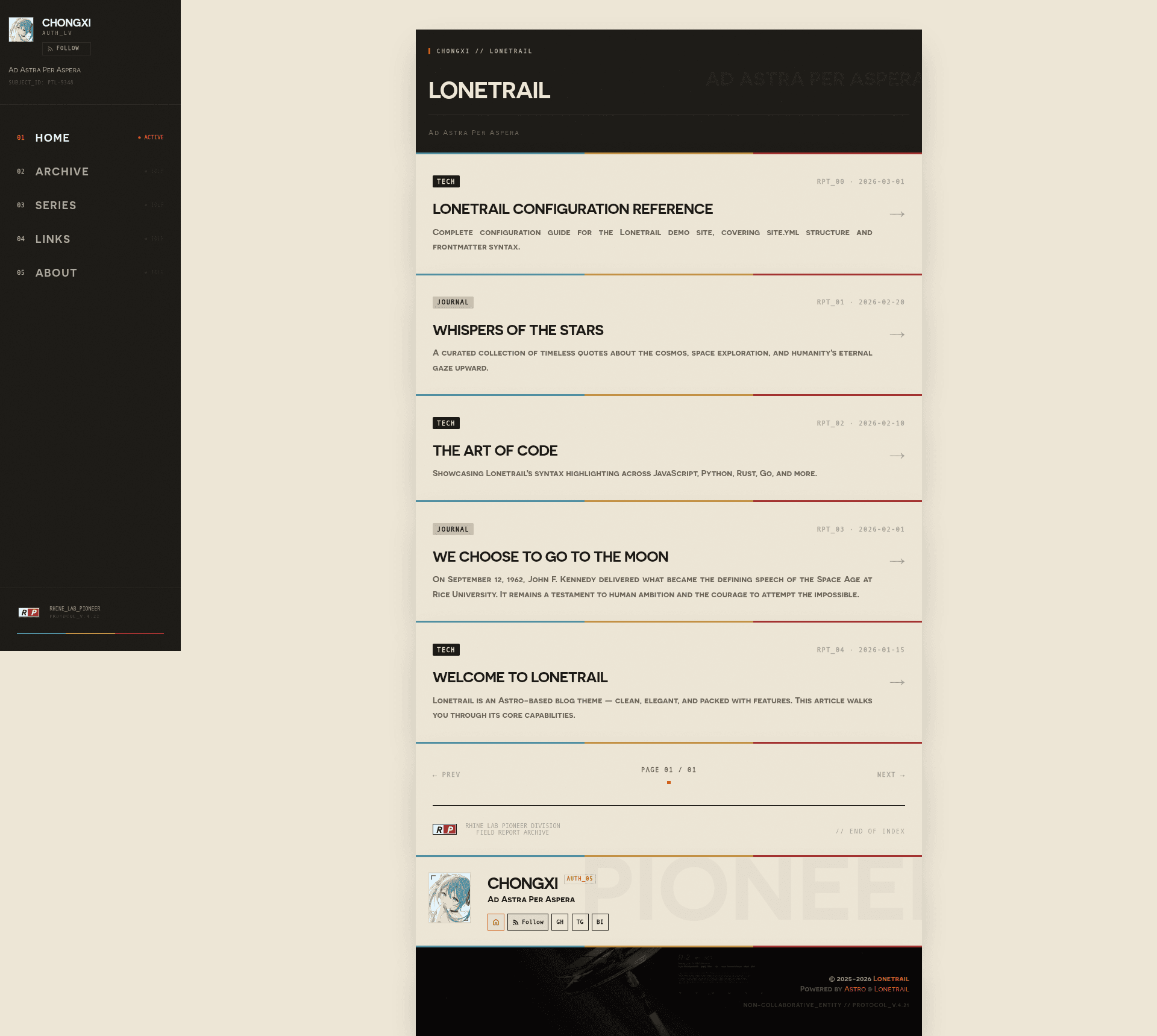
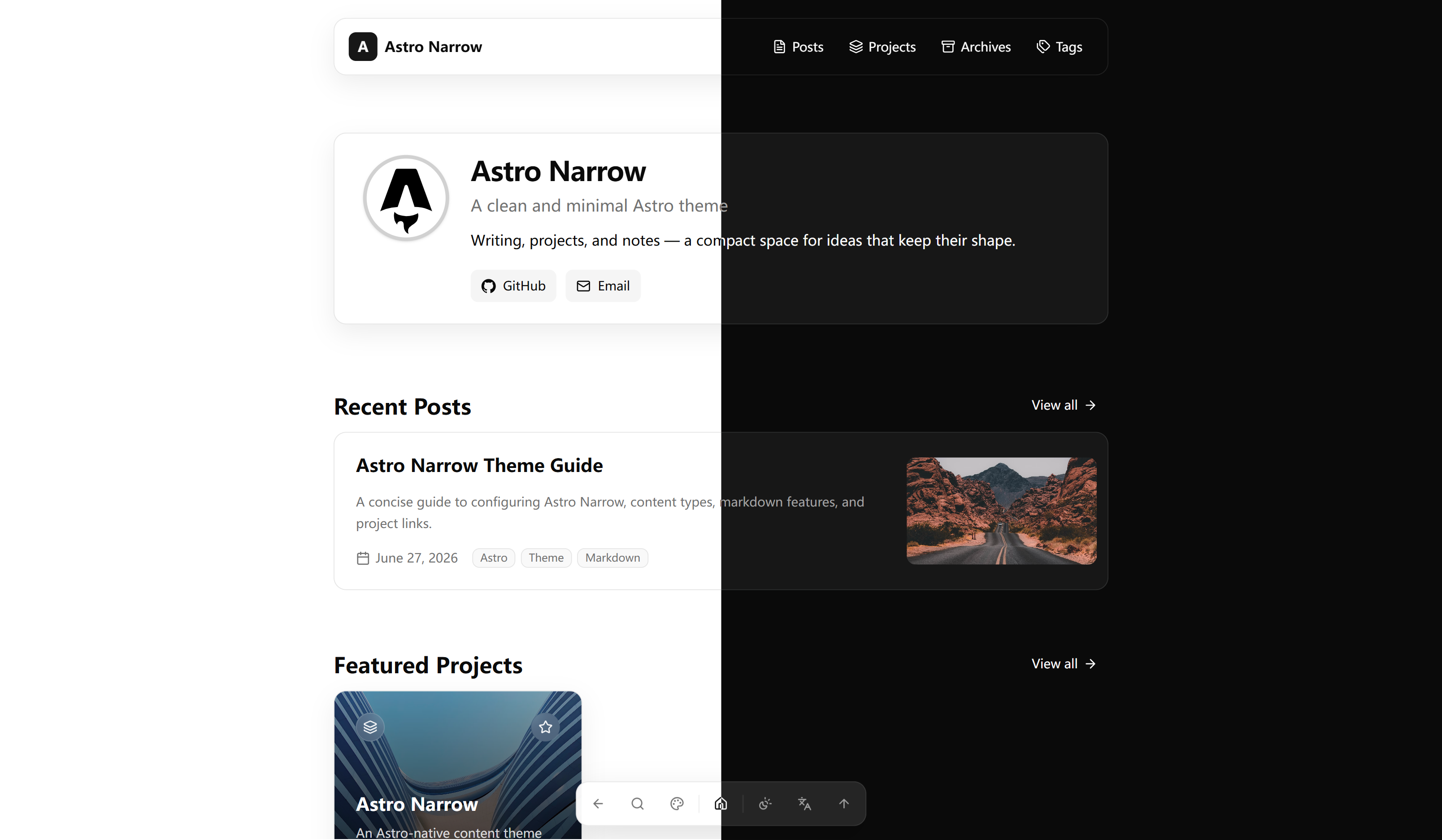
A minimal Astro blog template with zero JS by default, YAML config, and built-in i18n, KaTeX, and Mermaid.
About this template
Lonetrail is a minimal Astro blog template that produces a static, content-focused blog from YAML configuration and Markdown posts, shipping zero client-side JavaScript by default. Built with Astro v6, React 19, Tailwind CSS 4, and TypeScript 5, it is designed for speed and full configurability through a single YAML site file.
What is Lonetrail?
Lonetrail is a static blog template built on the Astro v6 framework with React 19 for interactive islands and Tailwind CSS 4 for utility-first styling. It takes YAML site settings from src/site.yml and Markdown content from src/content/posts/ and outputs a static site into dist/ via pnpm build. The template is MIT licensed and demonstrated live at https://lonetrail.vercel.app/.
Key Features
- Astro v6 island architecture — renders zero JavaScript by default, loading interactive React 19 components only when needed.
- Full-text archive — provides a searchable post listing so visitors can scan every published article.
- Categories, tags, and series — posts are organized by taxonomy, and a dedicated content type in
src/content/seri/groups posts into multi-part series. - Internationalization — built-in translations for zh-CN, zh-TW, and English, with i18n strings stored in
src/i18n/. - KaTeX and Mermaid — renders math formulas and diagrams inside Markdown content.
- PostHog analytics — optional and configurable through the YAML features section.
- RSS, Atom, and Sitemap — auto-generated feed and sitemap outputs on build.
- Dark mode and responsive layout — theme switching built in, with a mobile-first desktop-optimized design.
Who is it for?
Lonetrail suits individual bloggers who want a fast, low-maintenance site with no frontend build complexity. Technical writers can use it to publish documentation-style posts with KaTeX math and Mermaid diagrams. Developers who manage multiple content types — posts, series, standalone pages, micro-blog essays, and photo galleries — will find the YAML data files and content collections in src/data/links.yml, src/data/essays.yml, and src/data/photos.yml useful for organizing everything.
What can you do with Lonetrail?
- Minimalist bloggers: publish Markdown posts with categories and tags, then get a searchable archive with automatic RSS and sitemap generation.
- Multilingual writers: switch the interface among zh-CN, zh-TW, and English using the built-in i18n setup.
- Content-heavy publishers: group related articles into a series and add standalone pages via the
src/content/spec/directory without touching site-wide layout. - Self-hosters: deploy the static
dist/output to Cloudflare Pages, Vercel, Netlify, or any static host.
How does Lonetrail work?
After cloning the repository, run pnpm install and then pnpm dev to start a local server at http://localhost:4321. Edit src/site.yml to set the site title, subtitle, URL, and author, and toggle optional features like comments, donate buttons, or series. Write posts in src/content/posts/ as Markdown files with frontmatter containing title, publication date, tags, and category, then run pnpm build to output the static site.
FAQ
Is Lonetrail free?
Yes. Lonetrail is released under the MIT license, so you can use it freely for personal or commercial projects without attribution.
Does Lonetrail require JavaScript?
No. The base site ships zero JavaScript by default. Interactive components built with React 19 are loaded only when needed, thanks to Astro's island architecture.
What content types are supported?
Posts live in src/content/posts/, series in src/content/seri/, and standalone pages in src/content/spec/. Additional data files control friend links, micro-blog essays, and a photo gallery.
Can I host it anywhere?
Yes. The build produces a static dist/ folder, so you can deploy to Cloudflare Pages, Vercel, Netlify, or any static hosting service.
How do I enable analytics?
Set the analytics provider in the features section of src/site.yml. The template includes optional PostHog analytics that you configure with your own project credentials.