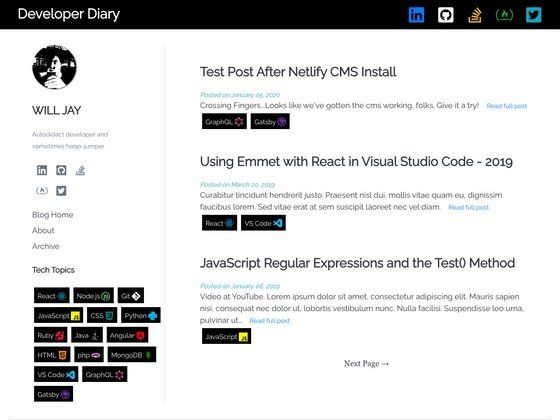
Template details
Lx
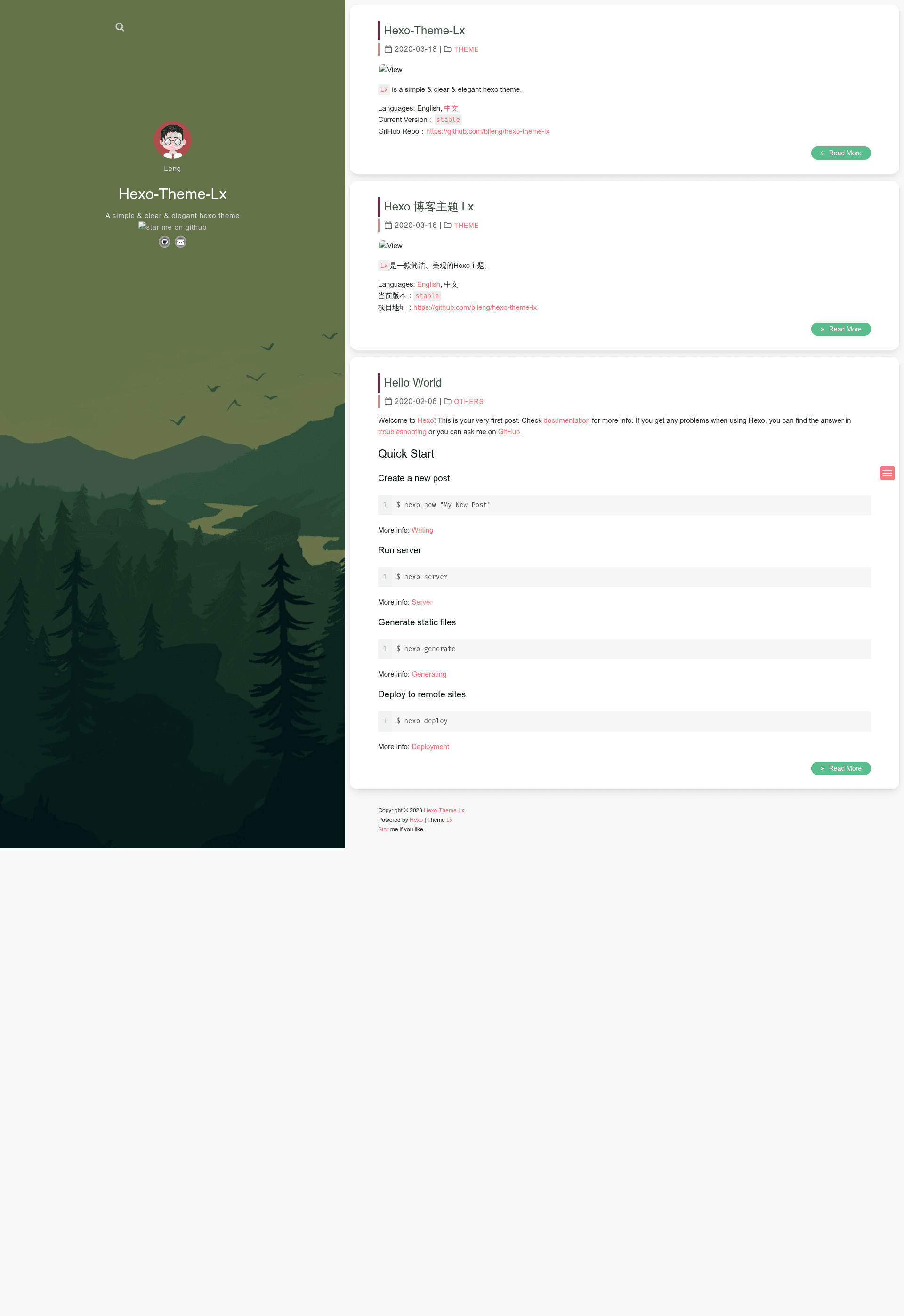
A simple, clear, and elegant Hexo blog theme with analytics, local search, Valine comments, MathJax, and social links.
About this template
Lx (repository: hexo-theme-lx) is a free, open-source Hexo blog theme designed to produce a simple, clear, and elegant blog, with built-in support for analytics, comments, local search, and MathJax rendering.
What is Lx?
Lx is a Hexo theme that turns a static blog project into a full-featured personal site. It takes standard Hexo Markdown posts and front-matter as input and renders them into a clean, responsive blog with configurable widgets, tags, and comment sections. The theme is developed by blleng and distributed on GitHub. It includes a stable demo at https://lx.js.org and a dev preview at https://lx.blleng.cn.
Key Features
- Analytics — supports both Google Analytics and Baidu Analytics; activate by adding your tracking ID to
google_analyticsorbaidu_analyticsinthemes/lx/_config.yml. - Local search — integrates with the
hexo-generator-searchdbplugin; enable it by settinglocal_search.enabletotruein the theme config. - Valine comments — built-in comment system using Valine (requires a Leancloud app to supply
appidandappkey); per-post toggle via thecommentfront-matter field. - MathJax — supports mathematical formulas and chemical equations, with per-page activation via the
mathjax: truefront-matter option and a configurable CDN. - Social links — configurable icon-and-link list using Font Awesome icons, defined in the
social.linkssection of the theme config. - Rich tag system — custom tags for notes, labels, buttons, centered quotations, and videos; for example
{%note default%}renders styled admonition blocks and{%btn url,content,icon,title%}inserts buttons. - Custom CSS — enable
custom_cssto load your ownsource/css/custom.stylfile for styling overrides. - Theme fonts — optional font settings with a configurable host and families, including separate control for code fonts like Fira Code.
Who is it for?
- Individual bloggers — who want a clean, no-frills Hexo theme to publish personal articles, with one-line setup for analytics and comments.
- Developers already using Hexo — who need a theme that integrates with the standard Hexo workflow, supports local search via
hexo-generator-searchdb, and lets them tweak styles with Stylus custom CSS. - Technical writers/students — who need MathJax support to display formulas and chemical equations in their posts by adding
mathjax: trueto the front-matter.
What can you do with Lx?
- Create a bilingual or personal blog — the README offers both English and Chinese docs, and posts are written in standard Markdown with front-matter tags, categories, and per-page options.
- Enable community discussion — turn on Valine comments per post or globally, letting readers leave messages without a third-party hosted comment service beyond Leancloud.
- Add structured media — use the video tag
{% video url %}to embed videos and the center-quote tag{%cq%}to highlight quotations, all through simple shortcodes. - Track visitor behavior — plug in Google or Baidu analytics IDs in the config file to collect page-view data without editing templates.
How does Lx work?
Lx works like any standard Hexo theme: you install it by cloning the themes/lx folder into your Hexo site's themes directory, then set theme: lx in the site's _config.yml. After that, you write posts in Markdown, optionally enabling comment, MathJax, or other per-page features in each post's front-matter, and run your normal Hexo generate command to build the static site.
Pricing
Lx is free and open source. The GitHub repository shows a license file, and there are no mentioned paid tiers, subscriptions, or premium features.
Alternatives
- NexT — another widely used Hexo theme among the Hexo community.
FAQ
Is Lx free?
Yes, Lx is distributed as a free, open-source Hexo theme on GitHub. The repository carries an open-source license and no pricing or paid plan is mentioned anywhere in the documentation.
How do I install Lx in my Hexo blog?
Run git clone https://github.com/blleng/hexo-theme-lx themes/lx from your blog's root directory, then edit your site's _config.yml to set theme: lx. The theme's own settings live in themes/lx/_config.yml.
How do I enable comments on a page?
Set comment.enable to true in themes/lx/_config.yml and provide your Leancloud appid and appkey. Then add comment: true to the front-matter of any individual post or page where you want comments to appear.
Does Lx support math formulas?
Yes, Lx supports MathJax. Set mathjax.enable to true in the theme config and add mathjax: true to the front-matter of the specific post. Both mathematical formulas and chemical equations are supported.
What are the system requirements for Lx?
Lx is a Hexo theme, so it requires a working Hexo site and Node.js. For local search you also need to install the hexo-generator-searchdb package via npm.