Template details
Nsb
A static blog generator for GitHub Pages built with Node.js, using Markdown posts and Bootstrap.
About this template
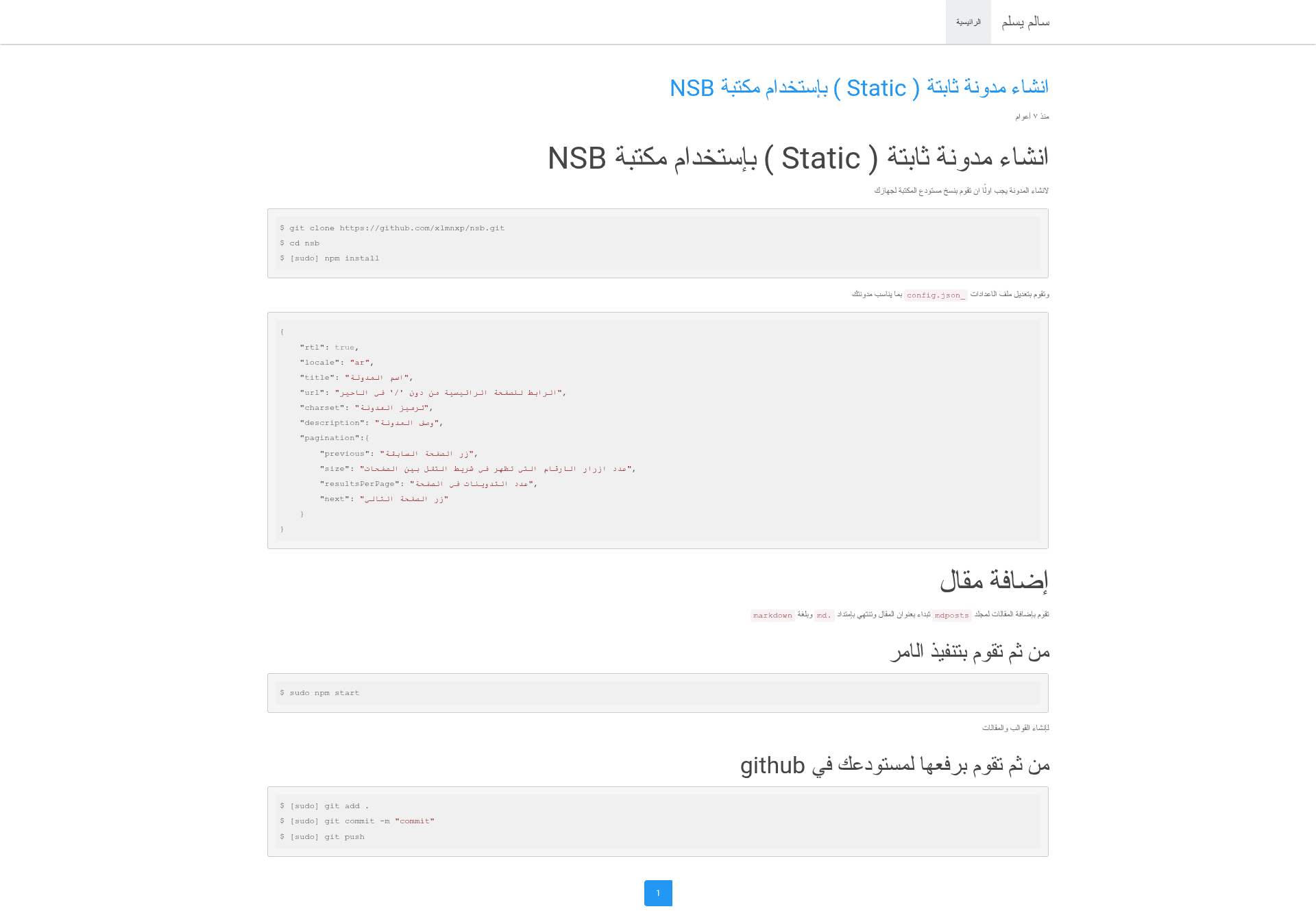
Nsb is a Node.js static blog generator that publishes Markdown posts to GitHub Pages, with built-in support for Arabic and right-to-left layouts.
What is Nsb?
Nsb is a Node.js-based static blog generator that produces a complete blog from a _config.json configuration file and Markdown posts stored in the mdposts folder. Running npm start generates the static HTML templates, which can then be committed and pushed to a GitHub repository for hosting on GitHub Pages. The project is open source under the MIT license and displays a Travis CI build status badge.
Key Features
- RTL and locale support — Set
rtlto true and choose alocalesuch asarin_config.jsonto generate a right-to-left blog interface. - Configurable pagination — Customize the number of page-number buttons (
size), posts per page (resultsPerPage), and the text labels for previous and next buttons. - Markdown authoring — Add posts as
.mdfiles inside themdpostsdirectory; the file name becomes the post title. - Single-command build — Execute
npm startto process the configuration and posts and output the static site files. - GitHub Pages deployment — The README documents pushing the generated site to a GitHub repository; no server-side hosting is required.
- Bootstrap-based templates — The project's topics list Bootstrap, indicating that the generated pages use the Bootstrap CSS framework for responsive layout.
- MIT licensed — The source code is freely available for modification and reuse under the MIT license.
Who is it for?
- Arabic-language bloggers — Writers who want a right-to-left blog on GitHub Pages can use Nsb's built-in RTL flag and Arabic locale setting.
- GitHub Pages users — Anyone already hosting static sites on GitHub Pages can use Nsb to structure Markdown content into a blog with pagination and a configured title and description.
- Developers who prefer Node.js — Because Nsb is a Node.js tool installed via npm, developers can customize the generator and integrate it into existing JavaScript workflows.
What can you do with Nsb?
- Arabic-speaking writers: Publish a blog with RTL layout, Arabic pagination button labels, and a configurable site title and description.
- Technical bloggers: Store posts as Markdown files in Git, generate the blog locally with
npm start, and deploy to GitHub Pages withgit push. - Automated publishing: With Travis CI used in the project, you can run the generation step in a continuous integration pipeline and keep the published site up to date after each commit.
How does Nsb work?
Nsb's workflow has three steps: install dependencies with npm install, configure the blog by editing _config.json, and add posts as .md files in mdposts. Then run npm start to generate the static site. Afterward, commit the generated files and push them to your GitHub repository to publish the blog on GitHub Pages.