Template details
Lynx
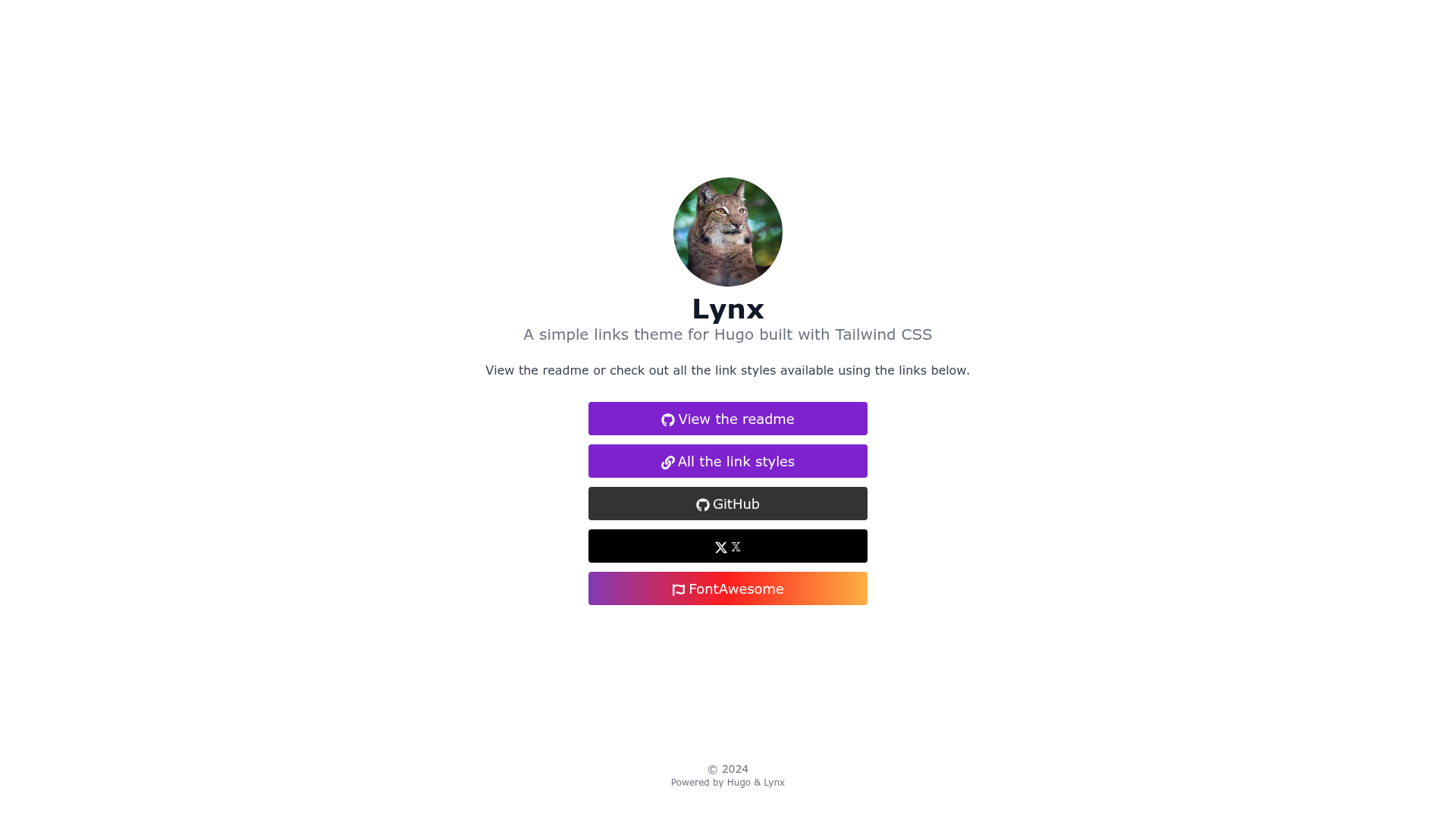
A simple Hugo theme for building a responsive links page with Tailwind CSS.
About this template
Lynx is a simple, responsive links-page theme for Hugo, built with Tailwind CSS 3.0, that generates a Linktree-style page from a TOML configuration file. It is developed and maintained by jpanther and distributed as an open-source Hugo theme on GitHub.
What is Lynx?
Lynx is a Hugo theme that creates a single-page links hub, similar to services like Linktree. It takes a config.toml file that defines the author, links, and optional Markdown content, and outputs a static HTML page featuring icons, dark mode, and analytics support. The theme is designed specifically for Hugo sites and is installed via Hugo Modules, a git submodule, or a manual copy.
Key Features
- Responsive layout — Built with Tailwind CSS 3.0, the page adapts to any screen width.
- Auto dark mode — Switches between light and dark themes based on the browser's color-scheme preference.
- FontAwesome 5 SVG icons — Comes with a library of SVG icons you can assign to each link, and supports adding your own SVG files.
- HTML and Emoji support — Link text and additional page content can include raw HTML or emoji characters.
- Analytics integrations — Supports both Fathom Analytics and Google Analytics out of the box.
- Favicon support — Displays a favicon next to the author image at the top of the page.
- Custom CSS and icons — Drop custom SVG icons in the
assets/iconsfolder and override theme styles withassets/css/custom.css.
Who is it for?
- Individuals and creators who want a simple, self-hosted "link in bio" page without relying on third-party services.
- Developers comfortable with Hugo who want a customizable, code-driven links page they can extend with custom icons and CSS.
- Hugo site owners who want to add a links page that matches their existing site's look, since Lynx installs as a theme or module and updates easily.
What can you do with Lynx?
- Personal branding: Consolidate all your social profiles, website, and contact methods into one branded URL.
- Campaign landing pages: Use custom links and Markdown content to create a lightweight landing page with a list of destinations.
- Portfolio links: Show off projects, store links, and press mentions with clickable icons and custom text.
How does Lynx work?
Installation is done via Hugo Modules, a git submodule, or a manual copy. With Hugo Modules, you initialize your project with hugo mod init, add an import for github.com/jpanther/lynx in module.toml, then replace the default config.toml with Lynx's sample config. Running hugo server downloads the theme automatically, and updates are applied with hugo mod get -u. Links are defined in the config as a mapping of link names to either a simple URL string or a table of parameters such as href, icon, text, target, and title.
FAQ
Is Lynx free to use?
Yes, Lynx is an open-source Hugo theme available on GitHub, and its repository is public.
Does Lynx support analytics?
Yes, it supports both Fathom Analytics and Google Analytics through its configuration.
Can I add custom icons?
Yes, you can place your own SVG icons in the assets/icons folder and style them with custom CSS that overrides the default theme.
Does Lynx have dark mode?
Yes, dark mode switches automatically based on the user's browser setting.
How do I install Lynx?
You can install it as a Hugo Module, a git submodule, or manually. The quick start uses Hugo Modules with hugo mod init and an import line in module.toml.