Template details
Resume Template
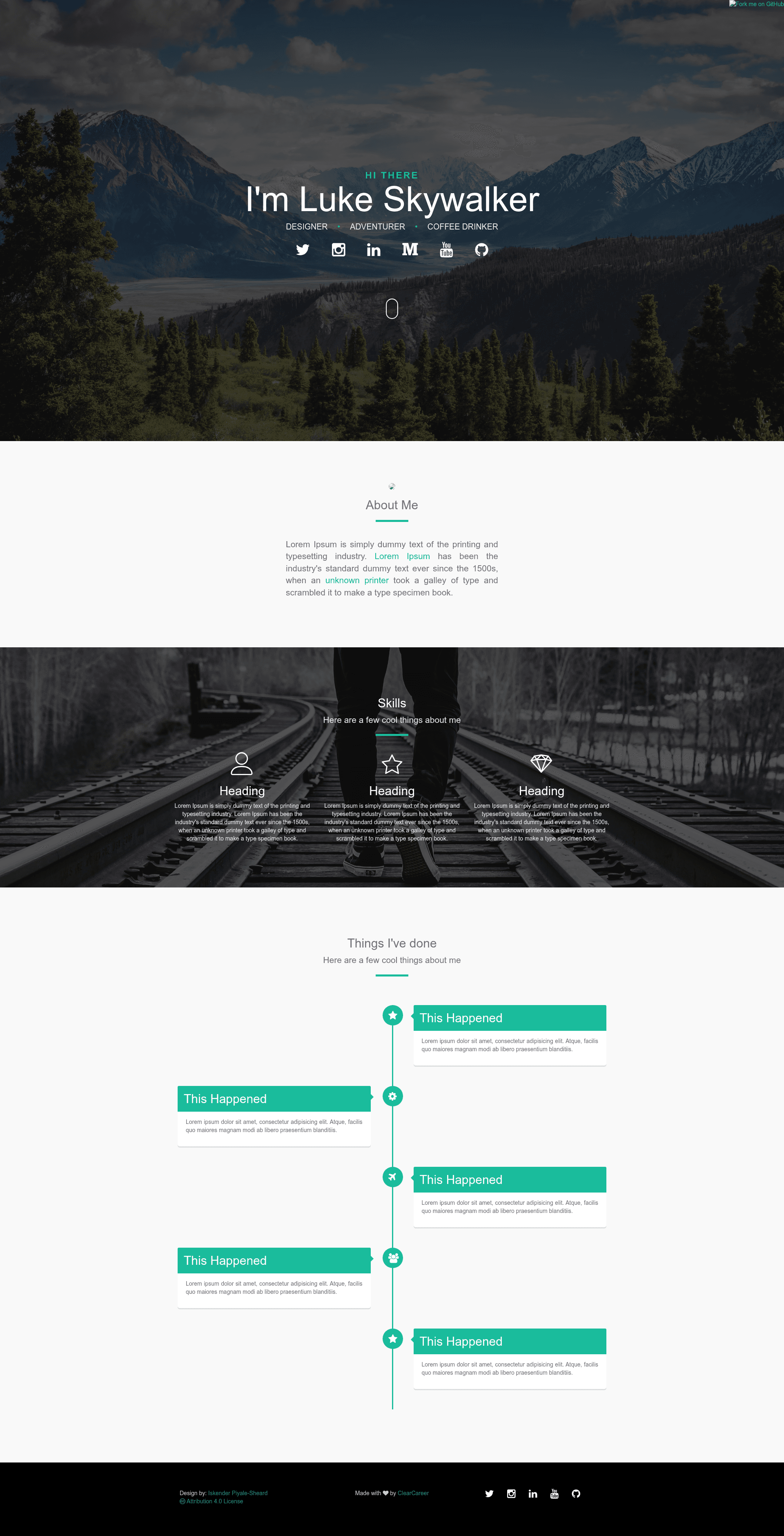
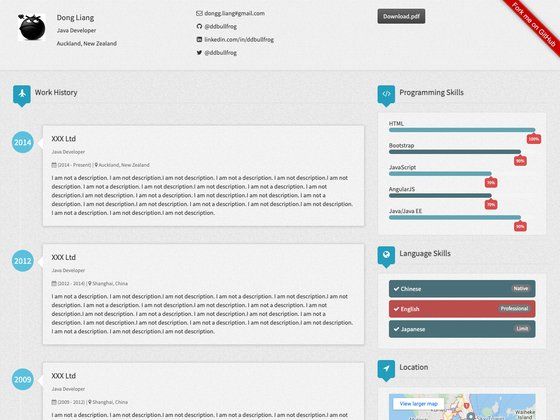
One-page creative resume and portfolio theme built with Bootstrap for GitHub Pages.
About this template
Resume Template is a one-page creative resume and portfolio theme built on Bootstrap, designed to be forked and published directly as a GitHub Pages site. It was created by Iskender Piyale-Sheard (Izzy), Community Manager at Lighthouse Labs, as a side project, and is maintained under the ClearCareer GitHub organization. The repo is released under the Creative Commons 4.0 license, so anyone can reuse and adapt it with attribution.
What is Resume Template?
Resume Template is a static one-page website template for personal resumes and portfolios. It takes standard resume content — bio, work history, skills, education, and contact links — and presents it in a single-page creative layout. The template runs on plain HTML and Bootstrap, with no server-side dependencies, and is intended for deployment on free GitHub Pages hosting. The project includes a timeline component created by Bruno Rodriguez, and icon support from FontAwesome and IconMoon.
Key Features
- One-page creative layout — Everything (bio, experience, portfolio, contact) fits on a single scrolling page, typical of personal branding sites.
- Bootstrap framework — Built on Bootstrap (by Mark Otto and Jacob Thornton), giving responsive grid and utility classes out of the box.
- GitHub Pages ready — The README walks through forking the repo, editing, and publishing to
YourGithubProfile.github.io/resumetemplatewith no local build step. - Custom domain setup — Both methods documented: repository Settings → Custom domain, or adding a
CNAMEfile; both require an A Record to192.30.252.153. - Icons — Uses FontAwesome and IconMoon icon sets for social and contact icons.
- Timeline component — A separate timeline component by Bruno Rodriguez (itbruno) is included, useful for displaying work history or project milestones.
- Creative Commons 4.0 license — Free to use, modify, and redistribute with attribution.
Who should use Resume Template?
- Job seekers — Build a clean, one-page resume site to include on a CV or LinkedIn profile.
- Freelancers and students — Showcase a portfolio of projects without paying for hosting; the site runs free on GitHub Pages.
- Developers who want a simple site — Anyone comfortable editing HTML can fork, customize, and deploy quickly.
What can you do with Resume Template?
- Personal branding: Point a custom domain to the site using the included A Record instructions so visitors reach it at a professional URL.
- Portfolio presentation: Use the timeline component to present internships, jobs, or milestones in chronological order.
- Quick deployment: After forking, commit changes and the site goes live at the GitHub Pages URL without running a build command.
How does Resume Template work?
The workflow is: fork the repository on GitHub, edit the HTML files to swap in your own content, then commit the change. GitHub Pages then serves the site at YourGithubProfile.github.io/resumetemplate. To use a custom domain, create a CNAME file with your domain and point a DNS A Record to 192.30.252.153.
FAQ
Is Resume Template free?
Yes. The code is released under the Creative Commons 4.0 license, which permits free use, modification, and distribution as long as you attribute the original creator, ClearCareer and Izzy Piyale-Sheard.
How do I host it on GitHub Pages?
Fork the repository on GitHub, make your edits and commit them, then navigate to YourGithubProfile.github.io/resumetemplate. No additional build step is required because it is a static HTML site.
Can I use a custom domain?
Yes. The documentation gives two methods: either set a custom domain in the repository Settings, or add a CNAME file containing your domain. Both require an A Record pointing to 192.30.252.153.
Who made this template?
Iskender Piyale-Sheard (Izzy), Community Manager at Lighthouse Labs, developed it as a side project. Credit for the timeline component goes to Bruno Rodriguez.
What license does it use?
Creative Commons 4.0 Attribution (CC BY 4.0). This means you can share and adapt the template as long as you give appropriate credit.