Template details
Material Dashboard Django
Open-source Django admin dashboard starter built on Material Dashboard Bootstrap 5 with dynamic DataTables, APIs, and charts.
About this template
Material Dashboard Django is an open-source Django admin dashboard starter that pairs the Material Dashboard Bootstrap 5 UI with ready-to-run apps for dynamic DataTables, secure APIs, and ApexCharts, so developers can launch a full admin panel without building the frontend or backend plumbing from scratch. Created by Creative Tim in partnership with App-Generator, this starter targets Python developers who want a modern, maintainable base for admin panels, dashboards, and internal tools.
What is Material Dashboard Django?
Material Dashboard Django is a Django template that combines the Material Dashboard design system (Bootstrap 5) with a working Django project skeleton. It takes a fresh Django installation and turns it into an admin dashboard with session-based authentication, password recovery, and demo modules for dynamic DataTables, dynamic APIs, and charts. The project runs on Django (Python) and is made available as open-source code by Creative Tim and App-Generator.
Key Features
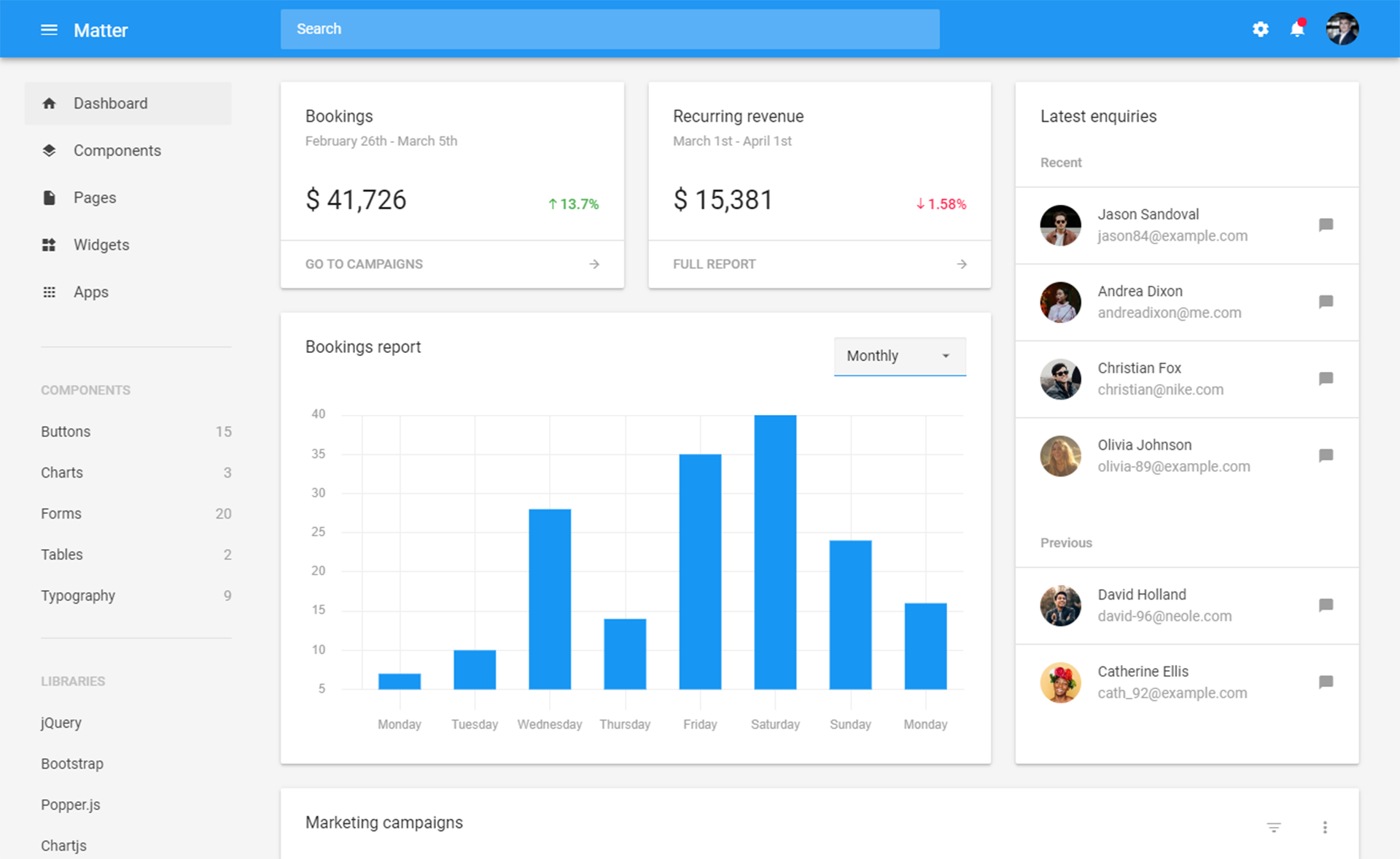
- Material Dashboard design — Bootstrap 5-based admin UI with 70+ individual components, including cards, tables, forms, and navigation, all styled with Google's Material Design language.
- Session-based authentication — Login, logout, registration, and password recovery are pre-wired, so you don't have to implement auth from scratch.
- Database flexibility — SQLite is the default database, but the configuration supports switching to MySQL or PostgreSQL by editing the environment variables in the
env.samplefile. - Dynamic DataTables app — A demo at
/dynamic-dt/product/that generates server-side sorting, searching, and pagination without writing JavaScript. - Dynamic APIs app — A demo at
/api/product/that exposes secure REST endpoints for your models without manual serialization. - Charts app — A demo at
/charts/powered by ApexCharts, giving you interactive line, bar, and area graphs. - Django CLI package — Command-line tools for committing or rolling back Git changes, backing up and restoring the database, managing environment variables, and installing dependencies.
- Deployment scripts — Docker and Docker Compose configurations plus a CI/CD blueprint for Render, so the app can be deployed with a few clicks.
Who is it for?
- Django developers who need a pre-styled admin panel and don't want to hand-code HTML, CSS, or auth flows.
- Freelancers and agencies that build internal dashboards for clients and want a modular codebase they can extend with their own models and views.
- Backend teams that need to expose database records through DataTables and REST APIs quickly, without building custom endpoints.
- Solo founders who want a production-ready admin interface for their Python web application with minimal setup.
What can you do with it?
- Launch an admin dashboard in minutes — Clone the repository, run
pip install -r requirements.txt, migrate the database, and start the dev server athttp://127.0.0.1:8000/. - Generate data tables and APIs without coding — Use the built-in dynamic DataTables and dynamic API apps to turn any Django model into a sortable, searchable table or a secure API endpoint.
- Visualize data with charts — Insert ApexCharts into your dashboard to present metrics and trends, using the included demo at
/charts/as a starting point. - Deploy to Render with CI/CD — Connect the repo to a Render Blueprint instance, and the included configuration handles the build and deployment automatically.
How does it work?
The starter follows Django's standard workflow: clone the repo, create a virtual environment, install the requirements.txt dependencies, run python manage.py makemigrations and python manage.py migrate to set up the database, create a superuser, and start the server with python manage.py runserver. From there you can register a new user or log in with the default credentials to explore the pre-built pages and demo apps.
FAQ
Is Material Dashboard Django free?
Yes, Material Dashboard Django is open-source and distributed under the Creative Tim End User License Agreement, which allows free use for personal and commercial projects.
What does Material Dashboard Django include?
It includes a Django project with Material Dashboard Bootstrap 5 styling, session-based authentication, SQLite (or MySQL/PostgreSQL) persistence, three demo apps (Dynamic DataTables, Dynamic APIs, and Charts), a Django CLI package, and deployment scripts for Docker and Render.
How do I run Material Dashboard Django locally?
Clone the repository from GitHub, create a virtual environment, install the dependencies from requirements.txt, run database migrations, create a superuser, and start the server with python manage.py runserver. The app will be available at http://127.0.0.1:8000/.
Can I deploy Material Dashboard Django to production?
Yes, the project includes Docker and Docker Compose scripts and a CI/CD blueprint for Render. For Render, create a Blueprint instance, connect the repository, and the deployment starts automatically.