Template details
Windster
Free and open-source admin dashboard interface built on top of Tailwind CSS and Flowbite
About this template
Windster is a free, MIT-licensed, open-source admin dashboard template that builds its entire UI from Tailwind CSS utility classes and the Flowbite component library, then generates static HTML with Hugo and bundles assets with Webpack. Themesberg maintains it, and it includes a responsive sidebar layout, authentication pages, users and products pages, and a wide catalog of Tailwind components.
What is Windster?
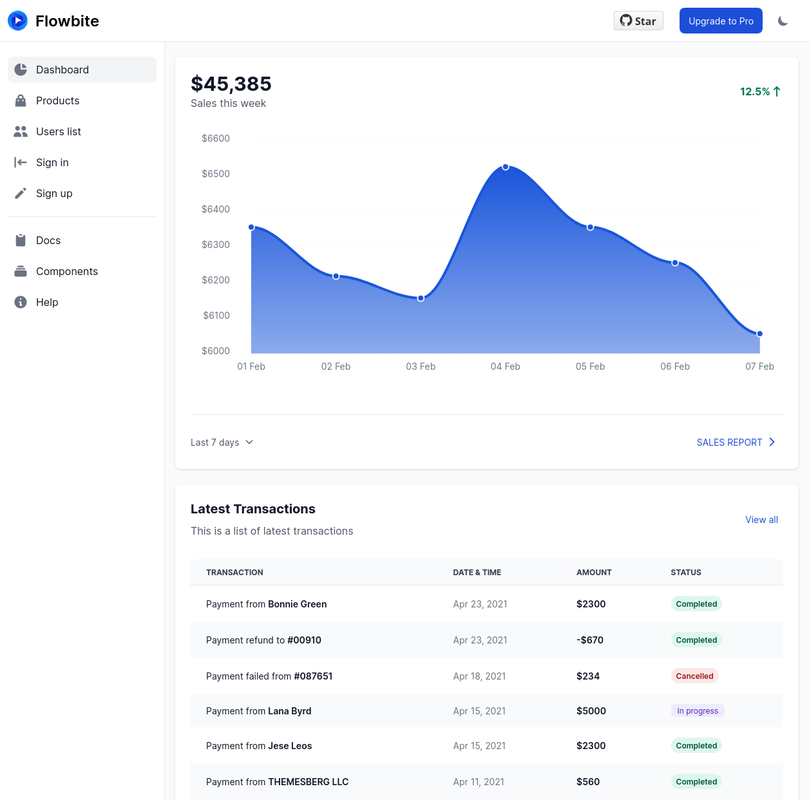
Windster is a Tailwind CSS admin dashboard template that provides a complete application UI out of the box: a main dashboard layout with charts, a login page, a register page, a users page, and a products page. It runs on a static-site pipeline where Hugo compiles HTML templates from JSON data files (used for the users and products pages), PostCSS processes Tailwind, and Webpack handles bundling and production minification. It is developed and maintained by Themesberg and distributed under the MIT license.
Key Features
- Tailwind CSS-only styling — every page is built exclusively from Tailwind utility classes, so no custom CSS files are required and you can keep using standard Tailwind configuration and purging.
- Flowbite component library — includes buttons, dropdowns, navbars, modals, datepickers, alerts, typography, and more, all of which also rely solely on Tailwind classes.
- Five application pages — the open-source version ships with a main dashboard, login, register, users, and products pages, with modals covering CRUD actions on the data-driven pages.
- Hugo static site generator — HTML templates are generated by Hugo, with JSON files supplying data for the products and users pages.
- Webpack module bundling — Webpack watches files, ties together Hugo and PostCSS compilation, and minifies CSS for production builds.
- MIT license — the project is free to use and modify, with public GitHub issues tracking and a live demo hosted by Themesberg.
Who is it for?
- Tailwind CSS developers who want a ready-made admin interface to customize using utility classes instead of starting from a blank canvas.
- Hugo site maintainers who need a dashboard pattern and want to generate data-driven pages from JSON content.
- Startups and agencies that need a professional-looking admin panel with authentication pages and CRUD modals without paying for a commercial theme.
- Frontend students who want to study how Tailwind, Flowbite, Hugo, and Webpack are wired together in one project.
What can you do with Windster?
- SaaS product teams: use the dashboard layout with sidebar and charts as the shell for customer analytics and reporting views.
- Backend engineers: plug the login and register pages into an existing auth flow to add a complete sign-in experience quickly.
- Operations managers: adapt the products page with modal-based CRUD to manage inventory or catalog data stored as JSON.
- Theme buyers: extract the Webpack and PostCSS configuration to adapt the templates to a different static site generator or framework.
How does Windster work?
After downloading or cloning the repository, install Node.js and Hugo, run npm install to fetch dependencies, then run npm run start to launch the development server. To produce optimized output, run npm run build, which writes the final files into the .build directory.
Pricing
Windster is free and open source under the MIT license, available from both GitHub and the Themesberg website. Themesberg also sells Windster Pro, which adds a kanban page, a mailing application, and roughly four times more pages than the free version, though the Pro price is not listed in this README.
FAQ
Is Windster free?
Yes, Windster is free and open source under the MIT license. You can download it from the Themesberg website or clone the GitHub repository, and you are free to use it for personal and commercial projects.
What tech stack does Windster use?
Windster uses Tailwind CSS for styling, Flowbite for UI components, Hugo as the static site generator, and Webpack as the module bundler. The project follows the standard PostCSS configuration method recommended for Tailwind and includes purging of unused classes.
How many example pages are included?
The open-source version includes five application pages: a main dashboard layout, a login page, a register page, a users page, and a products page. The products and users pages include modals for CRUD operations and pull their data from JSON files.
Which browsers does Windster support?
Windster officially supports the last two versions of Chrome, Firefox, Edge, Safari, and Opera, as indicated by the browser icons in the README. This follows the typical browser support scope for Tailwind CSS projects.
Can I upgrade to a larger version?
Yes, Themesberg offers Windster Pro, which expands the number of pages significantly and includes a kanban board and a mailing application. The README points to a comparison between the free and Pro versions on the Themesberg demo site.