Template details
Gatsby Kontent Paperbase
Gatsby starter for dashboards and admin tools, using Material UI's Paperbase theme with Kentico Kontent headless CMS.
About this template
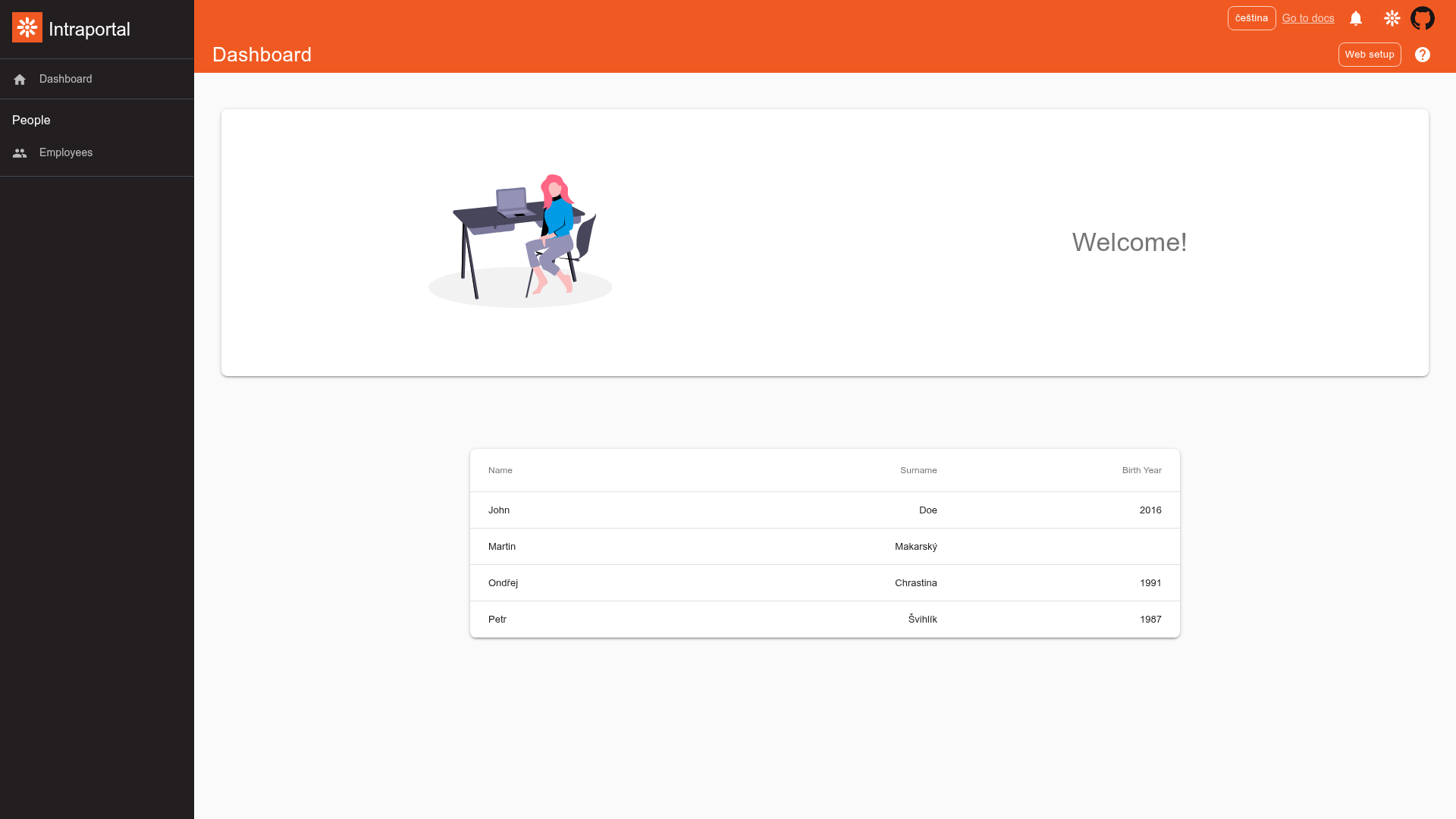
Material UI Paperbase Starter for Gatsby with Kentico Kontent is a Gatsby starter template for building dashboards and administration tools, pairing Material UI's Paperbase Premium Theme with the Kentico Kontent headless CMS as its content source. It is published by Kentico and designed to showcase an intranet-style admin UI rendered from Kontent-managed content.
What is this template?
This template is a Gatsby starter that scaffolds a static site with a Material Design dashboard layout, using Kentico Kontent as the content backend. It takes a Kontent project ID and a sample content model (imported from a kontent-backup.zip file) as inputs, and outputs a Gatsby site that queries the content via GraphQL and renders it with Material UI components. The project includes a .env.template for configuration and a .netlify.toml for one-click deployment to Netlify.
Key Features
- Material UI Paperbase Premium Theme — Uses the Paperbase dashboard theme from the Material UI documentation, which provides the sidebar navigation, top app bar, and content layout common in admin tools.
- Kentico Kontent integration — The starter ships with kontent-backup.zip, a backup of a sample content model that can be restored into a new Kontent project with Kontent Backup Manager or the Template Manager UI.
- Gatsby and GraphQL — Content is fetched through Gatsby's GraphQL data layer during the build; during development, GraphiQL is available at localhost:8000/___graphql for experimenting with queries.
- Environment-driven setup — Copy .env.template to .env and set KONTENT_PROJECT_ID to your Kontent project's ID; the starter reads it to connect to your content.
- Netlify one-click deployment — A Deploy to Netlify button is included; clicking it authenticates with GitHub, creates a repository copy, and builds and deploys the site using the file-based .netlify.toml configuration.
Who is it for?
- Developers building admin interfaces — They get a pre-structured dashboard layout and a working content connection, so they can focus on customizing components and pages.
- Teams using Kentico Kontent — The sample content and restore workflow let them see how a Gatsby site consumes Kontent content and publish their own items.
- Gatsby learners — It serves as a practical example of combining Gatsby static generation with a Material UI component library and a headless CMS.
What can you do with it?
- Build an intranet or admin portal: Use the Paperbase layout to organize navigation and content, and manage that content through Kentico Kontent.
- Prototype a Kontent-powered site quickly: Restore the backup into a trial Kontent project, publish the imported items, and view them in the rendered Gatsby site.
- Deploy a live demo with one click: The Netlify button automates GitHub repository creation, build, and deployment, letting you test the site publicly without manual setup.
How does it work?
After running gatsby develop, the site is served at localhost:8000. To connect your own content, create a Kontent project, copy its Project ID and a Management API key (the README states that Business tier or higher, or a Trial account, is required), restore kontent-backup.zip into the project using Kontent Backup Manager, publish the imported items, and set KONTENT_PROJECT_ID in a .env file copied from .env.template.
FAQ
Do I need a Kentico Kontent project to use this starter?
Yes, because the site's content is stored in Kontent. You create a project at app.kontent.ai, import the provided backup, publish the items, and set your project ID in the .env file.
What is the Management API key used for?
The Management API key lets Kontent Backup Manager restore the sample content model into your project. The README notes that it requires a Business tier or higher subscription, or a Trial account.
How do I deploy this starter to Netlify?
Use the Deploy to Netlify button in the README. After you authenticate with GitHub and choose a repository name, Netlify creates a copy of the template, builds it, and deploys it. The .netlify.toml file presets the deployment configuration, including environment variables.
Can I customize the content source?
Yes. Instead of using the sample content, you can point the starter to your own Kontent project by changing KONTENT_PROJECT_ID and adapting your content model to match what the Gatsby queries expect.