Template details
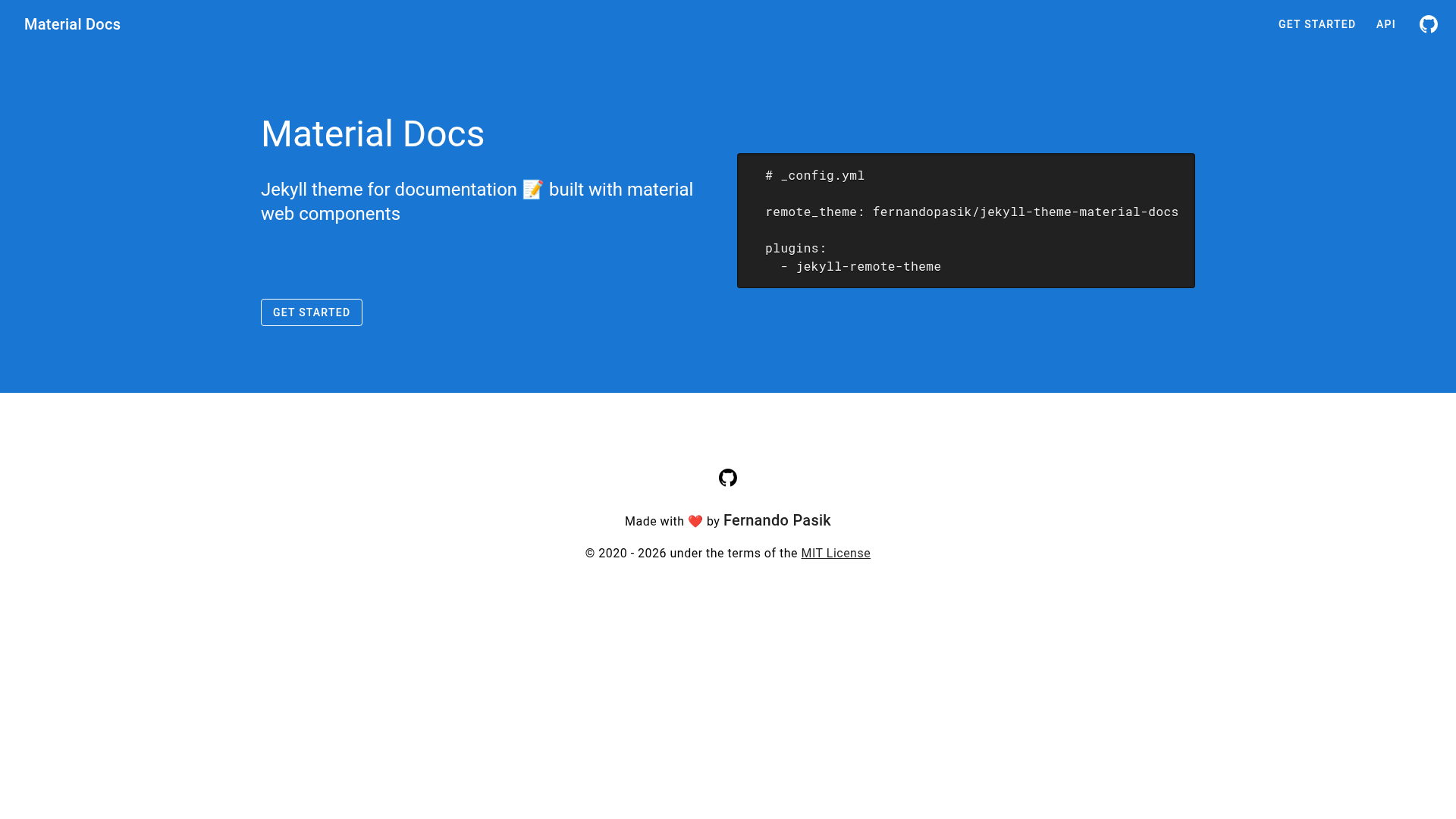
Material Docs
Jekyll theme for documentation built with material web components.
About this template
Material Docs is a free, open-source Jekyll theme for building documentation websites, built with material web components and published on RubyGems.
What is Material Docs?
Material Docs is a Jekyll theme created specifically for documentation projects, combining Jekyll's static-site workflow with Material Design styling. It takes Markdown content and generates an HTML documentation site through Jekyll's build pipeline, making it suitable for hosting on GitHub Pages or any static host. The theme is developed by Fernando Pasik, released under the MIT license in 2020, and available as a Ruby gem and on GitHub.
Key Features
- Material Design components — The theme is explicitly built with material web components, bringing a modern, consistent design system to documentation pages.
- Remote theme installation — Use
remote_theme: fernandopasik/jekyll-theme-material-docsin your_config.ymlto pull the theme directly from GitHub with thejekyll-remote-themeplugin. - Ruby gem installation — Add
gem "jekyll-theme-material-docs"to your Gemfile, runbundle, and setthemein_config.ymlto install it as a standard Jekyll theme. - MIT License — The theme is free to use, modify, and redistribute without restrictions, including for commercial projects.
- GitHub Actions integration — The repository includes a build workflow that runs automated tests, as shown by the Build Status badge.
- Security monitoring — A Snyk badge tracks known vulnerabilities in the project's dependencies, targeting
package.json.
Who is it for?
- Technical writers — Writers who want a clean, Material-styled layout for API docs, user guides, or internal documentation without designing a site from scratch.
- Open-source maintainers — Maintainers hosting projects on GitHub can deploy documentation to GitHub Pages quickly using the remote theme method, which requires no file copying.
- Jekyll developers — Developers with existing Jekyll sites can switch to Material Docs to add a documentation section or rebuild an existing site with a consistent Material Design look.
Use cases
- Software documentation — Publish user manuals, developer guides, and reference material as a static site that builds from Markdown.
- GitHub Pages project docs — Turn a repository's docs directory into a browsable website by adding the remote theme and setting
remote_themein the site config. - Personal or team wikis — Create a simple knowledge base using Markdown files, relying on Jekyll to generate a navigable site with the Material Design aesthetic.
How does Material Docs work?
To get started, choose one of two installation paths in your Jekyll site. For the remote theme route, add remote_theme: fernandopasik/jekyll-theme-material-docs to _config.yml and include jekyll-remote-theme in your plugins list. For the gem route, add gem "jekyll-theme-material-docs" to your Gemfile, run bundle, and set theme: jekyll-theme-material-docs in _config.yml. Once configured, Jekyll processes your Markdown content into a static documentation site.
FAQ
Is Material Docs free?
Yes, Material Docs is free and open source. It is released under the MIT license, which allows you to use, modify, and distribute the theme for both personal and commercial projects without paying fees.
How do I install Material Docs?
There are two installation methods. To use it as a remote theme, set remote_theme: fernandopasik/jekyll-theme-material-docs in _config.yml and add jekyll-remote-theme to your plugins. To install it as a gem, add gem "jekyll-theme-material-docs" to your Gemfile, run bundle, and set theme in _config.yml.
Does Material Docs support GitHub Pages?
Yes. Because it is a Jekyll theme, it works with GitHub Pages. The remote theme method is specifically designed for GitHub Pages, allowing you to use the theme by setting remote_theme and enabling the jekyll-remote-theme plugin.
Who maintains Material Docs?
Material Docs is maintained by Fernando Pasik, as shown in the license. The source code is hosted on GitHub and the project includes CI and security monitoring badges for quality assurance.