Template details
Reusing responses at build time
Learn how to use file system cache to share responses across calls.
About this template
Reusing responses at build time is a Next.js example from Vercel that demonstrates how to share responses across calls using the file system cache, letting developers reduce redundant work during builds and at runtime.
What is this example?
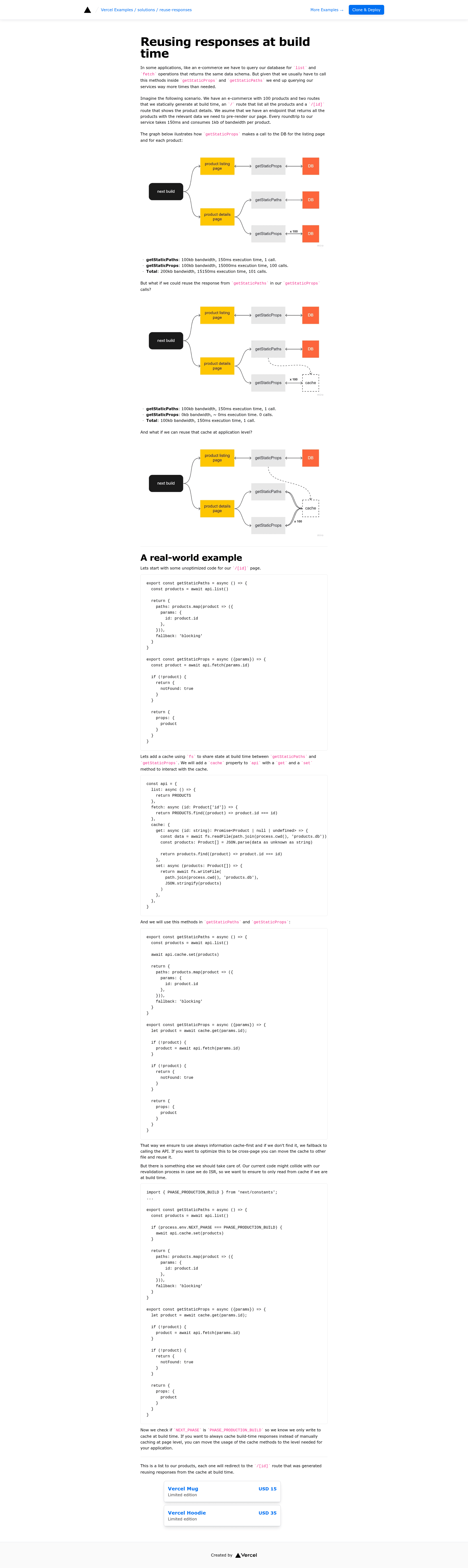
This example is a ready-to-run Next.js application provided by Vercel as part of their curated examples collection. It takes no special configuration and immediately shows how to use the file system as a cache layer: the first call writes a response to disk, and subsequent calls read from that cached file instead of recomputing. The project includes a live demo at solutions-reuse-responses.vercel.app and a one-click deploy button that clones the repository directly into a new Vercel project.
Key features
- File system caching — The core pattern stores responses on the local file system so that repeated calls reuse the same data instead of fetching or computing it again.
- One-click Vercel deploy — A deploy URL (vercel.com/new/clone?repository-url=...) spins up the example without any local setup.
- create-next-app bootstrap — You can clone the example by running
pnpm create next-app --examplepointing at the GitHub repository. - Tailwind CSS styling — The example's user interface is built with Tailwind CSS, making it easy to adjust the look without leaving HTML.
- Live demo — The deployed site at solutions-reuse-responses.vercel.app lets you test the caching behavior in the browser.
- Vercel examples collection — Part of a public GitHub repo (vercel/examples) with over 5,000 stars, indicating broad community use.
Who is it for?
- Next.js developers learning how to cache data across requests to improve build and runtime performance.
- Teams bootstrapping a new project who want a minimal, working reference implementation of file system caching they can adapt.
- Vercel users who prefer to deploy a starting point directly and then iterate on their own code.
What can you do with it?
- Experiment with caching: Deploy the example, observe how the first response is cached, and then modify the code to apply the same pattern to your own API routes or data fetching.
- Bootstrap a new app: Clone the repository as a foundation for a Next.js application that already includes Tailwind and a working caching demonstration.
- Reference the source: Read the code to see how the file system cache is integrated with Next.js pages or API endpoints.
How does it work?
The example uses the file system as a memoization layer. When a call is made, it checks whether a cached response already exists on disk; if it does, that response is returned, otherwise the response is generated and then written to the cache for future reuse.