Template details
Material Kit Ghost
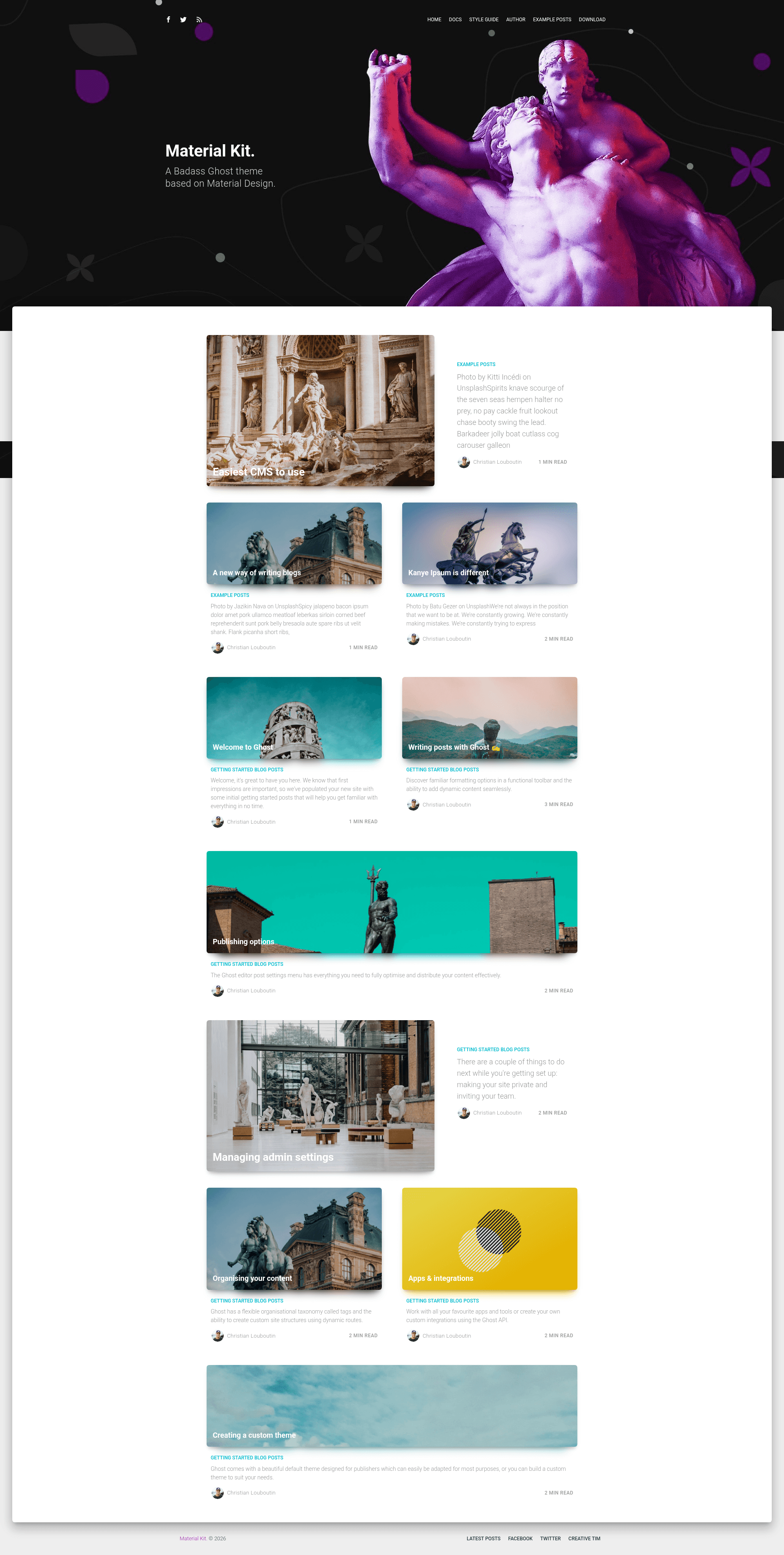
Free MIT-licensed Ghost theme with Material Design components and Handlebars templates.
About this template
Material Kit Ghost is a free, MIT-licensed Ghost theme from Creative Tim that brings Google's Material Design language to Ghost blogs via Handlebars templates.
What is Material Kit Ghost?
Material Kit Ghost is a fully coded Ghost theme created by Creative Tim, designed to give Ghost publications a Material Design look and feel. It takes standard Ghost content — posts, tags, authors, and pages — and renders it through a set of Handlebars templates. The theme is distributed as a .zip file that you upload directly to a Ghost site via Settings → Design → Upload a theme.
Key Features
- Fully coded Handlebars templates — Uses Ghost's built-in Handlebars templating language, ensuring compatibility with any Ghost blog without extra dependencies.
- Material Design components — Includes a large number of UI components styled after Google's Material Design, such as cards, buttons, navigation, and icons.
- Style guide page — A built-in style guide at /style-guide/ shows all available sections and components, simplifying customization.
- Responsive styling — Designed to be responsive across devices, with official support for the last two versions of Chrome, Firefox, Edge, Safari, and Opera.
- Multiple page templates — Includes specific templates for home, index, posts, tags, authors, error pages, and a typography page, along with partials for bylines, headers, icons, and post cards.
- SCSS source files — Assets include SCSS source in assets/scss, plus compiled CSS and JavaScript in assets/built, making it easier to restyle.
- Documentation and live preview — Documentation is hosted on the live preview site, and a demo is available at material-kit-ghost.creative-tim.com.
Who is it for?
- Ghost bloggers — Anyone running a Ghost blog who wants a Material Design aesthetic without building a custom theme from scratch.
- Theme developers — Developers looking to learn how Ghost themes are structured can study the organized partials and templates in this theme.
- Agencies and freelancers — Web designers who build client sites on Ghost can use this theme as a starting point, then customize the SCSS files to match client branding.
What can you do with Material Kit Ghost?
- Launch a Material Design blog — Install the theme on a Ghost site and publish posts, tags, and author pages that automatically adopt the Material Design look.
- Customize the theme's look — Edit the SCSS source files and use the style guide to ensure new styling works with the existing components.
- Set up a portfolio or company blog — Use the page templates and author/tag pages to structure content for teams or personal sites.
How does Material Kit Ghost work?
Installation follows Ghost's standard theme upload flow: download the .zip from Creative Tim, then in your Ghost dashboard go to Settings → Design → Upload a theme, and drag the .zip file in. Once uploaded, the theme activates and renders your existing Ghost content with the Material Design templates.
Pricing
Material Kit Ghost is completely free and open source, licensed under the MIT license. That means you can use it for personal and commercial projects and modify it freely.
FAQ
Is Material Kit Ghost really free?
Yes, it's released under the MIT license, which allows free use, modification, and distribution, including in commercial projects.
What browsers does Material Kit Ghost support?
The theme officially aims to support the last two versions of Chrome, Firefox, Edge, Safari, and Opera, as stated on the product page.
How do I install Material Kit Ghost?
Download the theme .zip from Creative Tim, go to your Ghost dashboard, select "Design" under "Settings", click "Upload a theme", and drag the .zip file into the upload area. The theme will be applied immediately.
Does Material Kit Ghost work with all Ghost features?
Since it uses Ghost's standard Handlebars templates (home, index, post, tag, author, page, error), it supports standard Ghost blogging features such as tags, authors, multiple authors, and static pages. Notably, it includes partials for byline-multiple and byline-single, so it handles multi-author posts.
Can I customize the theme?
Yes, the download includes SCSS source files, partials, and documentation. You can modify the styling or structure directly and rebuild the assets.