Template details
Leviathan
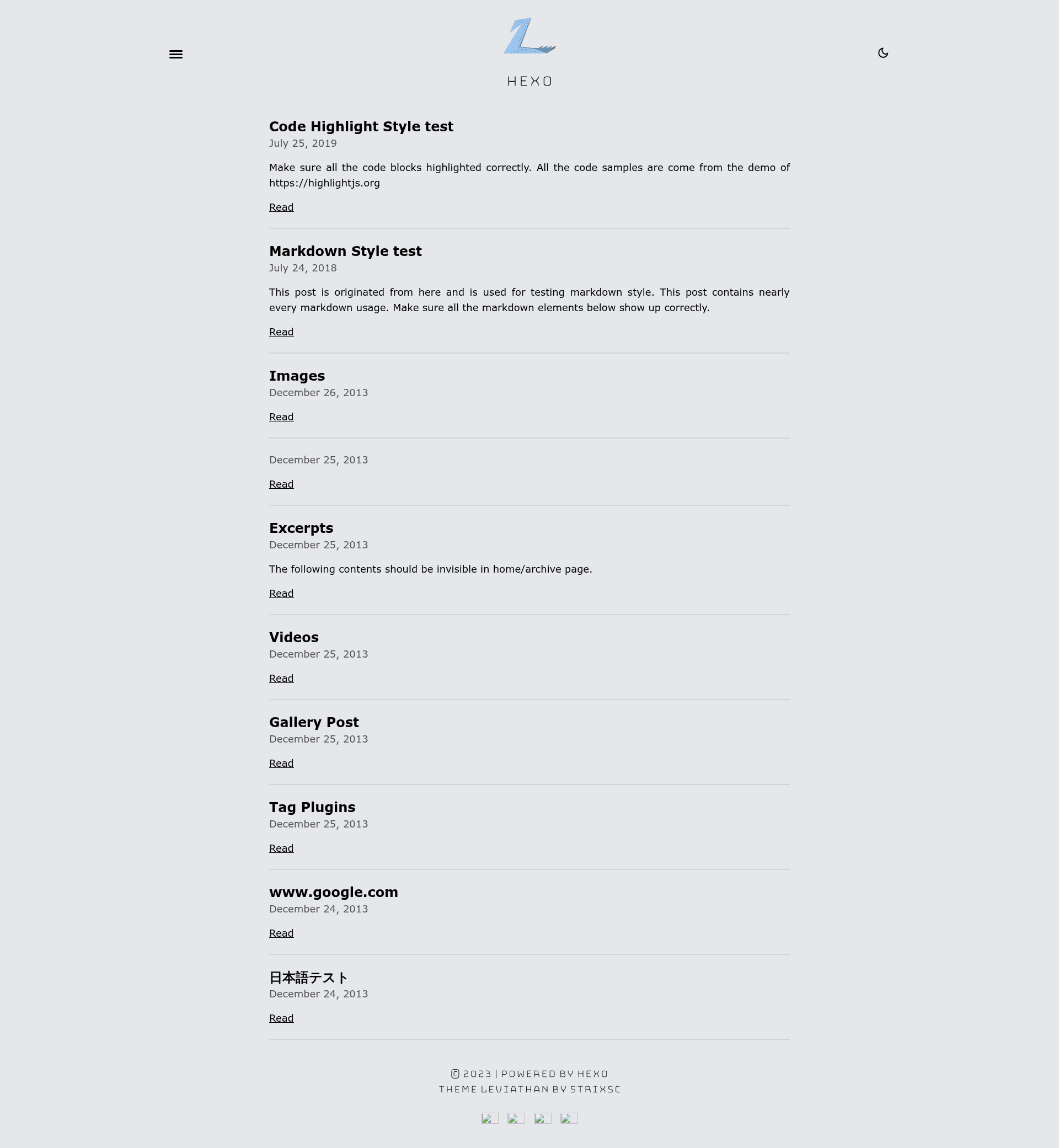
Modern, minimalistic, stylish and dark Hexo theme for blogs.
About this template
Leviathan is a modern, minimalistic, and dark Hexo blog theme that lets you set up a stylish personal blog on the Hexo static site generator.
What is Leviathan?
Leviathan is a Hexo theme created for bloggers who want a clean, dark, and modern look. It runs on Hexo, a fast Node.js-based static site generator, and is installed by cloning the GitHub repository into the themes/leviathan directory of your Hexo project. The theme's README includes a live demo hosted on Vercel and provides step-by-step installation instructions, including how to modify the theme's _config.yml file and how to enable the theme in the root configuration.
Key Features
- Dark, minimalistic design — The theme uses a dark color palette and a clean, sparse layout that puts the focus on your content.
- Built for Hexo — Works as a standard Hexo theme; no framework code is required beyond a standard Hexo installation.
- Easy installation — Install with a single
git clonecommand, then adjust two configuration files: the theme's_config.ymland your site's root_config.yml. - Live demo — The repository links to a working demo on Vercel, so you can preview the theme before installing it.
- Configurable via YAML — The theme's settings are stored in
_config.yml, allowing you to change site metadata, navigation, and other options without editing templates. - Stylish typography and layout — While specific layout details aren't documented, the theme presents itself as "modern, stylish, minimalistic," and includes a custom logo.
Who should use Leviathan?
- Bloggers — If you're starting a personal blog and prefer a dark, uncluttered look, Leviathan gives you a ready-made design for your posts and pages.
- Existing Hexo users — If you already run a Hexo site and want to refresh its appearance, you can switch to Leviathan by following the README's instructions.
- Developers — Developers who write technical blogs or documentation can use this theme to create a clean reading experience with minimal visual distraction.
What can you do with Leviathan?
- Publish a personal blog: Create a blog with a dark, minimal aesthetic, and manage content through Hexo's standard markdown workflow.
- Customize the theme: Adjust the theme's
_config.ymlto set your site's title, author, and other details, as shown in the linked example configuration. - Deploy to any static host: Because Hexo generates static HTML files, you can host your Leviathan-powered site on Vercel, Netlify, GitHub Pages, or any other static hosting service.
How does Leviathan work?
The README outlines a three-step setup: first, clone the repository into your Hexo project's themes folder using git clone https://github.com/strixsc/leviathan.git themes/leviathan. Second, edit the theme's _config.yml file to match your site. Third, set theme: leviathan in your root _config.yml and rebuild your site with Hexo.
FAQ
What is Leviathan?
Leviathan is a Hexo theme that provides a dark, modern, and minimalistic design for personal blogs. It is distributed through a GitHub repository and is installed as a standard Hexo theme.
How do I install Leviathan?
Run git clone https://github.com/strixsc/leviathan.git themes/leviathan from your Hexo blog's root directory. Then edit themes/leviathan/_config.yml and set theme: leviathan in your root _config.yml.
Where can I see a demo of Leviathan?
The README includes a link to a live demo hosted on Vercel. The demo URL is provided in the "Demo" section of the repository.
Is Leviathan free?
The repository is publicly accessible on GitHub, but the README does not specify a license. You should check the repository for licensing terms before using it commercially.
Does Leviathan have configuration options?
Yes, the theme is configured through _config.yml. The README points to an example configuration file in the repository that shows the available settings.