Template details
Materialize-Jekyll
Materialize CSS-based Jekyll theme for GitHub Pages, featuring blog, archive, tags, and resources viewer.
About this template
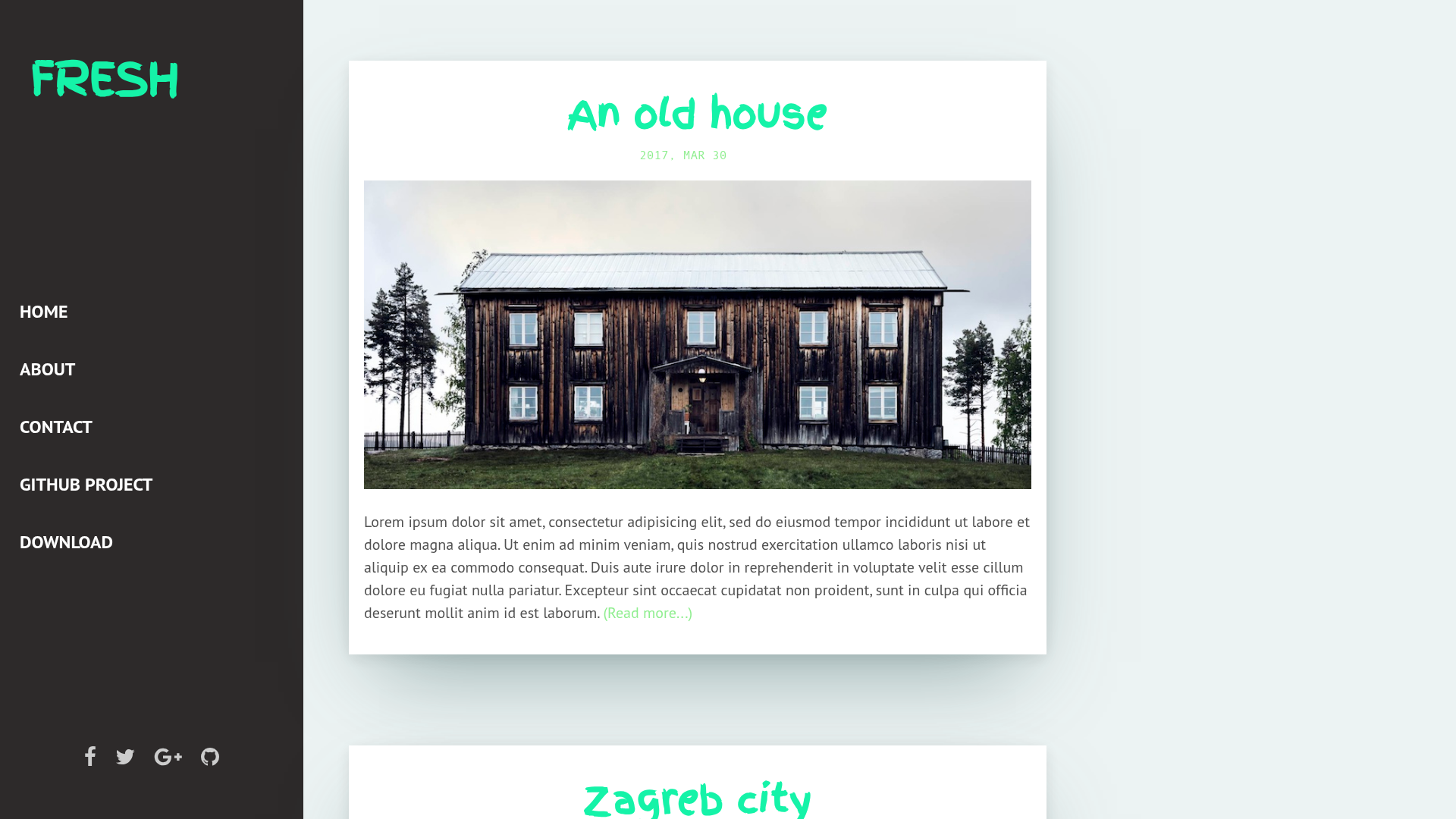
Materialize-Jekyll is a Jekyll theme built on Materialize CSS for GitHub Pages that turns Markdown posts into a Material Design–styled blog with archives, categories, tags, and a resources viewer.
What is Materialize-Jekyll?
Materialize-Jekyll is a Jekyll theme created by Astro in 2017, specifically designed for GitHub Pages. It takes a standard Jekyll site — the _config.yml configuration file and Markdown files in the _posts directory — and generates a static website styled with the Materialize CSS framework. The theme's output includes an about page, a blog index, a post archive, category and tag cloud pages, and a resources viewer. It is licensed under the MIT License and includes third-party libraries such as Prism.js for code highlighting and Font Awesome for icons.
Key Features
- Material Design styling — Built on Materialize CSS, the theme applies Google's Material Design visual language to a Jekyll blog, including cards, responsive grids, and typography.
- Blog and About pages — The theme ships with a blog index for posts and a static About page; content is added via Markdown files in
_postsand the site configuration. - Post Archive — An archive page lists all published posts in a single scrollable index, making older content discoverable.
- Category and Tag Cloud — Posts can be grouped by categories and tags; the theme renders a tag cloud and category listing to help readers filter content.
- Resources Viewer — A dedicated page displays a structured collection of resources, useful for curated link lists, portfolios, or documentation references.
- Code syntax highlighting — Prism.js is bundled to highlight code blocks inside posts, supporting a wide range of programming languages.
- Icon and font integrations — Font Awesome and Material Design Icons provide iconography, while Google Fonts including Quicksand, Roboto, Fira Mono, and Spoqa Han Sans are loaded for text rendering.
- GitHub Pages ready — Because the theme is distributed as a repository you fork, publishing to GitHub Pages requires no separate build configuration beyond modifying
_config.yml.
Who is it for?
- Jekyll bloggers — Writers who want a Material Design look for their static blog without writing custom CSS can fork the theme, add Markdown posts, and publish on GitHub Pages.
- Developers — Those familiar with Jekyll can extend the theme by editing Liquid templates and Sass, since the source is fully open under MIT.
- Project maintainers — The resources viewer and tag cloud make it handy for building a documentation or link hub tied to a code repository.
- GitHub Pages users — Anyone hosting a personal or project site on GitHub Pages can deploy this theme by cloning the repository and enabling Pages from the settings.
What can you do with Materialize-Jekyll?
- Publish a personal blog — Drop Markdown files into
_posts, set the site title and description in_config.yml, and get a material-styled blog with archive and tag navigation. - Curate a resources list — Use the Resources Viewer page to display a categorized collection of links, tools, or references alongside your regular posts.
- Organize content by taxonomy — Assign categories and tags to each post, and the theme generates category pages and a tag cloud automatically.
- Host a project documentation site — Because it runs on GitHub Pages, you can keep documentation versioned in the same repository as your code and update it via pull requests.
How does Materialize-Jekyll work?
The README outlines a straightforward workflow: fork the repository, clone it locally, modify _config.yml with your site settings, and add your posts as Markdown files under _posts. The theme uses Jekyll's static site generator to combine these files with its Liquid templates and Materialize CSS, producing HTML that can be served from GitHub Pages. A live demo of the default layout is available at astro36.me/Materialize-Jekyll.
Pricing
Materialize-Jekyll is free and open source. It is released under the MIT License, and the bundled third-party assets (Materialize, Prism.js, Skeleton, Font Awesome, Material Design Icons, and Google Fonts) are covered by their own permissive licenses, as listed in the repository.
FAQ
Is Materialize-Jekyll free?
Yes, the theme is free and open source under the MIT License. There are no license fees, and because it relies on GitHub Pages for hosting, you can run a blog without paying for a server.
Does Materialize-Jekyll work with GitHub Pages?
Yes, the theme is designed for GitHub Pages. After forking the repository, you can enable GitHub Pages in the repository settings and the site builds automatically from the master or main branch. The demo site itself is hosted on GitHub Pages.
What do I need to use this theme?
You need a GitHub account and a Markdown editor. If you want to test locally, install Jekyll and Ruby, then run jekyll serve. Otherwise, you can edit files on GitHub and let Pages build the site.
Does the theme support syntax highlighting?
Yes, Materialize-Jekyll includes Prism.js, a lightweight syntax highlighter that supports many programming languages. Code blocks in your Markdown posts will be highlighted out of the box.
Can I customize the theme?
Because it's open source under MIT, you can modify the Liquid templates, Sass files, and configuration freely. The third-party libraries are also open source, so you can swap them if needed.