Template details
MultiLaunch: Astro Multi-Brand Website Template
Astro & DatoCMS monorepo template for launching and managing multiple brands, languages, and regions from one codebase.
About this template
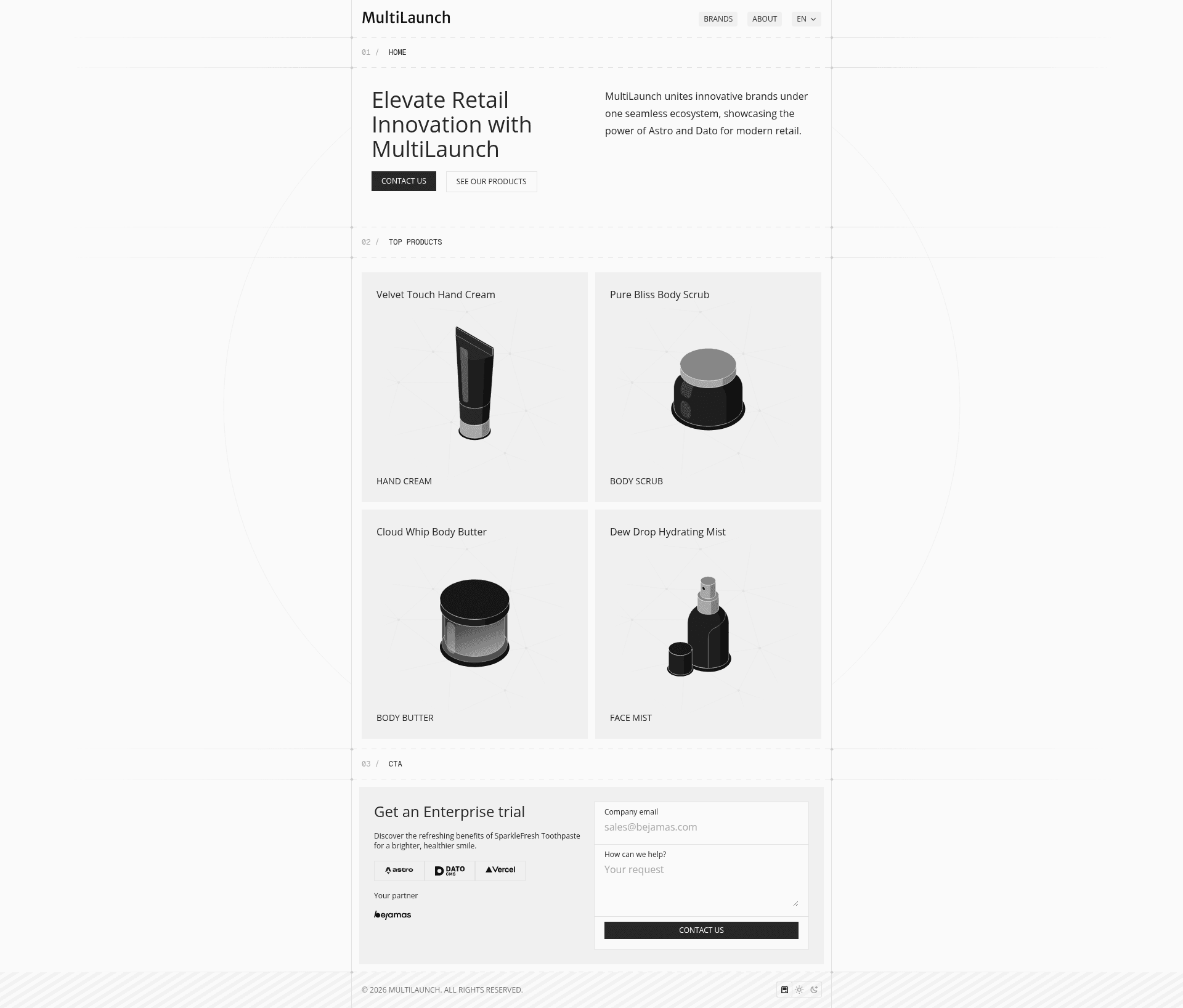
MultiLaunch is an Astro and DatoCMS monorepo template designed to launch and manage multiple brands, languages, and regions from a single codebase. It targets startups and mid-sized retailers who need a scalable, cost-effective way to run a main retail site plus multiple brand landing pages without duplicating infrastructure.
What is MultiLaunch?
MultiLaunch is a website template that combines the Astro framework, the DatoCMS headless CMS, and Tailwind CSS 4 to create a multi-brand architecture. It takes a monorepo with two application folders — apps/core for the main retail company page and apps/brands for individual brand landing pages — and produces a set of deployable Astro sites. The template is published under the Bejamas GitHub organization and includes a live demo deployed on Vercel at astro-dato-multilaunch.vercel.app.
Key Features
- Multi-Brand Architecture — One main site plus multiple brand landing pages, each with its own colors and assets.
- Monorepo Setup — All brands live in one repository under
apps/brands, with a sharedpackages/uifolder for reusable components. - AI-Powered Translation — Multi-language support with AI-assisted translations baked into the content workflow.
- Geo-Redirects — Automatically serve region-specific content based on the visitor's location.
- Brand-Specific Customization — Each brand gets its own color scheme and asset settings, so brands stay visually distinct.
- Dark & Light Mode — Built-in theme switching for both the main site and brand pages.
- Rapid Deployment — Add a new brand in minutes by following the DatoCMS setup flow and deploying to Vercel.
- Tailwind CSS 4 — Utility-first styling across all pages, configured at the monorepo level.
Who is it for?
MultiLaunch suits product teams that run a parent company plus multiple consumer brands and need a unified codebase. It is also useful for mid-sized retailers that want to expand into new regions and languages without rebuilding their website each time. Developers managing several Astro sites will appreciate the monorepo structure, which keeps shared UI components and configuration in one place.
What can you do with MultiLaunch?
- Startups launching sub-brands: Create a main company site and spin up brand landing pages with distinct theming, all from the same Astro project.
- Retailers expanding internationally: Use geo-redirects and AI-assisted translation to serve region-specific content automatically.
- Agencies managing multiple client sites: Maintain every client site in one monorepo and reuse the shared UI package, reducing maintenance overhead.
How does MultiLaunch work?
The quick start walks through three steps: create an account on DatoCMS, deploy the project on Vercel with GitHub Integration, and let DatoCMS set up the project automatically using the clone button. For local development, you need Node.js and Bun; install dependencies with bun install, copy .env.example to .env, and paste a Read-only API token from DatoCMS. The available scripts include bun dev, bun run build, and bun run preview.
FAQ
Does MultiLaunch require DatoCMS?
Yes, DatoCMS is the headless CMS that powers the content model, API tokens, and project setup. The template includes a DatoCMS integration, so you need a DatoCMS account to manage pages and brands.
Can I use MultiLaunch without Bun?
The documented scripts and setup use Bun, but you can likely run the same commands with npm or yarn if you adjust the scripts. The prerequisites section lists Node.js and Bun, so Bun is the recommended package manager.
How many brands can I add?
There is no fixed limit stated in the template. The monorepo structure under apps/brands is designed to let you add new brand folders, and the rapid deployment feature is meant to make this process quick.
Is MultiLaunch open source?
The repository is publicly available under the Bejamas GitHub organization and welcomes contributions. The template provides the full source code and project structure for you to modify.