Template details
Next Dentist
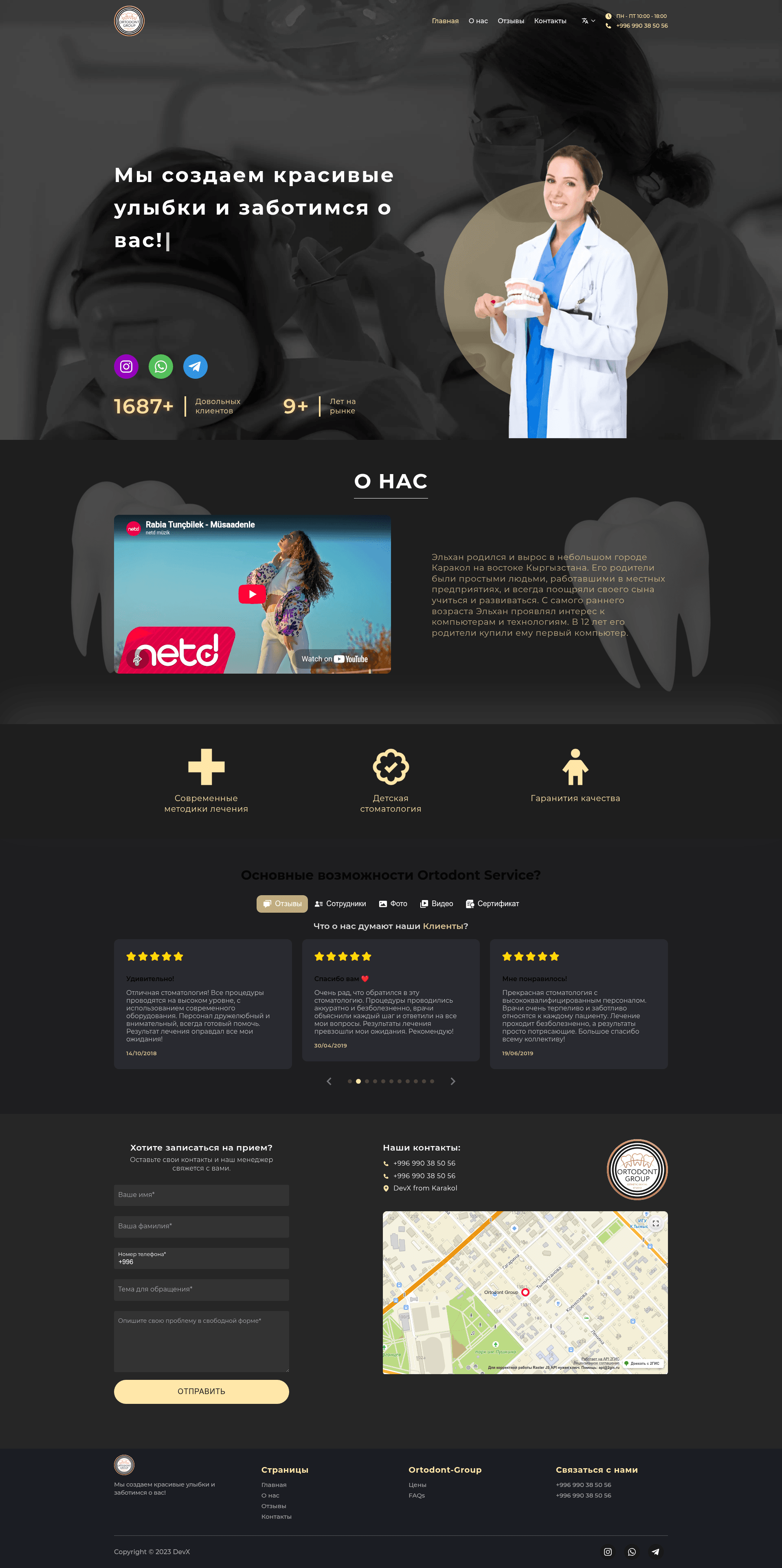
Next.js starter template for a dentist website with TypeScript, SCSS, Framer Motion, and i18next.
About this template
Next Dentist is a Next.js starter template (boilerplate) for building dental practice websites, pre-configured with TypeScript, SCSS, Framer Motion, i18next, SVGR, and webpack.
What is Next Dentist?
Next Dentist is a Next.js project bootstrapped with create-next-app, so it runs on Node.js and uses the standard Pages Router. The main page lives in pages/index.tsx, and there is an example API route at pages/api/hello.ts. The template automatically optimizes and loads the Inter font via next/font. The repository metadata lists topics such as framer-motion, i18next, intl, scss, svgr, theme, typescript, and webpack, indicating that these libraries and tools are already integrated into the starter.
Key Features
- Next.js and TypeScript — Uses the Pages Router and TypeScript for type-safe development out of the box.
- SCSS styling — The project includes SCSS support, allowing you to write modular, compiled styles without configuring a separate build step.
- Framer Motion — Integrated for adding declarative animations and transitions to React components.
- i18next and intl — Internationalization is set up, so you can add multiple languages with translation files and locale detection.
- SVGR — Lets you import SVG files directly as React components rather than manually writing them inline.
- Theming — A theme system is included, so design tokens and colors can be customized from one place.
- next/font optimization — The Inter font is automatically loaded and optimized using the built-in
next/fontfeature, reducing layout shift.
Who is it for?
- Web developers who want a pre-configured Next.js starter with animations, i18n, and theming already wired up.
- Agencies building dental practice websites — the "Next Dentist" naming makes it easy to adapt into a clinic or dentist office site.
- Freelancers who need to quickly launch a modern marketing site with SCSS and deploy it to Vercel.
What can you do with Next Dentist?
- Dental clinics: Build a multi-language website with appointment information and animated hero sections using Framer Motion.
- Developers: Use it as a foundation for any business site by replacing the sample content and customizing the theme.
- Designers: Adjust the SCSS styles and theme tokens to match a brand's visual identity.
How does it work?
Run npm run dev (or yarn dev / pnpm dev) in the project root to start the development server at http://localhost:3000. Edit pages/index.tsx to see live updates. Files in the pages/api directory are automatically mapped to /api/* and treated as API routes, so you can add serverless functions there. For production, deploy to Vercel with the one-click flow.
FAQ
How do I start the development server?
Run npm run dev in the project root. The server starts on http://localhost:3000. You can also use yarn dev or pnpm dev if you prefer those package managers.
How do I create a new API route?
Create a new file in the pages/api directory. Each file in that directory is automatically treated as an API route and is accessible at /api/your-file-name (or nested paths if you use subdirectories).
How do I deploy this project?
The easiest way is to use the Vercel Platform, which is designed for Next.js. You can import the repository and Vercel will handle the build configuration. Alternatively, follow the Next.js deployment documentation for other hosting providers.
Does the template include a CSS framework like Tailwind?
No, it uses SCSS instead. The repository metadata lists scss among its topics, and the default README does not mention Tailwind. The styling is set up with SCSS, but you can add any CSS library if needed.