Template details
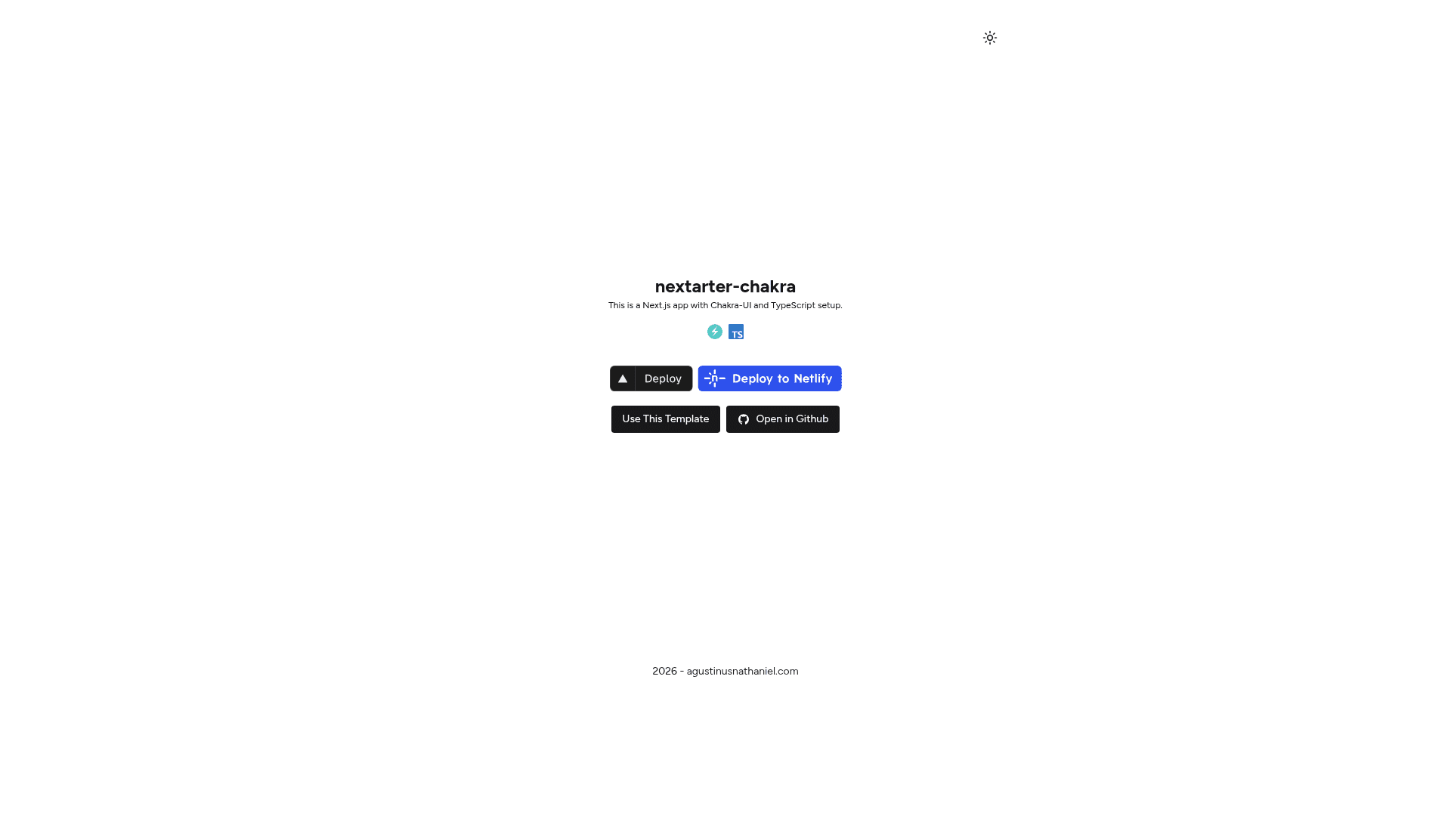
Nextarter Chakra
Battery-packed Next.js template with Chakra UI and TypeScript setup for rapid app development.
About this template
Nextarter Chakra is a Next.js boilerplate that pairs Chakra UI v3 with TypeScript 5 and pre-configured tooling for rapid app development.
What is Nextarter Chakra?
Nextarter Chakra is an open-source starter template created by agustinusnathaniel that bootstraps a Next.js project using the App Router. It takes the output of create-next-app and adds Chakra UI v3 for components, Emotion for styling, next-themes for dark mode, and a split-layer folder structure. The template produces a runnable application with a global layout, header, footer, home page, and theme configuration.
Key Features
- Framework — Next.js 16 with the App Router; routing lives in src/app where layout.tsx wires providers and page.ts re-exports the home page from the logic layer.
- UI Library — Chakra UI v3 provides React components and uses Emotion as its styling engine.
- Theme Support — next-themes integrates with Chakra UI to enable light and dark mode switching.
- Language — TypeScript 5 is configured across the project for type-safe code.
- Linting & Formatting — Biome handles both with pnpm biome:check and pnpm biome:fix scripts.
- E2E Testing — Playwright is set up and run via pnpm test:e2e.
- Build System — Turborepo manages the build pipeline for the repository.
- Icons — React Icons is included for icon components.
- Repository Layout — The split-layer architecture separates routing (src/app), business logic (src/lib), and shared UI primitives (src/components/ui).
Who is it for?
Nextarter Chakra is for developers who want a ready-to-run Next.js + Chakra UI project without manually wiring dependencies. It suits frontend developers who want to start building UI immediately, teams that value a clean separation between routing and business logic, and developers learning Chakra UI who want a working reference implementation. It is also useful for open-source maintainers who want a consistent base for their own templates.
What can you do with Nextarter Chakra?
- Frontend developers: scaffold a new project and immediately build with Chakra UI components instead of configuring the setup yourself.
- Rapid prototyping: click Deploy with Vercel, Deploy to Netlify, or Deploy on Railway to launch a live instance without cloning; or open in StackBlitz to edit in the browser.
- Team standardization: use the template as a baseline so every new Next.js service shares the same linting, formatting, testing, and folder conventions.
- Learning resource: study the split-layer architecture and how Chakra UI v3 integrates with next-themes to reuse the pattern in other projects.
How does Nextarter Chakra work?
This project uses pnpm as its package manager. After running pnpm install, you start development with pnpm dev, which serves the app at http://localhost:3000. Production builds run with pnpm build, and E2E tests run with pnpm test:e2e. Biome scripts check and automatically fix code style issues.
FAQ
What is Nextarter Chakra?
Nextarter Chakra is a Next.js starter template that combines Chakra UI v3, TypeScript 5, Biome, Playwright, and Turborepo. It is a fork of the create-next-app experience with extra tooling added.
Does Nextarter Chakra support dark mode?
Yes, it includes next-themes, a library that integrates with Chakra UI to provide automatic and manual theme switching.
Can I deploy Nextarter Chakra with one click?
Yes. The repository includes deploy buttons for Vercel, Netlify, and Railway, plus an Open in StackBlitz button for browser-based editing.
What package manager does Nextarter Chakra require?
The template is configured for pnpm. All documented commands, such as pnpm dev and pnpm build, assume pnpm is installed.
Is Nextarter Chakra free to use?
It is available as a public GitHub repository. The template page does not mention a license, so check the repository's license file before commercial use.