Template details
Syntro
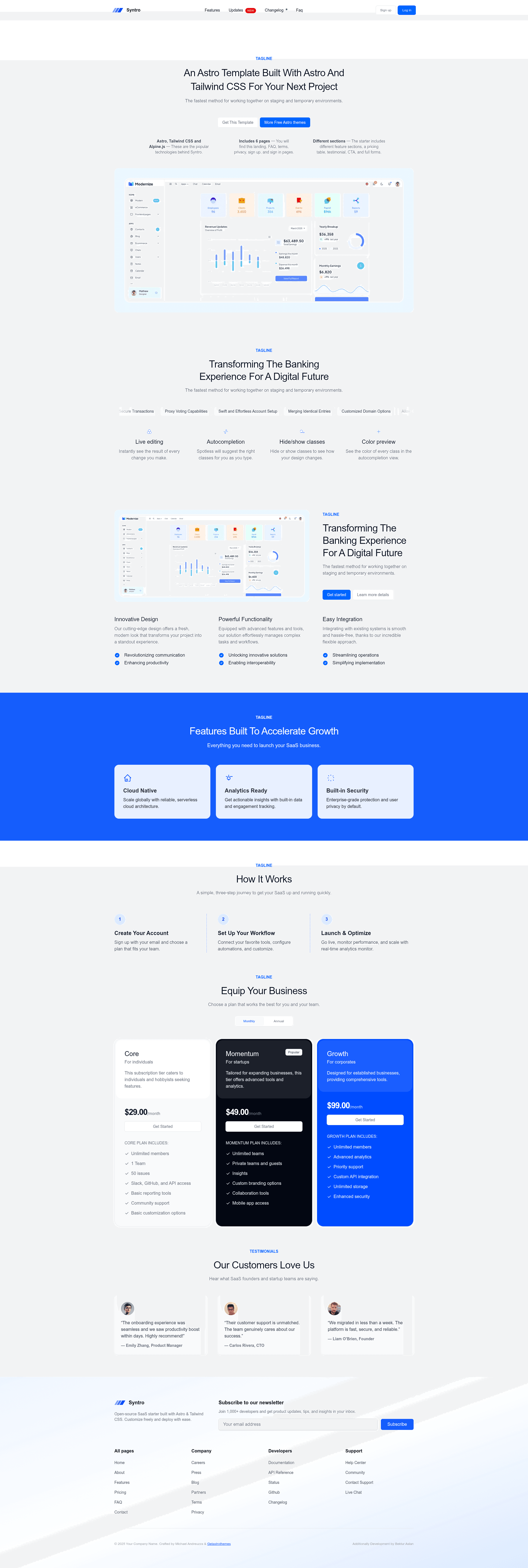
Minimal SaaS landing page template built with Astro JS and Tailwind CSS v4.
About this template
Syntro is a minimal SaaS landing page template built with the Astro framework and Tailwind CSS v4, giving startups a single-page starting point they can customize and deploy to Vercel.
What is Syntro?
Syntro is an open-source landing page template that runs on Astro and uses Tailwind CSS v4 for styling. It takes your content and produces a static site with one main page (index.astro) that you can deploy anywhere. The project was originally created by Michael Andreuzza and is currently maintained and extended by Bektur Aslan under the GPL-3.0 license.
Key Features
- Astro framework — Built on Astro, which outputs static HTML by default; pages are placed in src/pages and become routes by filename.
- Tailwind CSS v4 — Uses a single global.css file in src/styles with @import "tailwindcss" and the @theme directive instead of a tailwind.config.cjs file.
- Typography and forms plugins — Includes @tailwindcss/typography and @tailwindcss/forms via @plugin statements, giving you article styling and form element resets.
- Minimal structure — Out of the box you get public/, src/pages/index.astro, and package.json; components can be added to src/components.
- Standard commands — npm run dev starts a local server at localhost:3000, npm run build outputs to ./dist/, and npm run preview serves the build.
- Vercel deployment — A one-click Deploy with Vercel button is linked in the README for cloning the repository directly.
Who is it for?
- Startup founders — Launch a clean landing page for a new SaaS product without writing CSS from scratch.
- Developers — Customize a minimal Astro project, add components, and integrate with external services using Astro's CLI.
- Designers — Use the Tailwind v4 @theme setup to define design tokens in one CSS file and see changes applied across the page.
What can you do with Syntro?
- SaaS launches: Set up a minimal landing page with a heading, feature area, and call-to-action sections to announce a product.
- Open-source projects: Fork the repo, modify the single index.astro page, and deploy to Vercel to get a project site online quickly.
- Rapid prototyping: Use the preconfigured Tailwind v4 environment to test landing page copy and styling ideas with live reload at localhost:3000.
How does Syntro work?
After cloning the repository, run npm install to install dependencies, then npm run dev to start the local server. The src/pages/index.astro file is the only page in the default structure; edit it to change content. When ready, run npm run build to generate a static site in ./dist/ that can be deployed to Vercel or any static host.
Pricing
Syntro is free and open-source under the GPL-3.0 license, so you can fork, modify, and use it in your own projects without paying a licensing fee.
FAQ
Is Syntro free to use?
Yes, Syntro is released under the GPL-3.0 license, meaning you are free to fork, modify, and use it in your projects. There is no paid tier or account required.
What does Syntro include?
Syntro includes an Astro project with a single landing page (src/pages/index.astro), a global.css file that imports Tailwind CSS v4 and the typography and forms plugins, and standard npm scripts for development and building.
Can I use Syntro with Tailwind CSS v3?
The template uses Tailwind CSS v4's new setup with @import and @theme directives, so it relies on v4. Switching back to v3 would require restoring a tailwind.config.cjs file and adjusting imports.
Does Syntro include a blog or documentation pages?
The default structure only includes index.astro. Astro supports adding .astro or .md files in src/pages to create additional routes, so you can add a blog or docs manually.