Template details
Next.js + ButterCMS Starter
Next.js starter project fully integrated with ButterCMS sample content, blog, pages, and search.
About this template
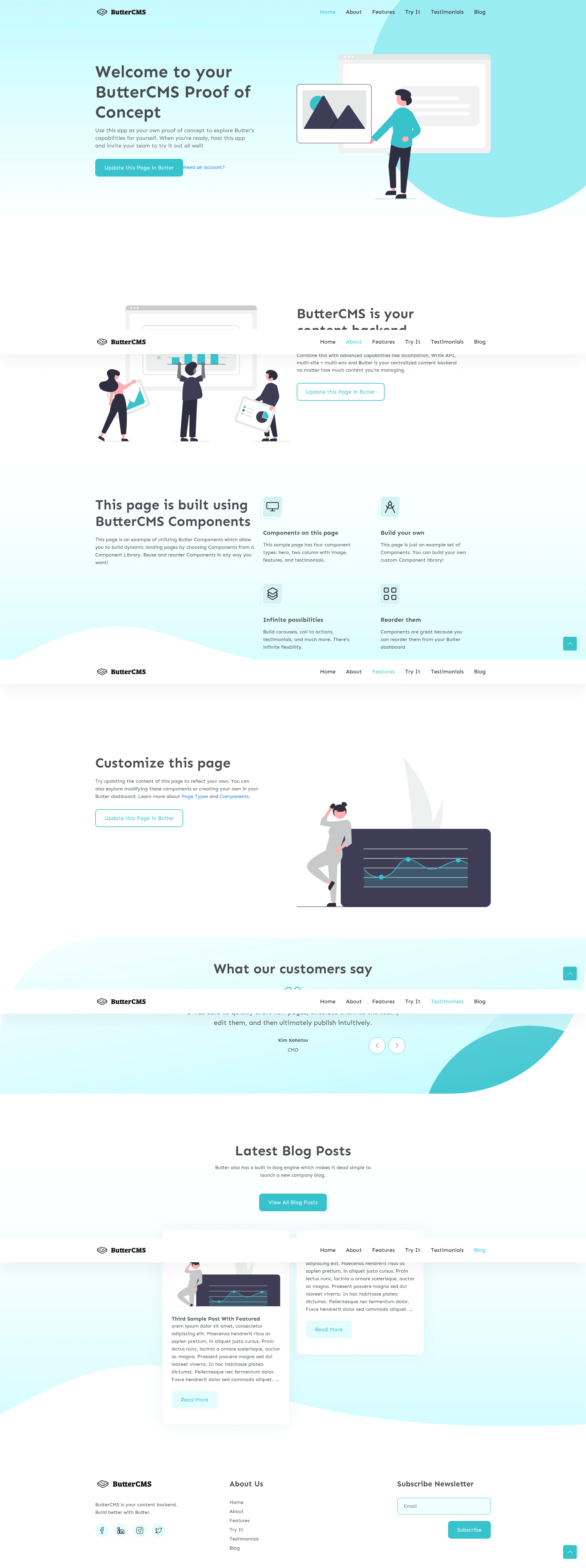
The Next.js + ButterCMS Starter is a boilerplate that couples a Next.js front-end with the ButterCMS headless CMS, delivering a pre-built blog and marketing site with sample content synced to a fresh ButterCMS account.
What is the Next.js + ButterCMS Starter?
The Next.js + ButterCMS Starter is an open-source boilerplate maintained by ButterCMS. It takes a ButterCMS API token as its required input and outputs a styled website with a main menu, pages, blog posts, categories, tags, and a working search box. The project runs on Node.js version 20 and is built with the Next.js framework, and it can be deployed to Vercel or Heroku with a single click. A live demo is available at https://nextjs-starter-buttercms.vercel.app/.
Key Features
- One-click deployment — Ready-to-use buttons deploy the project to Vercel or Heroku, automatically cloning the repository, setting the API key environment variable, and wiring a production deploy hook from ButterCMS.
- Automatic sample content — When you sign up for a free ButterCMS trial, the main menu, pages, blog posts, categories, and tags referenced by the starter are created in your dashboard.
- Implemented search functionality — The custom theme includes a search box that queries blog content through the ButterCMS API.
- Draft preview — Run locally or deployed, the starter displays draft changes saved in ButterCMS by default; set PREVIEW=false in your .env to disable this behavior.
- Environment-based configuration — The API token is read from the NEXT_PUBLIC_BUTTER_CMS_API_KEY environment variable, with a one-line .env setup command provided in the README.
- Custom theme included — The starter ships with a designed theme, so no front-end styling work is required to demonstrate a product or content workflow.
Who is it for?
- Developers — quickly spin up a fully functional Next.js site backed by ButterCMS to evaluate the CMS for a project or side project.
- Agencies — deploy a branded proof-of-concept for a client in minutes and show how content editors will interact with blog posts, pages, and metadata.
- Content teams — explore the ButterCMS editing experience using the pre-created sample content before committing to a full build.
What can you do with it?
- Create a CMS-driven blog — manage blog posts, categories, and tags from ButterCMS and see them render on the starter's blog page.
- Customize the front end — edit the Next.js components and styles to match a client's brand while keeping the ButterCMS integration intact.
- Deploy a demo site — use the Vercel button to generate a live URL connected to a ButterCMS account, suitable for stakeholder presentations.
How does it work?
- Clone the repository from https://github.com/ButterCMS/nextjs-starter-buttercms and run
npm install(oryarn install). - Add your API token by writing
NEXT_PUBLIC_BUTTER_CMS_API_KEY=<Your API Token>to a .env file. - Run
npm run devto start the local server at http://localhost:3000. - Deploy with the provided Vercel or Heroku buttons, which also configure a ButterCMS production deploy hook.
FAQ
Does the starter require a ButterCMS account?
Yes. To fetch content you need a valid ButterCMS API token, and the included sample content is automatically created when you sign up for a free ButterCMS trial.
How do I set the API key?
Add NEXT_PUBLIC_BUTTER_CMS_API_KEY=<Your API Token> to your .env file. The README provides an echo command that appends this line for you.
Can I disable draft preview?
Yes. The starter shows draft changes by default in local and deployed environments. Set PREVIEW=false in your .env file to turn off draft preview.
What deployment platforms are supported?
The starter includes one-click deployment buttons for Vercel and Heroku. Both options create a copy of the project in your Git provider and set up the ButterCMS connection.