Template details
Next.js Chakra UI Starter
Next.js starter preconfigured with Chakra UI, ESLint, Prettier, and Yarn v3 for fast app development.
About this template
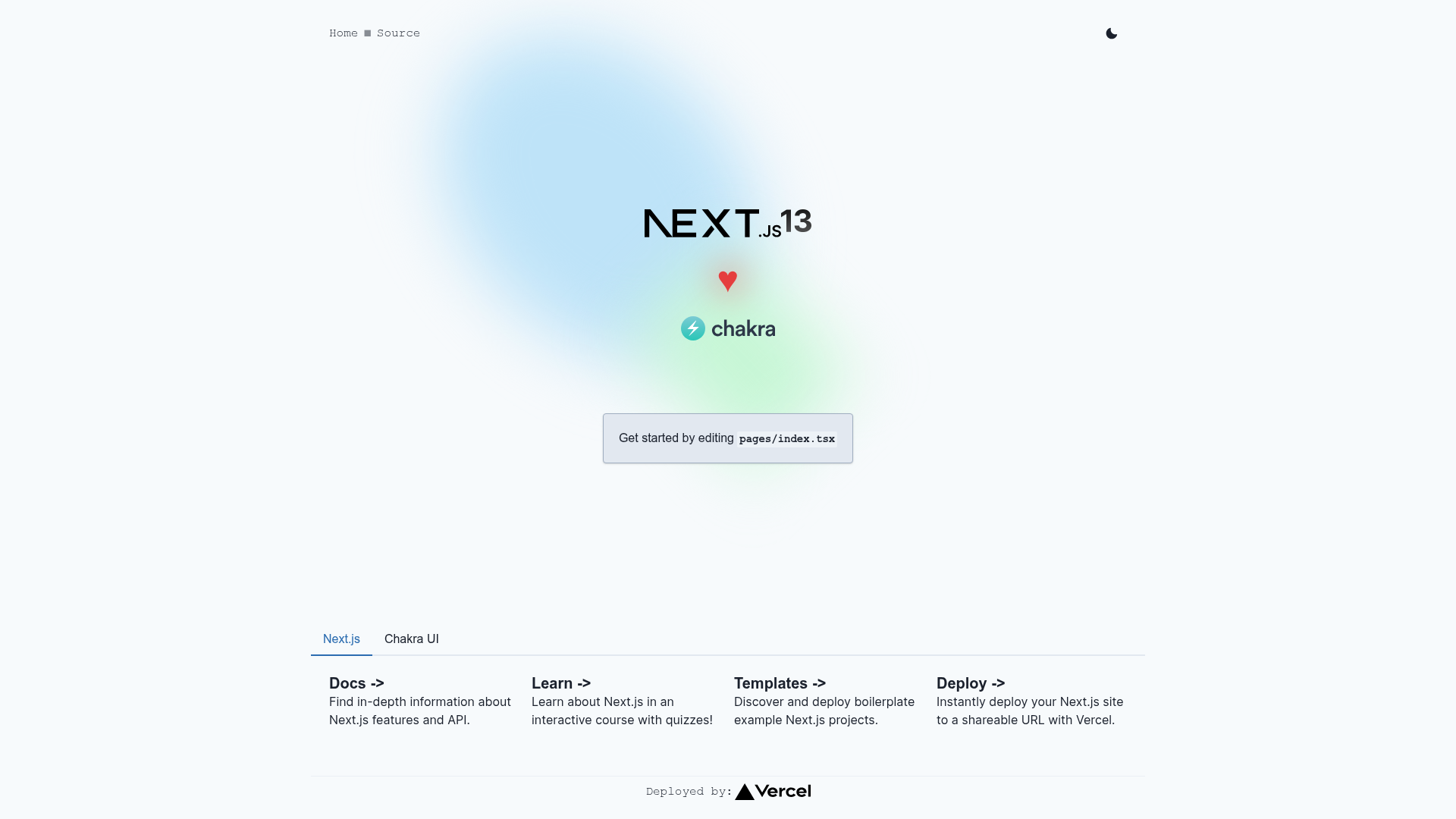
Next.js Chakra UI Starter is a boilerplate project that pairs Next.js 13 with Chakra UI v2 to give developers a ready-to-run foundation for building React applications with a component library already wired up. It is bootstrapped with create-next-app and adds Chakra UI, ESLint, Prettier, and a Yarn v3 workflow, so the first yarn dev starts a working app with a styled UI and a sample API route.
What is Next.js Chakra UI Starter?
The template is a GitHub starter project built from create-next-app that adds Chakra UI v2 (including the icon package) to the default Next.js scaffold. It runs on Node.js and outputs a standard Next.js application with a Pages Router structure. It includes a pages/api/hello.ts endpoint mapped to /api/*. The project also uses next/font to automatically optimize and load the Inter Google Font.
Key Features
- Next.js v13 + Chakra UI v2 — The template sets up the React framework with the Chakra component library and its icon set, so styling primitives are available out of the box.
- Volta and Yarn v3 — Optionally uses Volta to manage Node and Yarn versions, with a
yarnrc.ymlthat configures the node linker asnode_modules. - ESLint and Prettier — Code linting and formatting are preconfigured to enforce consistent style from the start.
- Automatic font optimization — The
next/fontfeature loads Inter automatically, reducing layout shift and keeping the font self-hosted. - API routes included — A sample endpoint at
/api/hellois editable inpages/api/hello.tsand demonstrates the API route mapping. - Editable Chakra theme — The theme is defined in
styles/theme.ts, providing a single place to customize colors, fonts, and component defaults.
Who is it for?
This starter is for web developers who want to build a Next.js application with Chakra UI without manually integrating the component library. It also suits teams that want consistent tooling because ESLint, Prettier, and Yarn v3 are already configured. Developers who use Volta for Node version management will find the optional Volta setup convenient.
What can you do with it?
- Front-end developers: Scaffold a new project and immediately use Chakra UI components like buttons, forms, and layouts in
pages/index.tsx. - API developers: Add new endpoints under
pages/apiand test them locally athttp://localhost:3000/api/...without extra configuration. - Static site builders: Customize the Chakra theme in
styles/theme.tsto define a brand look, then deploy the finished site to Vercel with one click.
How does the starter work?
After cloning, run yarn dev to start the development server at http://localhost:3000. Edit pages/index.tsx to change the page content and it auto-updates. The preconfigured tooling — ESLint, Prettier, and Chakra UI — works immediately, so no additional setup is needed before building.
FAQ
How do I start the development server?
Run yarn dev in the project root. The server starts on http://localhost:3000 and auto-reloads when you edit files.
Can I deploy this starter to Vercel?
Yes, the README points to the Vercel platform for deployment and links to Next.js deployment documentation. The template is designed to work with Vercel's zero-config deployment.
What versions of Next.js and Chakra UI are included?
The template specifies Next.js v13 and Chakra UI v2, including the icon package. Exact minor versions are not listed in the README.
Is this starter free to use?
The project is shared as a public GitHub starter. No pricing or license terms are mentioned in the README.