Template details
Next.js Preview Mode Demo
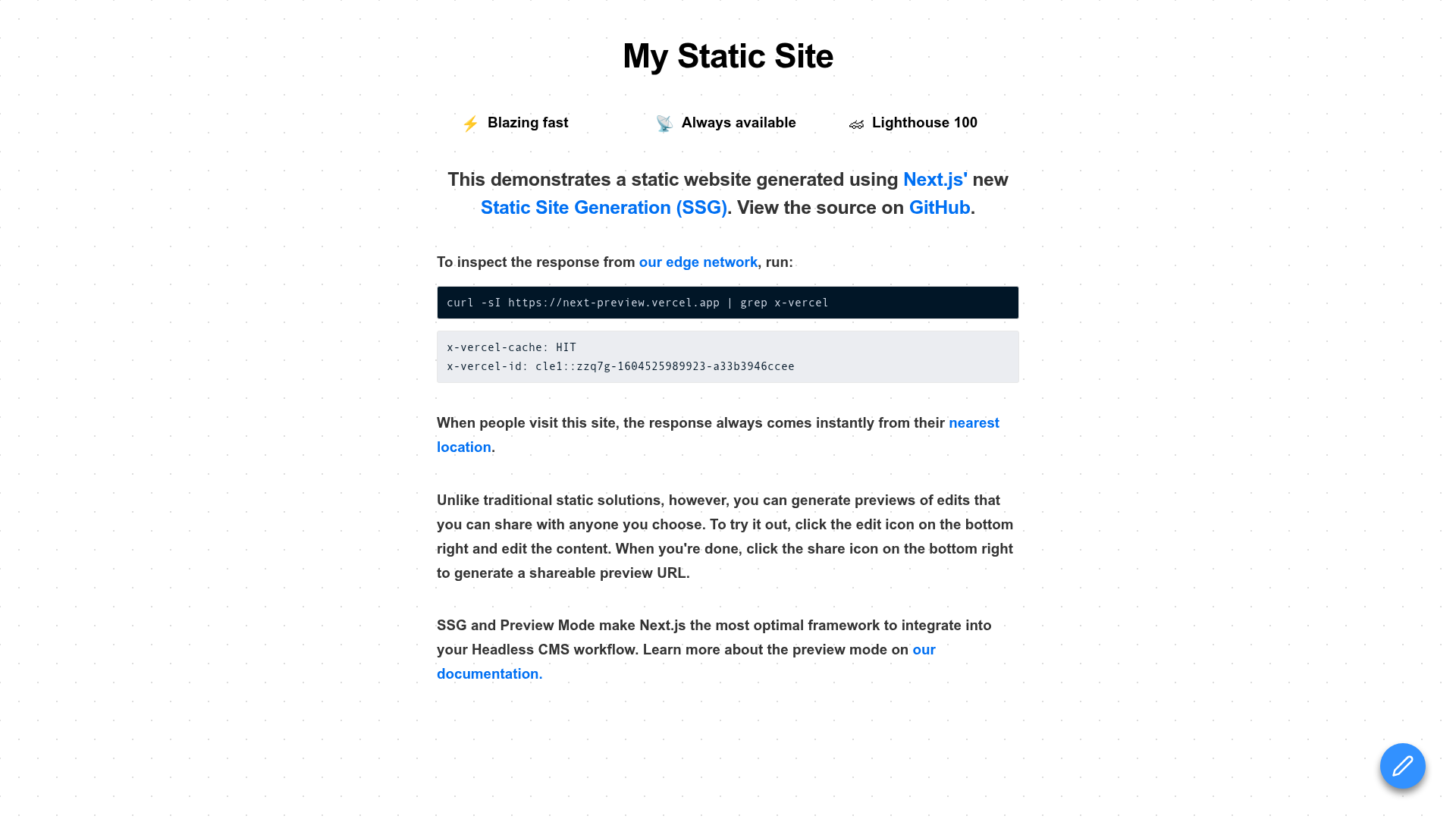
Next.js demo pairing static site generation via getStaticProps with Preview Mode, so authorized editors can view draft CMS content on demand.
About this template
Next.js Preview Mode Demo is a Next.js example application that pairs build-time static site generation with Preview Mode, an on-demand rendering path that lets authorized users bypass the prerendered page and see draft content live.
What is Next.js Preview Mode Demo?
Next.js Preview Mode Demo is a demo project focused on Static Site Generation (SSG) in Next.js, driven by the getStaticProps data-fetching function, and extended with Preview Mode. It runs on Next.js, described in the project as the first hybrid framework, and ships as a live deployment on Vercel at next-preview.vercel.app. The demo was published alongside the Next.js 9.3 release, and it links directly to the Next.js 9.3 blog post and the official Preview Mode documentation for background reading. Its input is a statically prerendered page; its output is either that cached static page for regular visitors or a freshly rendered, on-demand page for authorized users in preview.
What makes Next.js Preview Mode Demo stand out?
- Static generation via
getStaticProps— the application deliberately focuses on Static Generation rather than mixing in other data-fetching strategies, keeping the example easy to read. - Preview Mode override — authorized users bypass the statically prerendered page and trigger on-demand rendering of the same route.
- Per-page rendering choice — the demo is built on Next.js' hybrid model, where the rendering technique is selected per page instead of for the whole site.
- CMS draft viewing — the project frames Preview Mode as a way for content editors to check real-time draft content from their CMS.
- Vercel deployment — a working instance is hosted on Vercel, so the behavior can be tested without a local build.
- Official documentation trail — the README points to the Next.js 9.3 blog post and the advanced-features Preview Mode docs.
- Repository topic coverage — the GitHub repo is tagged cms, nextjs, preview, react, real-time, ssg, and vercel.
Who should use Next.js Preview Mode Demo?
- Content editors and marketers: preview unpublished draft entries from a headless CMS inside the real page layout before publishing.
- Next.js developers: study a minimal reference for wiring
getStaticPropstogether with Preview Mode before adding it to a production site. - Teams evaluating headless CMS workflows: see how a statically generated site can still serve unpublished content to a restricted audience.
- Developers new to Next.js data fetching: read a small codebase that isolates SSG plus preview rather than demonstrating every rendering mode.
What can you do with Next.js Preview Mode Demo?
- Preview draft content: open the live Vercel demo, enter Preview Mode, and confirm that the page renders on demand instead of serving the prerendered build output.
- Prototype an editorial workflow: use the pattern as a starting point for giving CMS editors a real-time view of content that has not been published yet.
- Compare static and on-demand rendering: switch between a normal visit and a preview visit to see how Next.js chooses the static page versus on-demand rendering for the same route.
How does Next.js Preview Mode Demo work?
Pages in the demo are prerendered at build time with getStaticProps. When an authorized user enables Preview Mode, the request for that route skips the statically prerendered result and Next.js renders the page on demand instead, which is what allows unpublished CMS content to appear.
FAQ
What is Preview Mode in Next.js?
Preview Mode uses Next.js' on-demand rendering capabilities to bypass a statically prerendered page and render that page on demand for authorized users only. It is documented as an advanced feature and was highlighted in the Next.js 9.3 release notes.
Does this demo use server-side rendering instead of static generation?
No. The application solely focuses on Static Generation through getStaticProps. On-demand rendering is used only as the Preview Mode mechanism that authorized users trigger, while regular traffic continues to receive the statically generated page.
Who is Preview Mode meant for?
It is aimed at people who need to see content before it goes live, most notably content editors reviewing real-time draft content from a CMS. Access is limited to authorized users rather than the general public.
Where can I try it?
A live instance is hosted on Vercel and linked from the README as the place to take Preview Mode for a spin. The same README links to the Next.js 9.3 blog post and the official Preview Mode documentation.