Template details
NextJS Tailwind Portfolio Page
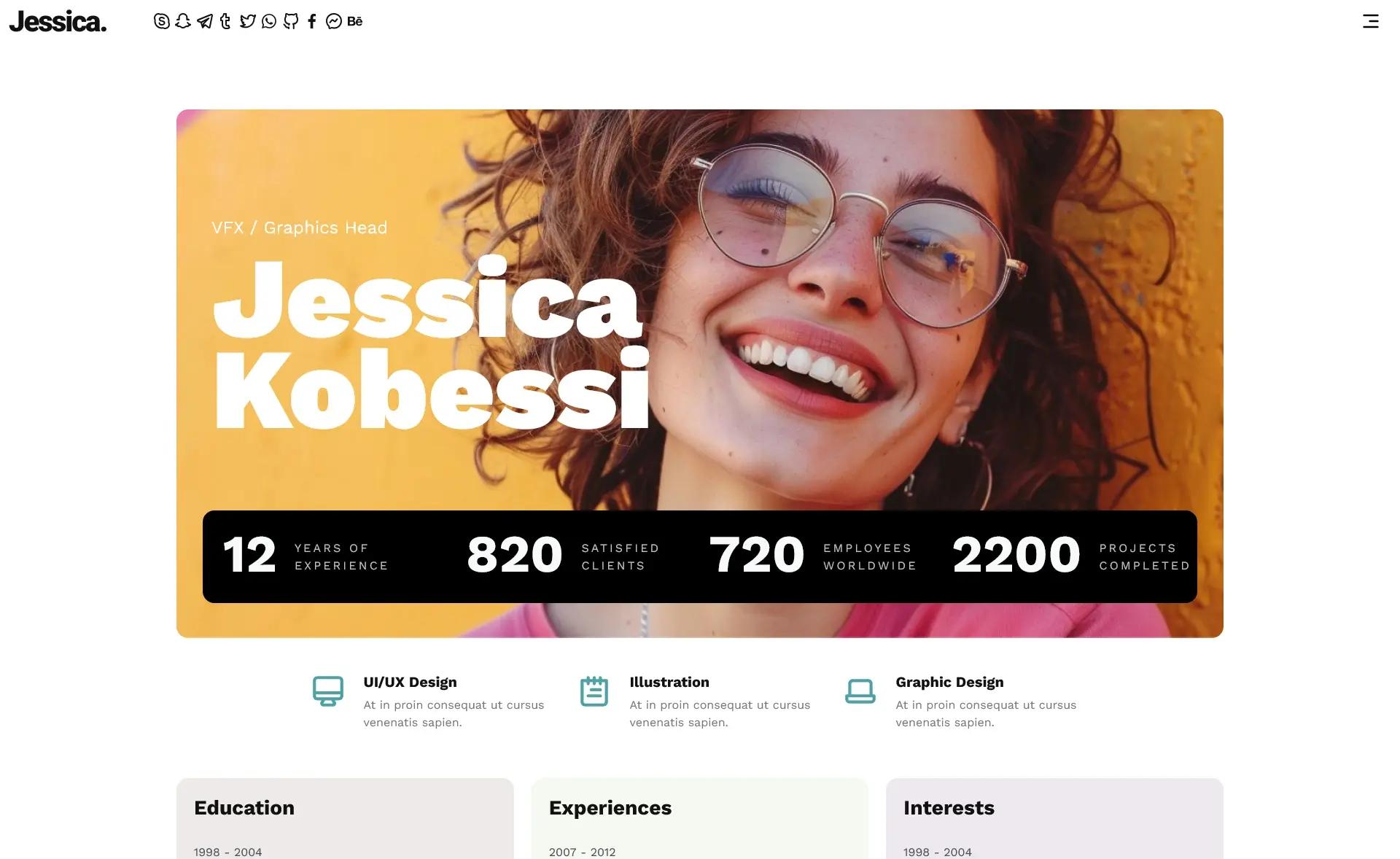
Free Next.js + Tailwind portfolio template from Creative Tim with hero, logo, testimonial, and features sections.
About this template
NextJS Tailwind Portfolio Page is a free, single-page portfolio template from Creative Tim that lets artists, designers, photographers, and creative professionals showcase their work using Next.js and Material Tailwind.
What is NextJS Tailwind Portfolio Page?
NextJS Tailwind Portfolio Page is a free portfolio web page template built on Next.js and styled with Tailwind CSS through Material Tailwind components. It takes a developer's customization inputs — text, images, and branding — and outputs a deployable single-page portfolio with hero, logo, testimonial, and features sections. Created by Creative Tim, the template is at version 1.0.0 and is available for download from the Creative Tim website.
Key Features
- Next.js + Tailwind CSS stack — Built on the Next.js framework with Tailwind CSS styling via Material Tailwind, giving developers a React-based portfolio they can extend with components.
- Essential portfolio sections — Includes hero, logo, testimonial, and features sections out of the box, covering the typical structure of a creative portfolio landing page.
- Free download — The template is free to download from Creative Tim, with the source available in the public GitHub repository.
- Developer documentation — Documentation is hosted on the Material Tailwind docs site, with installation and customization guidance written for developers.
- Cross-browser support — Officially supports the last two versions of Chrome, Firefox, Edge, Safari, and Opera.
- Quick local setup — After installing Node.js LTS, running npm install in the project root installs local dependencies for development.
Who is it for?
Artists and designers: Creatives who want a polished single-page portfolio to display their work without building a site from scratch. Photographers: Visual professionals who need a clean hero-and-gallery layout to feature their images. Portfolio website developers: Developers who build portfolio sites for clients and need a free, customizable Next.js starting point they can restyle with Tailwind classes.
What can you do with NextJS Tailwind Portfolio Page?
- Showcase creative work: Populate the hero, features, and testimonial sections with your own content to present your projects and client feedback.
- Customize branding: Adjust Tailwind utility classes and Material Tailwind components to match your site's colors, typography, and layout preferences.
- Learn a reference implementation: Study the template's code to see how Next.js and Material Tailwind are combined, useful for developers learning the stack.
Pricing
NextJS Tailwind Portfolio Page is free to download from Creative Tim. It is distributed under the Creative Tim license, which governs usage and redistribution.
FAQ
Is NextJS Tailwind Portfolio Page really free?
Yes, the template is free to download from Creative Tim's product page. You only need a Creative Tim account to access the download; the source code is also published on GitHub for review.
What technology does this portfolio template use?
The template uses Next.js as the React framework and Tailwind CSS through Material Tailwind for styling. It is a single-page portfolio with sections for hero, logo, testimonial, and features.
Do I need to install anything to run it?
You need Node.js LTS installed on your machine. After downloading the project, navigate to the root directory and run npm install to install local dependencies, then start the development server as described in the documentation.
Which browsers are supported?
The template officially supports the last two versions of Chrome, Firefox, Edge, Safari, and Opera. For full compatibility, keep your browser up to date.
Where can I report issues?
Issues are tracked in the GitHub Issues page of the creativetimofficial/nextjs-tailwind-portfolio-page repository. The project maintainers recommend reproducible steps and noting the browser where the issue occurs.