Template details
Next.js Wedding Invitation Template
Wedding invitation web app built using Next.js with configurable event details, i18n, QR scanning, and unique guest links.
About this template
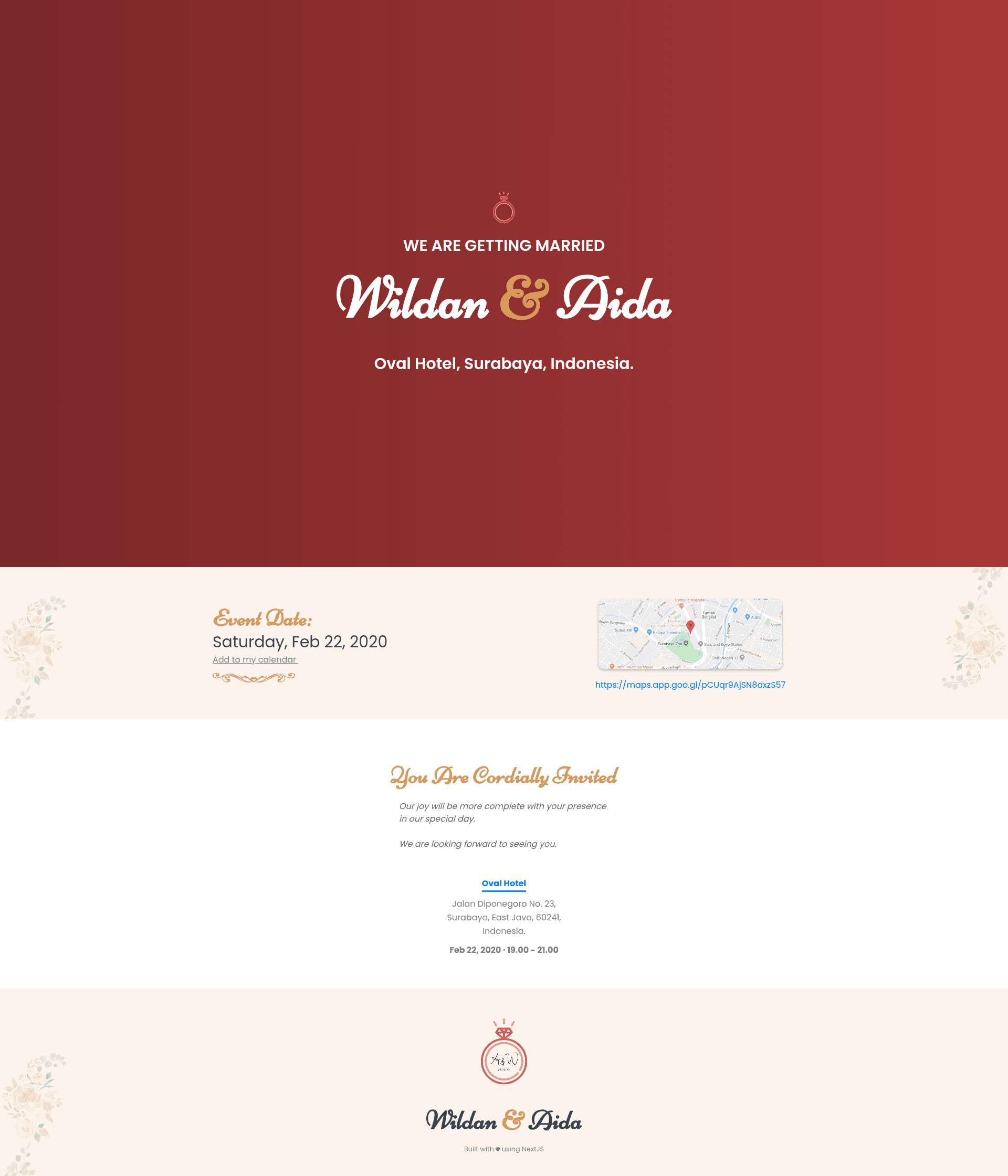
Next.js Wedding Invitation Template is an open-source, server-rendered wedding invitation web app built with Next.js that turns a configuration file and a guest list into a deployable invitation website. It is published on GitHub by wzulfikar and includes a live demo at https://wedding-invite-demo.wzulfikar.now.sh, so you can see the result before writing any code.
What is the Next.js Wedding Invitation Template?
The template is a React-based application using Next.js, which provides server-side rendering (SSR) for fast initial page loads and better SEO. As input, it reads event details from a JavaScript configuration file (for example, map URL and event date) and a guest list from a JSON file. As output, it generates a complete wedding invitation web page that can be deployed to any Node.js hosting service. The project is open source and available at https://github.com/wzulfikar/nextjs-wedding-invite.
Key Features
- Configurable parameters — Edit values in
src/config/app.js(renamed fromapp.sample.js) to change the map URL, event date, and other details; the demo shows changes updating in real time. - Autoplay footer animation — The footer includes an animation that plays automatically without any user interaction, adding a subtle visual touch to the invitation.
- Optional QR scanner — A QR code scanning feature can be enabled, useful for guest check-in or quickly sharing event information from a screen.
- Unique links per guest — Using a CSV file, the template can generate a distinct URL for each guest, enabling personalized invitation pages or plus-one management.
- i18n support — Internationalization is built in, so you can present the invitation in multiple languages by adding translation files.
- OG tags — Open Graph meta tags are included, ensuring attractive link previews with a title, description, and image when the invitation URL is shared on social media.
Who is it for?
- Couples planning a wedding — They can create a modern, informative invitation website instead of printed cards, featuring event details, a map link, and optional digital check-in via QR codes.
- Developers building a wedding site for clients — They can customize the Next.js app, adjust the configuration and guest list, add i18n translations, and deploy the finished site to a hosting platform.
- Technically inclined event organizers — The structure can be adapted for other events besides weddings, since the core is a configurable invitation system with guest-specific links and QR scanning.
What can you do with this template?
- Create a personalized wedding website — Set your event date, venue map URL, and guest list in the config and JSON files, then share the resulting link with your guests.
- Generate guest-specific URLs — Import a CSV of guest names to create unique links per person, which can support RSVP tracking, thank-you messages, or access control.
- Try it online in CodeSandbox — Open the template at https://codesandbox.io/s/github/wzulfikar/nextjs-wedding-invite, rename the two sample files, and edit the config to see changes immediately in the browser.
How does it work?
The template follows a straightforward setup: rename src/config/app.sample.js to src/config/app.js and pages/guest_list.sample.json to pages/guest_list.json, then adjust the values in the config file. The Next.js server renders the invitation with the provided data, and optional features like the QR scanner or per-guest links are toggled through configuration. Because it uses server-side rendering, the site is fast and crawlable.
FAQ
Is this template free?
Yes, the repository is open source on GitHub, so you can use, modify, and deploy it without paying a license fee.
Do I need a QR scanner to use the template?
No, the QR scanner is optional. It is disabled by default and can be enabled later in the configuration if you want to use it for guest check-in or other purposes.
Can I use this for a non-wedding event?
Yes, the template is essentially a configurable event invitation system. You can change the copy and config to suit birthdays, anniversaries, or other gatherings.
What technical knowledge is required?
You should be comfortable editing JavaScript and JSON files and understand the basics of Next.js or React. The CodeSandbox demo lowers the barrier, letting you experiment without a local development setup.
Where can I see a live example?
A live demo is available at https://wedding-invite-demo.wzulfikar.now.sh, showing the default configuration with sample content.