Template details
Nightfall
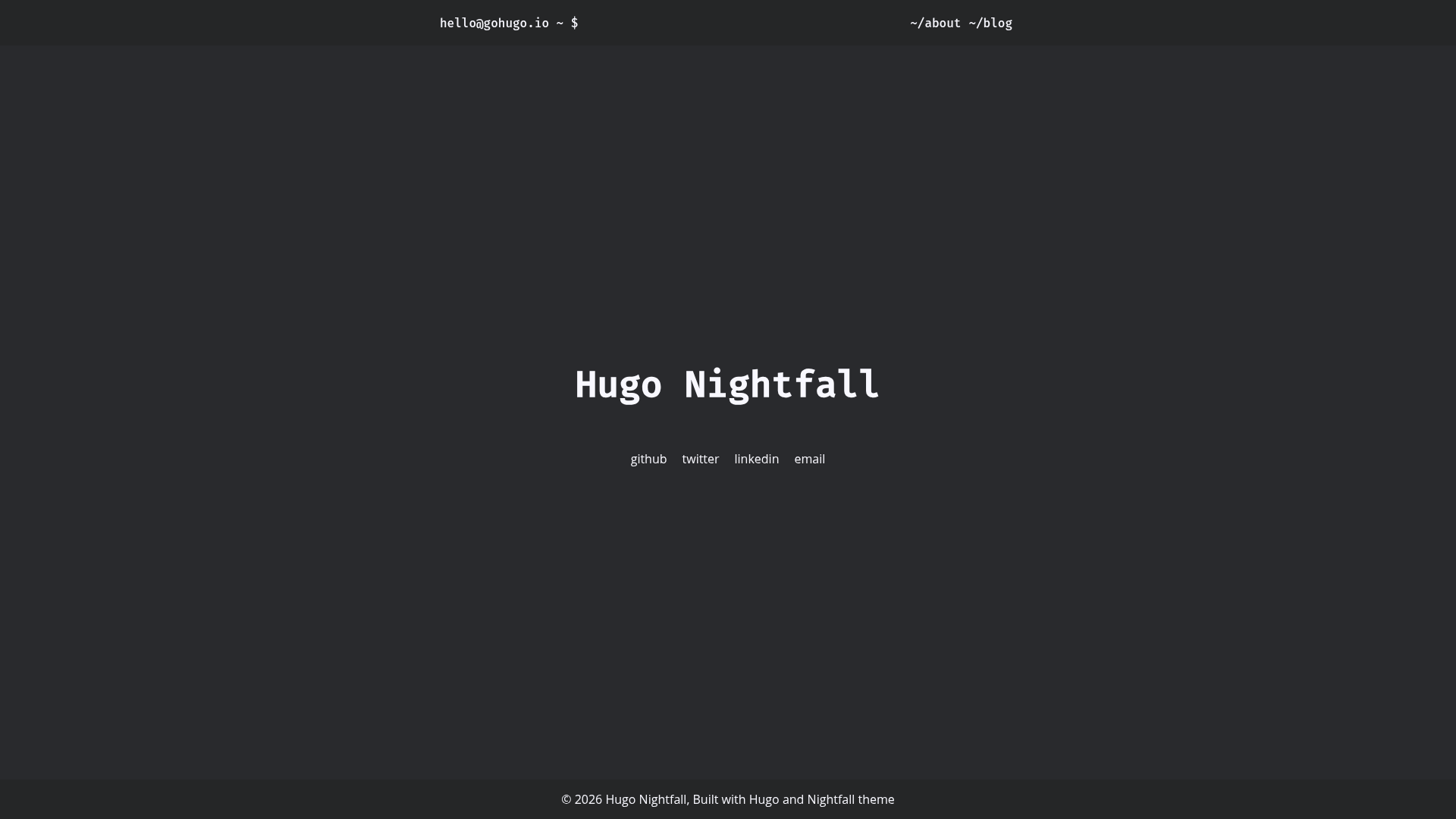
Minimal dark theme for Hugo with configurable metadata, social links, and custom colors.
About this template
Nightfall is a minimal dark theme for Hugo that turns a standard Hugo site into a fast, readable static blog with configurable post metadata, social links, and per-post accent colors.
What is Nightfall?
Nightfall is a minimal dark Hugo theme, published as an open-source repository by LordMathis, that provides a complete visual design for Hugo static sites. It takes a standard Hugo site with content in Markdown and produces a styled static site with a dark theme, typography, tags, categories, and a list-based post layout. The theme is built for Hugo version 0.146.0 and newer and requires the dart-sass extension to compile its stylesheets.
Key Features
- Dark minimal design — A low-light color scheme tuned for readability, with post title and link color customizable via a single hex value or one of four presets: blue, orange, green, and red.
- Flexible post metadata — Control display of published date, reading time, tags, authors, and categories globally in hugo.toml and per post in front matter, with a master switch (showMetadata) that hides all metadata when disabled.
- Configurable social links — Add GitHub, Twitter/X, Mastodon, email, or other social entries in hugo.toml, with optional icons from a custom icon font, custom target, rel attribute, and aria-label.
- External link handling — Set openLinksInNewTab to true in params and every external (http/https) markdown link opens in a new tab while internal links stay in the same tab.
- Flexible installation — Install via Hugo Modules using the path github.com/LordMathis/hugo-theme-nightfall or manually by git cloning the repository into themes/nightfall and setting theme = "nightfall".
- Configurable pagination — Control the number of posts per page on the posts index with a pagerSize setting, defaulting to 10.
- Customizable date format — Set a Go template date layout such as 2006-01-02 or the German format 02.01.2006 through displayDateFormat.
- Custom head and footer hooks — Extend the theme by creating layouts/partials/custom-head.html for icons, CSS, or JavaScript, and set footerHtml to place custom HTML inside the footer.
Who is it for?
Nightfall is for Hugo users who want a no-frills dark design for a personal blog, portfolio, or documentation site without maintaining custom CSS. Bloggers can quickly publish Markdown posts with tags, categories, authors, and reading time pre-styled. Developers who self-host with Netlify, GitHub Pages, or any static host can drop the theme in via Hugo Modules and keep their layout files in sync with Hugo's new template system.
What can you do with Nightfall?
- Personal bloggers — Publish a clean dark blog with configurable post metadata (date, reading time, tags, authors) and per-post front-matter overrides.
- Technical writers — Build a docs or knowledge-base section with the same styling and control pagination with pagerSize.
- Portfolio owners — Use the minimal layout to present projects and an about page, with custom footer text via footerHtml.
- Self-hosters — Deploy to any static host that supports Hugo builds; the live demo uses Netlify and the repository includes a Netlify deploy status badge.
How does Nightfall work?
Nightfall is installed either as a Hugo module (importing github.com/LordMathis/hugo-theme-nightfall in hugo.toml) or manually by cloning the repository into themes/nightfall and adding theme = "nightfall". After installation, configure the theme by adding params such as user, hostname, author details, social links, and color to hugo.toml; the theme then renders the site automatically with the provided layouts. For users who override layouts, note the v0.146.0 update: layout files that were in /layouts/_default move directly to /layouts, partials and shortcodes folders are renamed to _partials and _shortcodes, and an index.html becomes home.html.
Pros and cons
Pros:
- Minimal dark design with no external CSS framework — only Hugo's built-in templating and dart-sass.
- Rich metadata customization with global and per-post controls.
- Supports Hugo Modules for easy dependency management.
- Actively adapted to Hugo's new template system (v0.146.0).
Cons:
- Requires Hugo version 0.146.0 or newer, so older Hugo installations must be upgraded.
- Requires the separate dart-sass binary to build styles.
- No built-in icon font; social icons require you to add your own icon font link in custom-head.html.
FAQ
Does Nightfall require a specific Hugo version?
Yes, starting with the v0.146.0 update, Nightfall requires Hugo version 0.146.0 or newer because it uses Hugo's new template system. Older sites that upgrade must move layout files from /layouts/_default to /layouts and rename partials/shortcodes folders.
How do I change the accent color in Nightfall?
Set [params.styles] color = "orange" in hugo.toml. You can use the predefined names blue, orange, green, or red, or specify your own hex value. Orange gives the best contrast, and blue is the default.
How do I add social links to my site?
Add [[params.social]] entries in hugo.toml with name and url. Optional fields include icon (for example, fa-brands fa-github), target, rel, and aria attributes. For icons to display, you must add a link to your icon font in layouts/partials/custom-head.html.
Can I hide metadata like tags or reading time on individual posts?
Yes. Add showTags, showReadingTime, showAuthors, or showPublishedDate to a post's front matter. Any false value hides that metadata for that post. Setting showMetadata to false hides all metadata on the entire site.
Does Nightfall have a built-in icon font?
No, Nightfall does not bundle an icon font. To use icons for social links you need to add your own icon font (for example, Font Awesome) to the custom head partial.